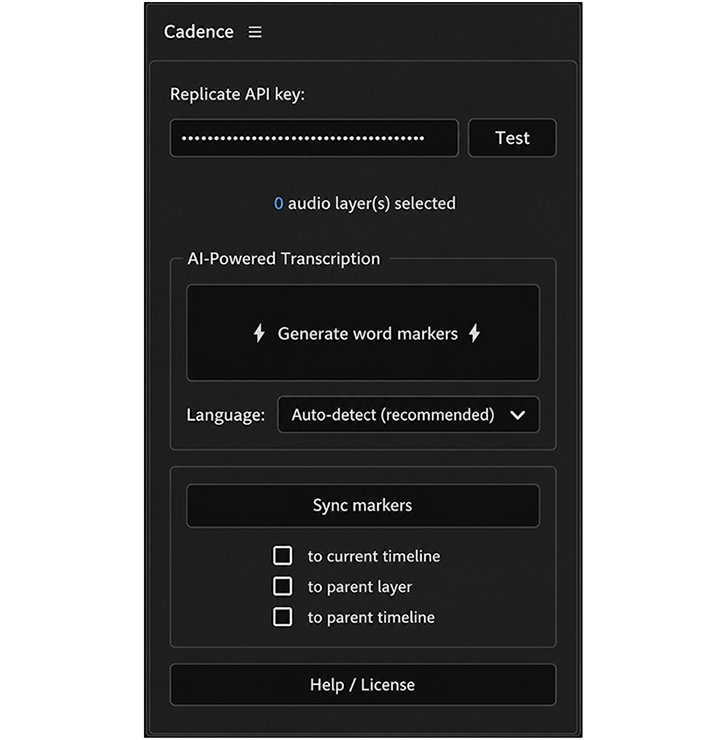
Cadence creates labeled timeline markers at the start of spoken words in After Effects audio. Select one or more audio layers and run Generate word markers. Cadence processes the audio with WhisperX and adds the markers to the audio layer. You can copy them to the current timeline, a parent layer or the parent timeline.
Each marker displays its word, giving you a readable timing reference while you work. Keeping markers on the audio layer also leaves the composition itself clear.
Where the markers fit
Motion designers can use the word timings to animate text with speech, line up lip-sync animation or cue motion on selected words. For explainers and lessons, the markers can guide keyword emphasis, diagram reveals and graphics timed to narration.
Alignment and language support
The product listing describes WhisperX word-level forced alignment and Wav2Vec2 word-boundary detection. It claims millisecond-level timing and support for more than 90 languages, including English, French, Spanish, German and Japanese.
Requirements, costs and license
The listing marks After Effects 2026 through CC 2018 as compatible, and lists Windows 10/11 or macOS. AI processing requires an internet connection, a Replicate account and its API key. Replicate processing is pay-as-you-go at about $0.005 per minute of audio, with a $1 minimum to start; the listing estimates that minimum covers about 3.5 hours of audio. The product listing shows Cadence at $29.99, separate from processing costs.
The EULA permits one copy on one computer at a time and one archival copy stored on a medium other than a computer hard drive. Multiple-copy use or installation requires an appropriate licensing agreement for each user and each copy.