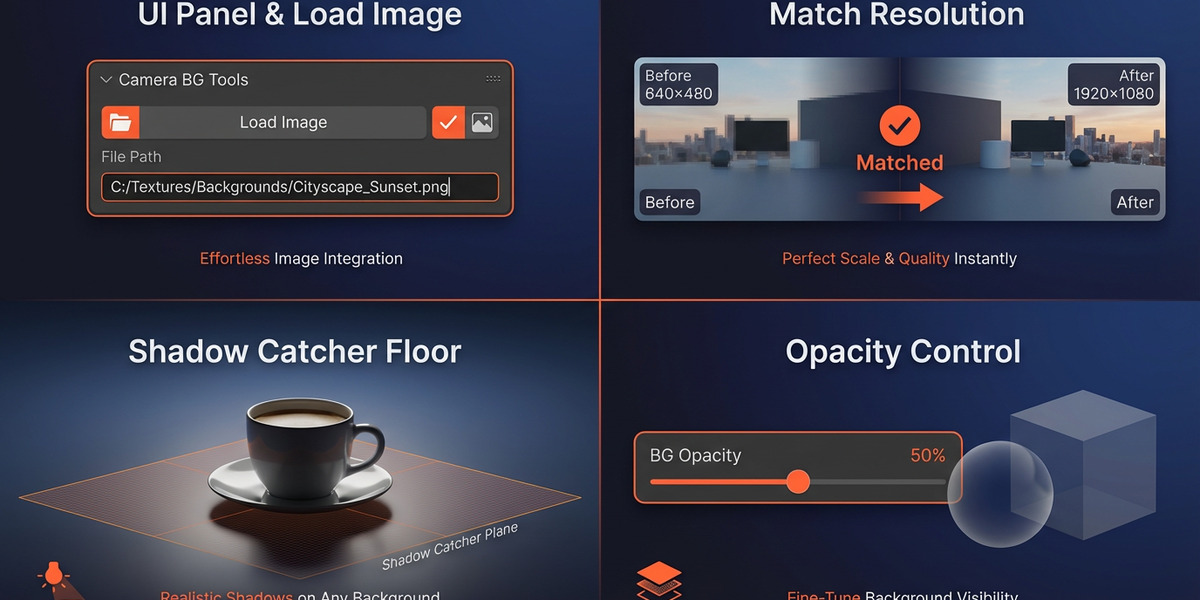
Camera Background is a Blender add-on that places an image behind a render through an automated compositor node setup. It has four scale presets from 25% to 100%, plus custom scaling from 10% to 200%. The listing says the full background remains visible without cropping and keeps its aspect ratio.
Choose a scale for previews or final output
Use 100% for full-quality output. Lower settings are intended for previews: the product comparison lists 75% as 1.8 times faster, 50% as 4 times faster, and 25% as up to 16 times faster. The comparison rates the 25% setting lower in quality, so return to 100% for a final render.
Load and enable a background
After enabling the add-on and adding a camera, open the N-key sidebar and select the Camera BG tab. Click Load Image, choose an image and scale, then click Enable before rendering. The included quick-start guide covers this setup.
Compositor controls
The add-on includes a shadow catcher, background opacity control from 0% to 100%, and a lock-camera-to-view option. Background dimensions automatically match the render settings. The product page also lists compatibility with K-Cycles Post FX, including bloom and lens flares, and says other post-processing effects remain intact. The listing describes its compositor setup as non-destructive and lists undo and redo support.
Version and Blender compatibility
The product page lists version 9.6.0. Its details section lists Blender 4.5 to 5.2, while its technical specifications say Blender 5.0 and later, leaving support for Blender 4.5 to 4.9 unclear. Ask the author through the current product listing whether Blender 4.5 to 4.9 is supported before installing. The quick-start documentation shows the panel and setup steps.