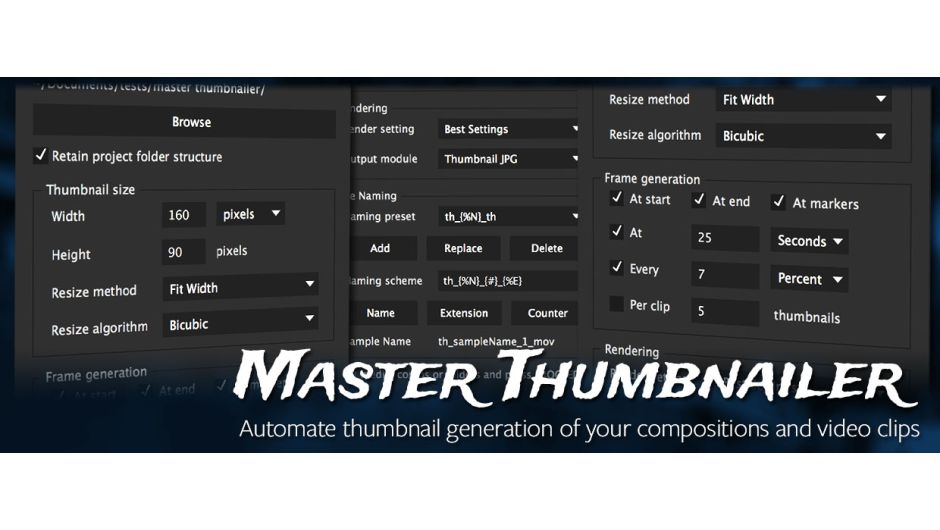
CI Master Thumbnailer is an After Effects script for exporting thumbnail images from compositions and video clips. It can process one composition, multiple compositions or footage items, or items in a non-empty folder.
Choose frames from each item
Generate an image at the start or end, at composition or clip markers, at one specified time, at a repeating interval, or as a fixed number of evenly spaced frames per item. Times and intervals can use frames, seconds, or a percentage of the clip length. A fixed frame count includes the first and last frame. Percentage intervals produce the same number of images per clip regardless of clip length. Positions outside the composition are skipped.
After Effects does not let you add clip markers directly, but the script can use clip markers created in Premiere Pro or Prelude. The separate composition-marker option requires After Effects 14.0 or later.
Set image size and file output
Set the thumbnail dimensions in pixels or as a percentage of the source dimensions. Percentage sizing can produce different pixel dimensions for different items. Choose to fit by width or height, fill the frame with non-proportional scaling, or use a center crop. After Effects 12.0 and later also lets you choose bilinear or bicubic scaling.
Select an After Effects render setting and a Thumbnail output module for the file format. The supplied output-module presets add JPG, PNG, PSD, and TIF options. Before rendering, import the appropriate .aom file through Edit > Templates > Output Modules > Load. The guide specifies the CS6 preset for CS6 and CC 12.0, and the CC2014 preset for later versions.
A custom naming scheme can use the composition or clip name, its extension, and a frame counter. Save naming schemes as presets. Choose an output folder and optionally retain the project folder structure in the exported files.
Export composition layers separately
For compositions, an option renders each visible video layer as a separate file while keeping alignment layers, cameras, and lights intact. You can place each composition and its layers in separate subfolders. Otherwise, the layer name is appended to the composition name and the files go into the destination folder.
Run it and check compatibility
Run the script from File > Scripts > Run Script, or copy it into After Effects' ScriptUI Panels folder and open it from the Window menu. The product page lists After Effects 2020, CC 2019, CC 2018, CC 2017, CC 2015.3, CC 2015, CC 2014, CC, and CS6. The user guide says CS6 runs the script, though its panel layout is mangled.
The EULA permits one copy on one computer for one user. Use by multiple people or on multiple computers requires an appropriate license for each user and copy.