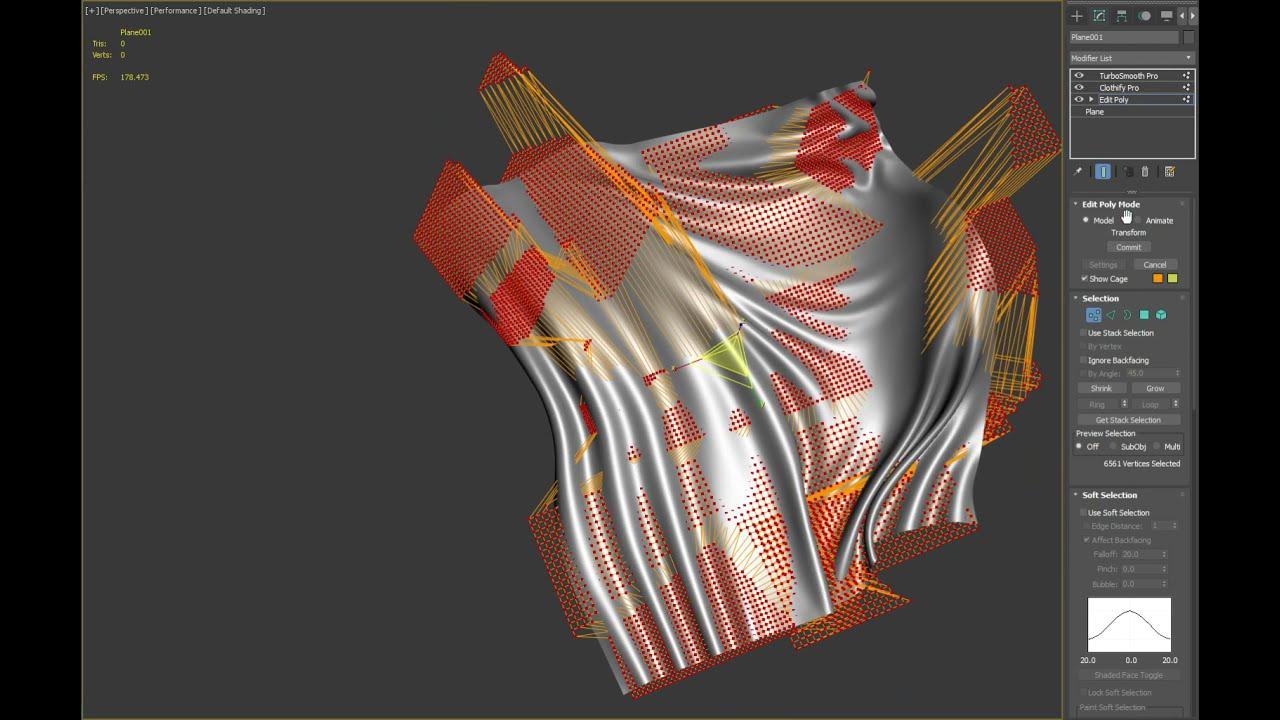
Clothify Pro is a 3ds Max modifier for modeling and animating cloth. Its non-destructive controls update as you change parameters, so you can shape a result without waiting for a simulation to finish or sculpting every adjustment by hand.
Adjust the cloth directly
Each parameter can be controlled with soft selection, vertex weights, or vertex colors. These controls let you vary a parameter's effect across the mesh instead of applying it uniformly. The result stays editable while you refine the cloth's shape.
Use it with deformations in the stack
Deformations applied underneath Clothify Pro affect the cloth. The developer lists Edit Poly, Skin, FFD, Bend, Affect Region, and Path Deform as examples. Clothify Pro also works with Freeform brushes and other operations that deform the mesh, so it can fit into a modifier-based modeling or animation workflow.
Check the limits against your scene
Clothify Pro does not handle collisions with other objects or self-intersections, and volume preservation is not available. The developer notes that self-intersections rarely occur when the underlying mesh is not self-intersecting. If your result depends on object collisions or preserving volume, those needs are outside the listed feature set.
Compatibility and license options
The developer's product page lists 64-bit versions of 3ds Max 2013 through 2027. It currently lists a perpetual, one-user Node-Locked license for $96 and a Floating license for $144. Node-Locked can be activated on two computers but cannot be moved to another computer once activated; Floating can be moved between computers.
For current compatibility, demonstrations, pricing, and purchase details, check Marius Silaghi's Clothify Pro page. The EULA describes the software's license terms.