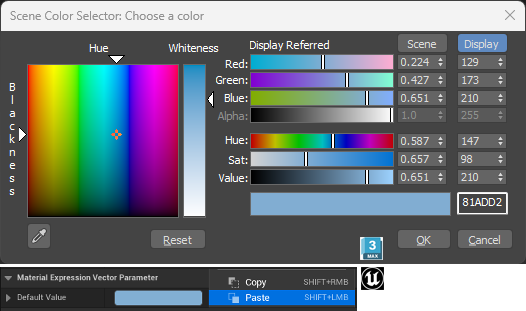
0-255 to % Converter
0-255 to % Converter converts percentage values to 0-255 and back in 3ds Max, with a grayscale swatch. Check compatibility and setup details.
Published software and plugin guides for Autodesk 3ds Max.
Read the software guide0-255 to % Converter converts percentage values to 0-255 and back in 3ds Max, with a grayscale swatch. Check compatibility and setup details.
Browse and preview 3D assets with 3DBrowser Pro R17, inspect scenes, and optimize meshes. Check its trial, pricing, and custom installer before downloading.
Review what 3ds Max 场景安全工具 detects, how cleanup works, and which version details to check before downloading Autodesk's free utility.
Add dimensions in 3ds Max using 99 Dimensions by Sherif Hany. It has plan and elevation modes, auto-measure and unit conversion. Check compatibility.
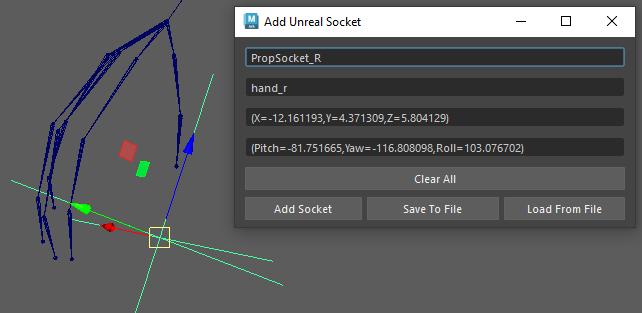
Add Unreal Socket copies Unreal socket transforms into 3ds Max, links a point helper to the parent bone, handles the Y-axis flip, and saves socket data.
AdvArray is Tim Catalano's parametric array modifier for 3ds Max. Autodesk Marketplace lists it at $20.00. Review the documentation and demo.
Set 3ds Max pivots by bounding box, surface, face click or snap, then offset, center or reset them with Kstudio’s Align Pivot scripts.
Use Align Slice Mod Gizmo(Plane) to 3 pts to set the Slice plane from three points; Shift uses the active grid or home by default. See Autodesk's listing.
All for UE5 is Vint26’s 3ds Max MaxScript for FBX export, layer folders, transform and camera transfer, UVW tools, and GPULightmass settings.
Monitor materials, smoothing groups, material IDs, and sub-object IDs in 3ds Max with All Statistics. Review compatibility and setup before installing.
AnimLayerCleaner is a 3ds Max utility for checking and cleaning bugged animation layers linked to slow performance. See how to add it to a toolbar.
AppDisplay groups 3ds Max objects with scripted modules. Compare display, materials, and identity modes, inspect group counts, and select objects in the scene.
AR-media is a 3ds Max export plugin for AR/VR experiences in Studio; check model requirements and view models with its free Player app for iOS and Android.
ArborSway automates wind setup for GrowFX vegetation in 3ds Max, with batch controls, looping, and Point Cache baking. Check version support before downloading.
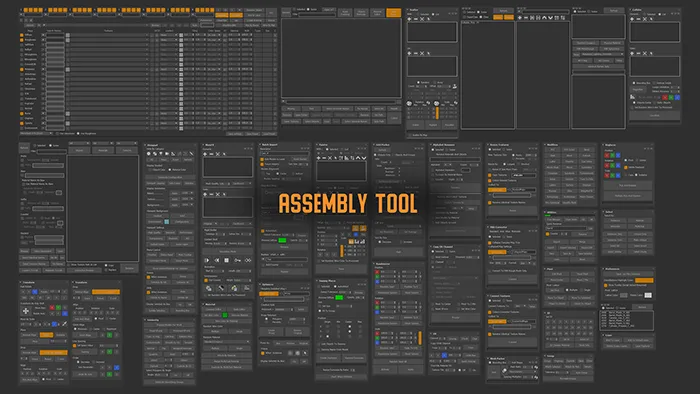
Explore Assembly Tool for 3ds Max across scene assembly, modeling, unwrapping, materials and scattering. Check the listed compatibility before downloading.
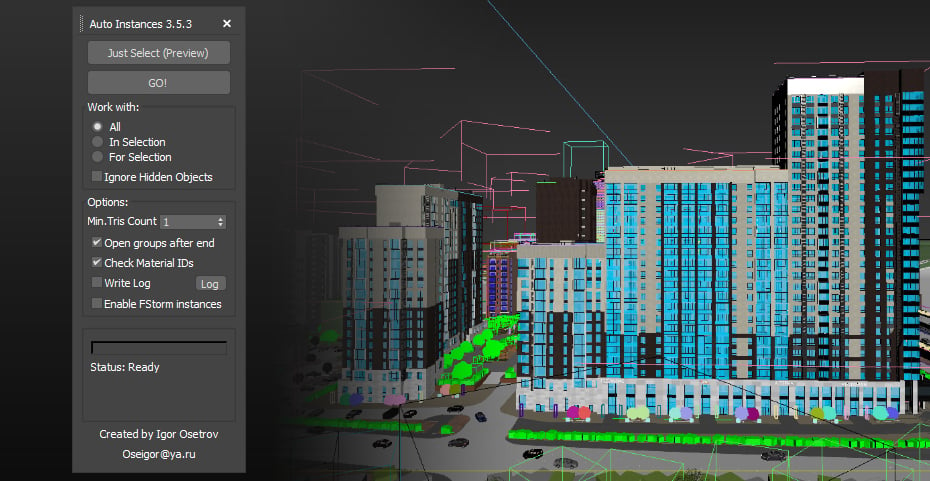
Auto instances for 3ds Max turns objects with identical geometry into instances. Review the preview, modifier limits and listed 2014-2022 compatibility first.
Auto Light places lights in 3ds Max with automatic tools, manual setup and profiles for V-Ray and Corona. Check unit settings and price before installing.
Autobackup Starter performs 3ds Max's first save before autobackup begins. It loads from the startup folder and supports 3ds Max 7 or higher.
Explore Autodesk 3ds Max for polygon modeling, animation, materials, Arnold rendering, and procedural workflows. See where its tools fit your 3D pipeline.
Batch-process AutoCAD-exported .3ds objects with AutoEdge Selected in 3ds Max: convert to Editable Mesh, select edges, and run Auto Edge. Check compatibility.
AutoFloor UVs applies planar UVW mapping to tiled and parquet surfaces in 3ds Max, with per-element resize, shift, mirroring and rotation controls.
AutoPivot is a 3ds Max tool for center or foot pivots. Center uses center of mass on Mesh or Poly and average vertex position on Splines. Check version notes.