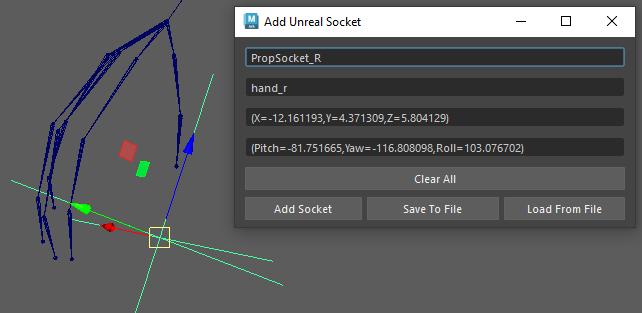
Add Unreal Socket is a 3ds Max script for transferring a socket transform from an Unreal skeleton or skeletal mesh into a point helper. The helper gives you a scene object to align or link a prop to the socket.
Transfer and link a socket
Copy socket data from Unreal with a mouse-and-keyboard shortcut, then paste it into the script interface. The script parses the values and creates a point helper with the socket's transform, so you do not have to split the copied text manually.
It applies a link constraint to the helper, sets the socket's parent bone as the target, and locks the transforms. Add Unreal Socket also handles the Y-axis flip in the 3ds Max-to-Unreal conversion.
Save socket data
Save or load socket data as text files in a folder you choose. Each output file is named after the socket name you provide.
Compatibility and sources
Version 1.0 is listed for 3ds Max 2020-2025. See the ScriptSpot entry and the developer's Gumroad page for product and current download details.