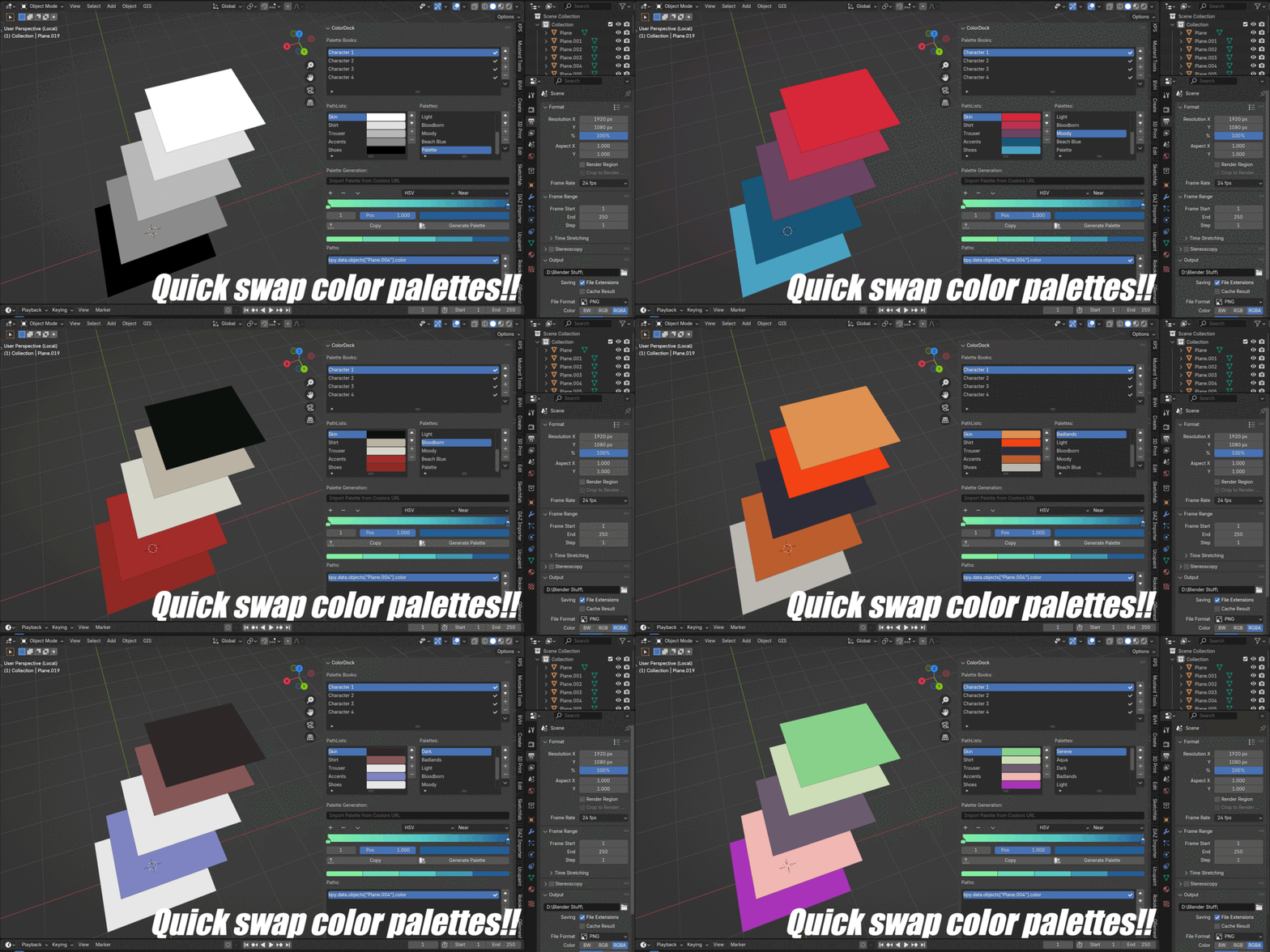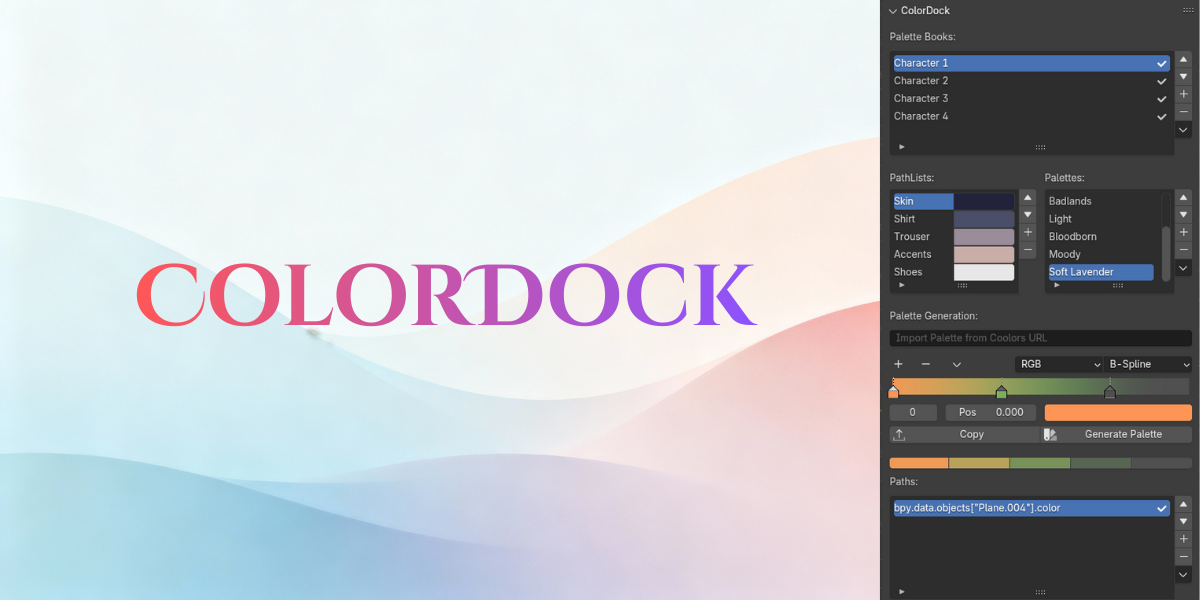
Colordock is a Blender add-on for testing palette variations on scenes and characters. Its product listing describes palette books that link colors to Blender properties through their full data paths. Select another palette in a book and the linked properties update to match.
How palette books and pathlists work
Each book holds palettes and pathlists. A pathlist groups the Blender color properties that should use the same palette color. For example, you could make pathlists for skin, hair, or accents, then bind each one to a color property. Colordock supports viewport colors, RGB node colors, and other properties whose full data path Blender exposes through its right-click menu.
Set up a color binding
The setup documentation describes this workflow:
- Create a palette book and add pathlists for the color groups you want to control.
- Add a palette, set its colors, and add other palettes to the same book for alternate looks.
- In Blender, right-click a target color property and choose Copy Full Data Path.
- In the relevant pathlist, add a path, then paste the copied value into the new field.
The product FAQ confirms that shader graph colors can be linked when their RNA data path is accessible.
Create and reuse palettes
You can design palettes with a custom color ramp setup or import them from Coolors URLs. The documentation also describes generating a palette from a selected pathlist color: choose a color scheme, preview the ramp, and copy it into the selected palette. The listing says palettes can contain unlimited colors, and palette books can be imported or exported as JSON.
Colordock includes automatic invalid-path detection, which flags broken paths without interrupting the process, and dynamic syncing for immediate feedback as palettes change.
Compatibility and included files
The product listing marks Colordock as Blender Extension compatible, lists Blender 4.2 through 4.5, and names Cycles and Eevee as render engines. It also lists the MIT license. According to the product FAQ, the download includes the add-on, a demo file, and a JSON file with preloaded palette books. Check the listing for current compatibility details before using it with another Blender release.