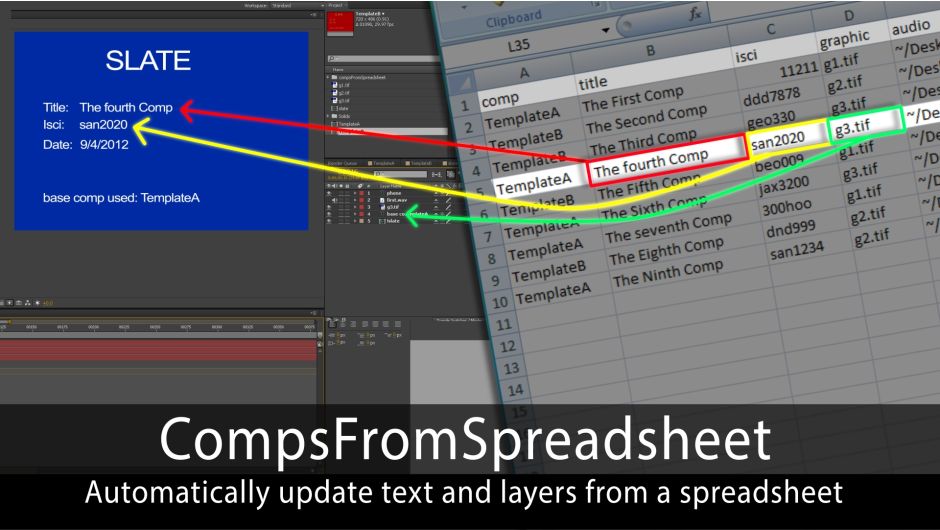
Create composition versions from spreadsheet rows
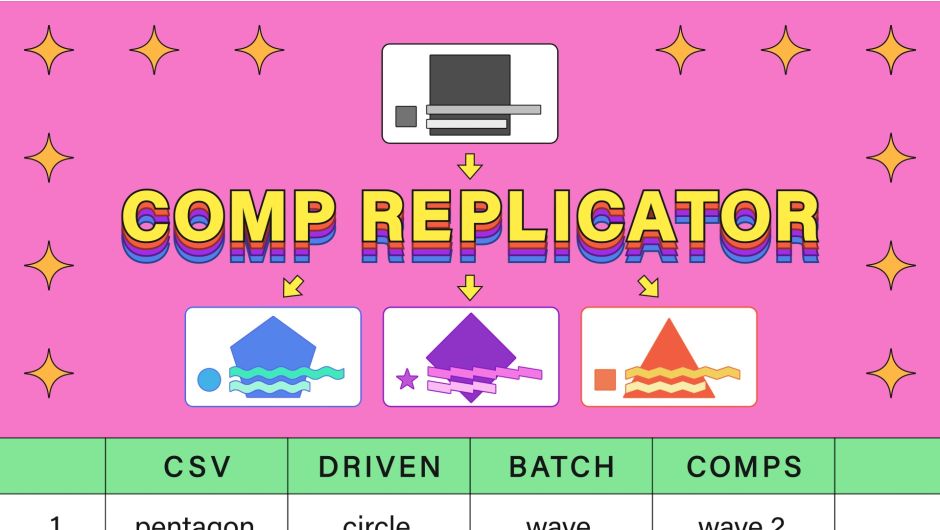
CompsFromSpreadsheet 5 creates versions of After Effects compositions from rows in a tab-delimited text file exported from a spreadsheet. Each row can supply text, project items or imported files for a template composition. This suits repeatable graphics and slates where the layout stays the same while names, dates or media change.
Prepare the template and data
Set up one or more template compositions, then export the spreadsheet as tab-delimited text. The first row must contain column names; After Effects cannot read the workbook directly. If the project uses multiple template compositions, include a COMP column naming the composition for each row. A single-composition project does not need that column. CompsFromSpreadsheet opens a field-mapping panel where columns are assigned to layers. Matching column and layer names are selected automatically.
- Prefix a text layer name with
^to fill its source text from a column. A layer named^dateinserts the current date in MM/DD/YYYY format by default; you can change it in the Misc tab of settings. - Begin a non-text layer name with
#to replace it with a named project item. Begin it with>to import a file from a path in the data, or from a configured import directory. For an image sequence, use*in place of>. - Prefix a precomposition layer with
!to update configured layers inside that precomposition from the spreadsheet. Add~to the end of a layer name to let that layer set the composition duration. For example, an imported audio layer named>audio~can set the composition to end with the audio.
Choose how the comps are processed
By default, the script duplicates template compositions to create versions. In Settings > Processing, the version 5.1 option called Don't Duplicate Template and Pre Comps instead updates the original template composition and precompositions. Choose this when you want to work on the originals; leave it off when you need to preserve them as templates. Version 5 also lets a composition used as a replacement layer receive spreadsheet data.
Generated compositions are added to the After Effects render queue with the default settings unless that option is turned off. The Render Settings button in the Field Init window lets you choose a render setting, output module and save folder. With Remember Settings checked, those choices are reused on each run; otherwise, they apply only to the current run. You can set an output module and render settings per spreadsheet row. A layer marked with ~ can also make composition length follow the layer's duration.
Setup and compatibility
CompsFromSpreadsheet can run as a dockable ScriptUI panel or as a regular script. For the panel, place compsFromSpreadsheet.jsxbin in After Effects' ScriptUI Panels folder, restart After Effects and open it from the Window menu. In After Effects General Preferences, enable Allow Scripts to Write Files and Access Network. The product page lists compatibility with After Effects 2026, 2025, 2024, 2023, 2022, 2021, 2020, CC 2019, CC 2018, CC 2017 and CC 2015.3. A fully functional demo is available. The EULA licenses one copy for use on one computer at a time; shared or multi-user configurations require an appropriate licensing agreement for each user and copy.