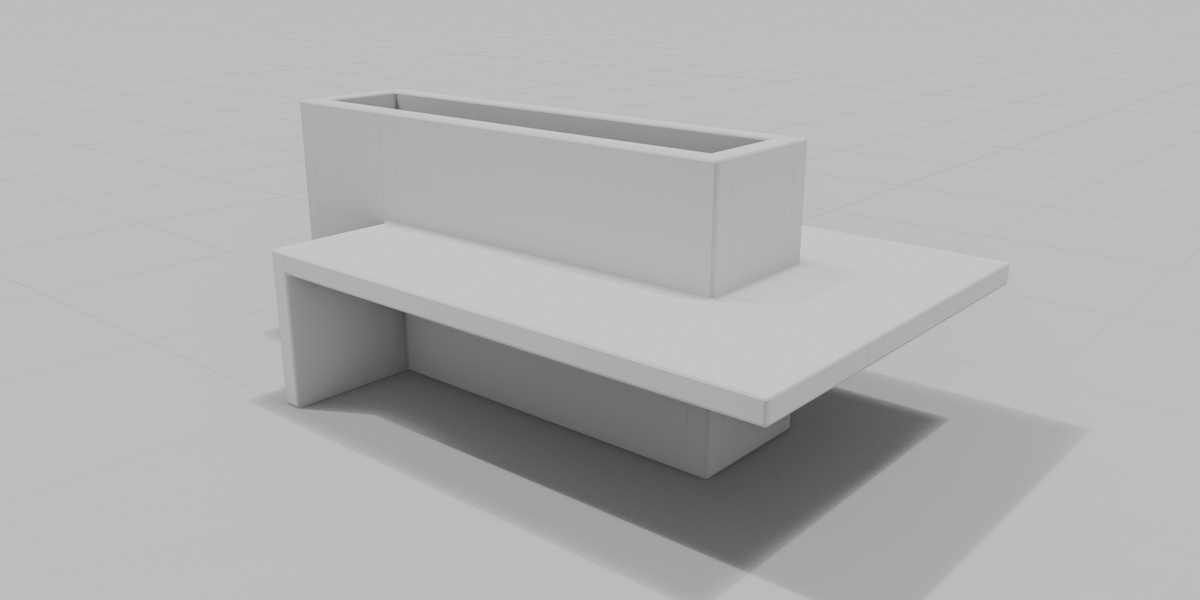
constrnHouse is a Blender add-on for modeling house plans with floors, walls, columns and beams. Its panel controls measurements and lets you add rectangular openings in walls and floors. The same structural pieces can also be combined to model benches, fences and stairs.
Build with grouped structural pieces
Open the constrnHouse panel in the 3D View sidebar and press Run to start its real-time modeling module. In the Add panel, choose a group from A through F and select a floor, wall, column or beam to insert. Grouping lets you adjust floor and wall thickness for one set of objects without changing the others.
The Object Values panel lets you set an object's position and dimensions, move or resize it by a recorded position number, and flip selected objects across global axes. When several objects are selected, the panel values refer to the active object. Rotation is limited to 0 or 90 degrees.
Cut openings and finish the mesh
Use the Hole control to add an opening to a wall or floor. Hole locations use the parent object's local coordinates. The add-on creates the openings, but it does not supply door or window objects.
Finish selected objects with Join into a new or Merge into a new. Join creates a new object while keeping the component meshes separately selectable in Edit Mode. Merge creates one mesh, removes internal faces and produces rectangular faces that can be beveled. The add-on works in real time, so finalize the selected objects before editing their meshes. The finish controls disable the source objects in the viewport and render; they do not delete them.
Limitations and compatibility
The documentation says constrnHouse does not create roofs or diagonal faces, and its rotations are limited to 0 and 90 degrees. Finished objects do not inherit materials, and their UV maps must be created manually. To duplicate or delete an object with holes, select both the object and its holes.
The listing documents support for Blender 3.3 through 4.5 and use with Cycles and Eevee. To install it, open Blender Preferences, go to Add-ons, choose Install, select the constrnHouse ZIP file, then enable the add-on. The listing identifies the license as GPL. AnyPlugins lists constrnHouse as free, while the product listing directs readers to the developer's page to check whether a free version is available; the captured sources do not establish current price or availability. The documentation describes the panel controls and workflow.