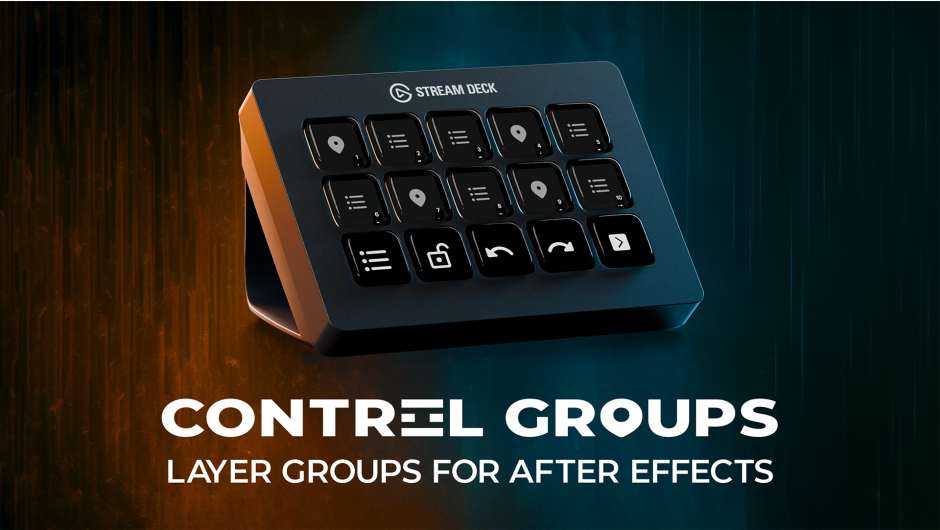
Control Groups is an After Effects extension for saving layer selections and timeline locations as reusable groups. Keyboard shortcuts recall those groups, so you can return to saved layers or timeline points without restructuring, parenting, or renaming layers.
Keep recurring layer selections ready
Save related layers in a Control Group, then recall them with its base key. Double-tapping a group's shortcut jumps to the composition containing its saved layers and selects them. Each layer group holds layers from a single composition, while Control Groups can select layers across compositions.
Groups are arranged in Spaces. Each Space has 10 group slots, and you can switch among 10 Spaces while reusing the same set of 10 base keys. That provides up to 100 slots for different layer sets or locations.
Save timeline locations
A Control Group holds one context at a time: layers from a composition or saved timeline locations. Switch the active context in the panel or with a shortcut. A location group can hold several points; triggering it repeatedly cycles through them.
Change groups and manage layer states
You can replace a group's contents, add or remove selected layers, or move selected layers out of other groups while adding them to the target group. The panel also has group-level and layer-level shy and solo controls, with buttons that reflect the current state, including partial states.
Control Groups has its own undo and redo history for group edits, selections, and timeline navigation, separate from After Effects' undo system. The history persists across sessions and project files, and its size can be configured.
Use it with Stream Deck or Command Frame
Stream Deck buttons can show group icons, colours, names, and active or previewed states. Changes made in the After Effects panel and on the device stay in sync. The integration includes controls for groups, Spaces, undo and redo, context switching, shortcut lock, the slide-out panel, sequential cycling, and help.
Command Frame makes group actions searchable, shortcut-assignable, and chainable with other actions. For example, a command can select a saved character-rig section and then solo it.
Compatibility and license
Control Groups supports After Effects 2023-2026 on macOS, including Intel and Apple silicon, and 2024-2026 on Windows. After Effects 2022 may work but is unvalidated; 2021 and older are unsupported. The listed operating-system requirements are macOS 13 Ventura or later, or 64-bit Windows 10 or later. Stream Deck integration requires Stream Deck software 6.6 or later.
The EULA permits you to install and use one copy and make one archival copy, which must be stored on a medium other than a hard drive and used only for reinstallation. It bars installation on more than one computer at a time and use on shared-application or multi-user systems; additional users or copies need an appropriate license for each.