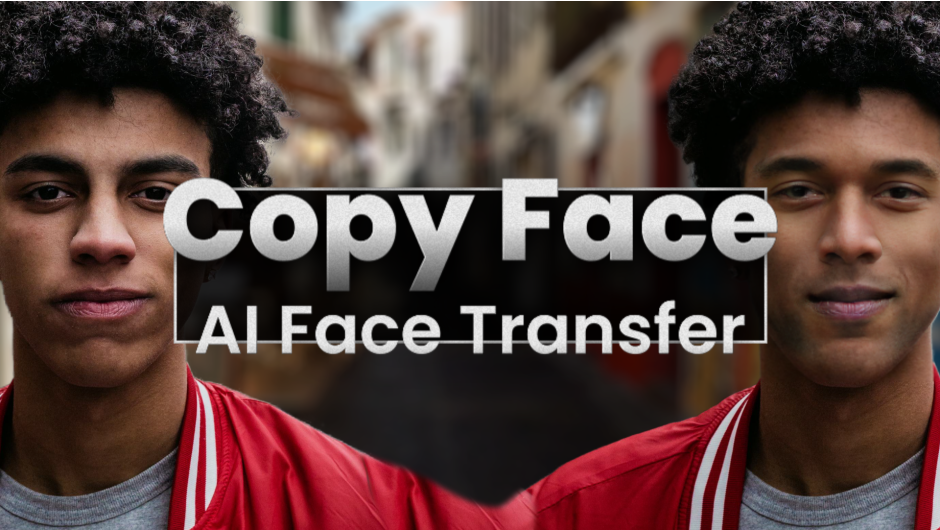
Copy Face replaces one face in After Effects footage with a face from another layer or a text prompt. It is suited to shots with a single visible face, such as replacing an actor or transferring a stylized character design.
Choose a model for the footage
Instant is the default model and is intended for realistic face replacements. Style is intended for stylized faces such as anime characters and superheroes. Its One Frame Preview mode helps with quick previews and setting adjustments, but it is not temporally stable. Use Full Sequence to process multiple frames together. The plugin works on about 50 frames at a time; the first frame and each roughly 50th frame can take up to one or two minutes, while the frames between them render more quickly. The preview and full-sequence results can differ slightly.
Style provides controls for quality, resolution, replacement strength, and alignment with the original face's pose and expression. Mask dilation and blur adjust the matte used to blend the replacement.
Set up a replacement
Apply the effect to the footage and choose a layer containing the replacement face, or describe a face with a text prompt. For image input, the layer can contain an ordinary image or a verified .cpf file. Select New Face to check its alignment. If the face does not align automatically, center it in the selected layer. The effect currently processes one face in a clip, so footage with multiple visible faces is outside its documented workflow.
Local processing and face verification
Blace says the effect processes footage locally. Image-based replacements have a separate verification step: renders using an image input carry a small watermark until you send the New Face input image to Blace through a support ticket and receive a .cpf file. You do not need to send the rendered result for verification. Faces described with text prompts do not require verification.
Compatibility and license
The marketplace listing marks Copy Face as Coming Soon, while the developer page links to a try-and-buy route, so current availability is unclear. The marketplace listing names After Effects 2025 and 2026 as compatible versions. It advertises Windows support with an NVIDIA GPU and at least 12 GB of memory, Windows with a non-NVIDIA GPU and at least 8 GB, and Apple Silicon Macs on macOS Sequoia or newer with at least 32 GB of RAM. It marks other macOS systems unsupported. The linked Copy Face manual says Windows-only and specifies an NVIDIA 2xxx-series or newer GPU with 10 to 12 GB of VRAM. These requirements conflict, so confirm support for your exact system and model before relying on the Mac or non-NVIDIA Windows options.
The EULA licenses one copy for use on one computer at a time. Multi-user or multi-computer use requires an appropriate license for each user and copy.