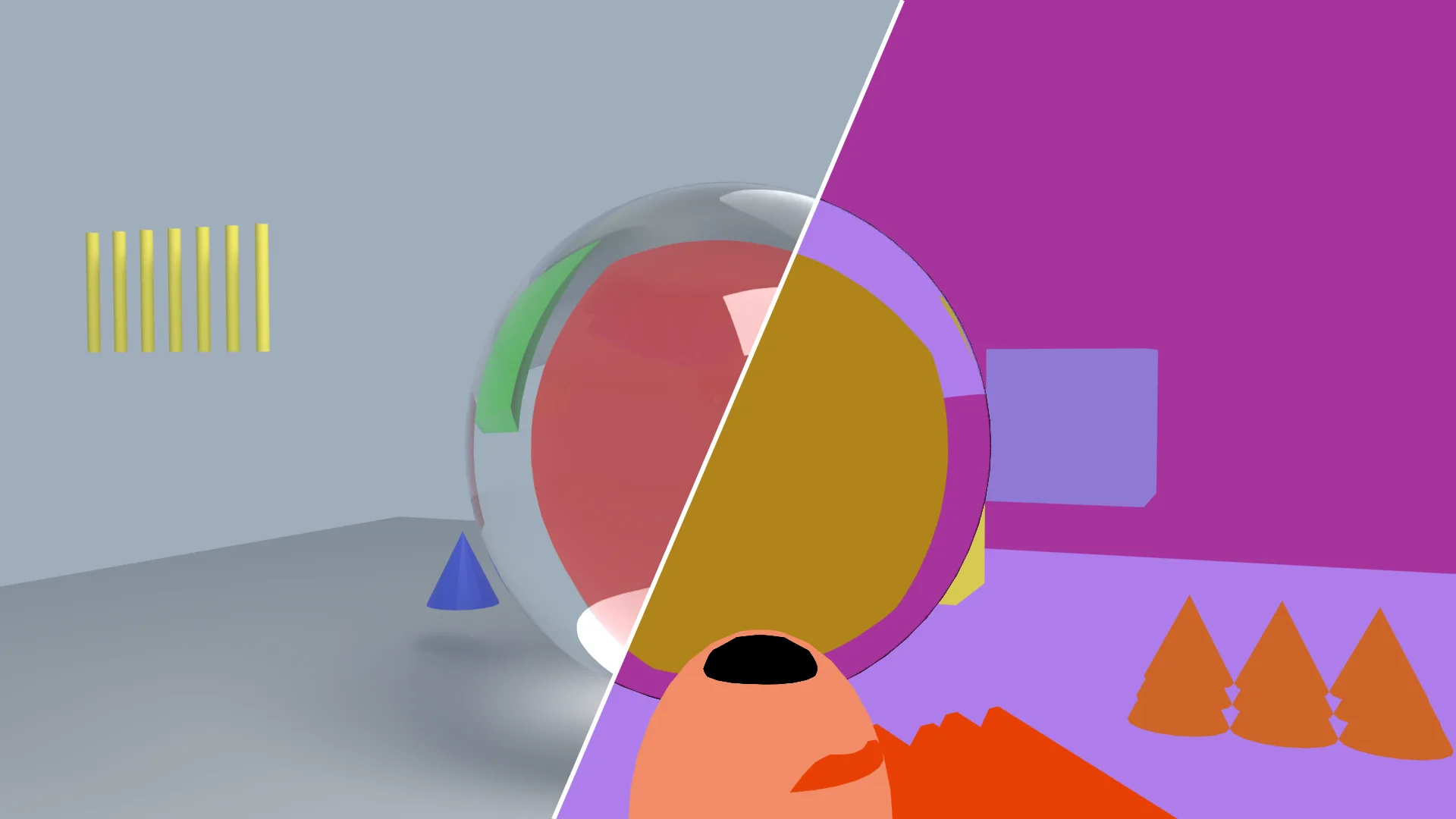
CryptoRay is a Blender add-on that creates object and material Cryptomatte layers for objects seen through refractive glass, with chrome reflections off by default in version 0.6.1. Blender's standard Cryptomatte gives a glass object one solid ID, so objects behind the glass cannot be selected as separate mattes. CryptoRay creates IDs that follow the refraction or reflection in the beauty render, ready for compositing from an EXR.
What CryptoRay adds
CryptoRay writes standard Cryptomatte layers that Nuke's Cryptomatte node, or another Cryptomatte reader, can use. The layers can be embedded in the beauty EXR or rendered to a separate file.
- It creates both object and material mattes from one render.
- It detects Glass BSDF, Refraction BSDF, and Principled BSDF materials with Transmission. Objects with glass and other materials can be split, so a bottle's label gets its own ID while the glass refracts.
- Glass options can ignore reflections or absorption. Ignoring absorption prevents tinted glass from dimming the matte.
- Chrome reflections retain the reflected objects' IDs. Rough metal blurs those reflections to match the beauty render. Chrome is off by default, and Treat as Pure Chrome is on by default for partly metallic materials.
Set up and render
- In the 3D Viewport, press N, open the CryptoRay tab, and click Build. CryptoRay adds an ID_MATTES view layer and proxy objects. It leaves your objects, materials, and beauty render unchanged.
- Set the output to OpenEXR Multilayer and choose ZIP or PIZ compression.
- For an animation, render with Ctrl+F12. F12, or Render Image, does not save the output CryptoRay needs to make the Cryptomatte. For one frame, use Render Still in the CryptoRay panel.
- In Nuke, read the EXR and add a Cryptomatte node. Select the CryptoRayObject or CryptoRayMaterial layer, then pick the objects you need.
When you finish, click Delete to remove the view layer and proxy objects CryptoRay added. Rendered files remain on disk.
Requirements and limits
CryptoRay 0.6.1 requires Cycles and Blender 4.2.0 or later. Volumes are unsupported. Collection and Geometry Nodes instances use the instancer's name. Each ID uses a light group; if you need more than 64 IDs, use the Collection target to reduce the number.
The add-on requests permission to read and write render-output EXR files. The Blender Extensions listing provides release and compatibility details, and the project repository contains full documentation and an example scene.