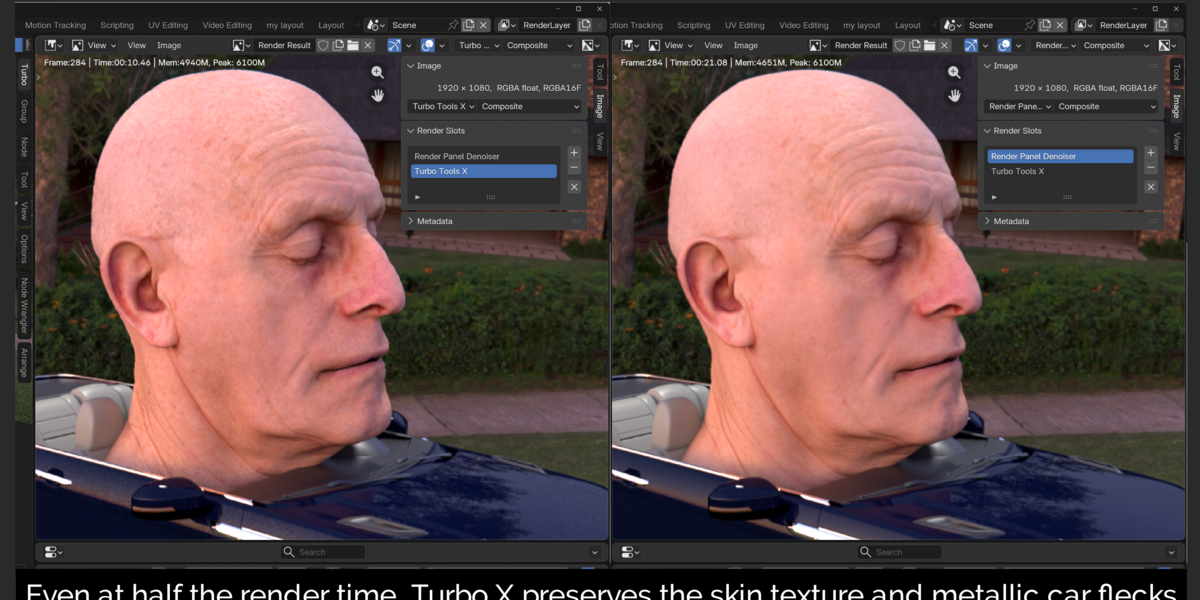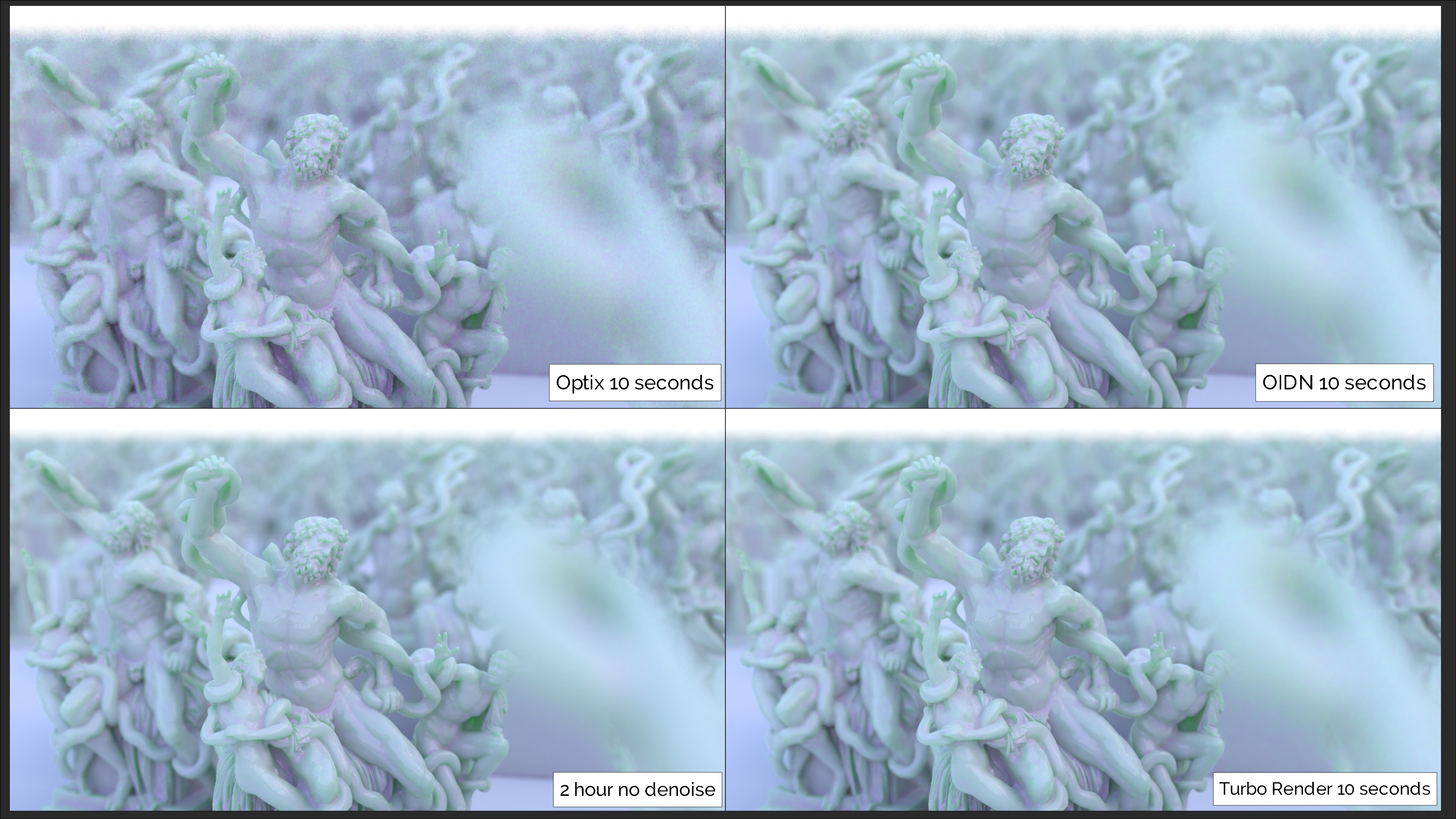
Turbo Tools V4 - Turbo Render, Temporal Stabilizer, & Turbo Comp is a Blender add-on for Cycles artists who want to render at lower samples, reduce denoising flicker in animations and work with cached compositor results. It combines render setup, temporal stabilization and compositor tools in one add-on.
What the three tools do
Turbo Render
Turbo Render works with CPU and GPU Cycles rendering. Choose a sample preset or set samples manually, then use the add-on's denoising modes to process the render. It is designed to work with existing compositor trees without rewiring them. For a demanding scene, the developer recommends testing a small region around its noisiest area and lowering samples until you find the lowest setting that preserves image quality.
The developer also reports that V4 adds Temporal Intelligence and split-channel stabilization it describes as 700% faster. These are vendor claims; results depend on the scene and render settings.
Temporal Stabilizer
The stabilizer works across render passes to reduce denoising flicker between animation frames. Its Temporal Intelligence options analyze motion and scene data to help handle more complex animations. Cycles motion blur is a limitation: stabilization needs motion data that Cycles does not provide when that setting is enabled. The developer's guidance is to add motion blur later with a Vector Blur node and enable vector and depth passes before rendering.
Turbo Comp
Turbo Comp adds branch caching and compositor playback, along with tools to create file output nodes and resave their outputs without rendering the 3D scene again. You can publish a still or animation from rendered frames, publish multiple compositions, and apply temporal flicker removal during animation publishing. Cache nodes can speed up playback, but using more render passes increases cache size and load time.
Setup and compatibility
Set a render-layer cache folder before rendering. The developer requires an absolute path, not a Blender-relative path beginning with //, and recommends using a separate folder for each project to avoid overwriting unfinished cache files. The developer estimates that a 16-bit render-layer cache uses about 50 MB per node per frame, so long animations and multiple passes can need substantial disk space.
The 3d illusions product page on Superhive says Blender 4.53 and below in its compatibility notice, while its Details field lists Blender 2.8–4.5 and directs Blender 5 users to Turbo Tools X. A separate catalog entry, marked facts verified in July 2026, gives V4’s range as Blender 2.93–4.5.4 and reports updates and support until at least 2027, when Blender 4.5.4 LTS is retired. These ranges differ, so confirm your exact build and current support status with 3d illusions before installing.
For command-line workflows, the product page documents Blender operators for still and animation rendering: bpy.ops.threedi.render_still() and bpy.ops.threedi.render_animation(). Blender's command-line rendering manual covers the background-render options used to run such jobs.