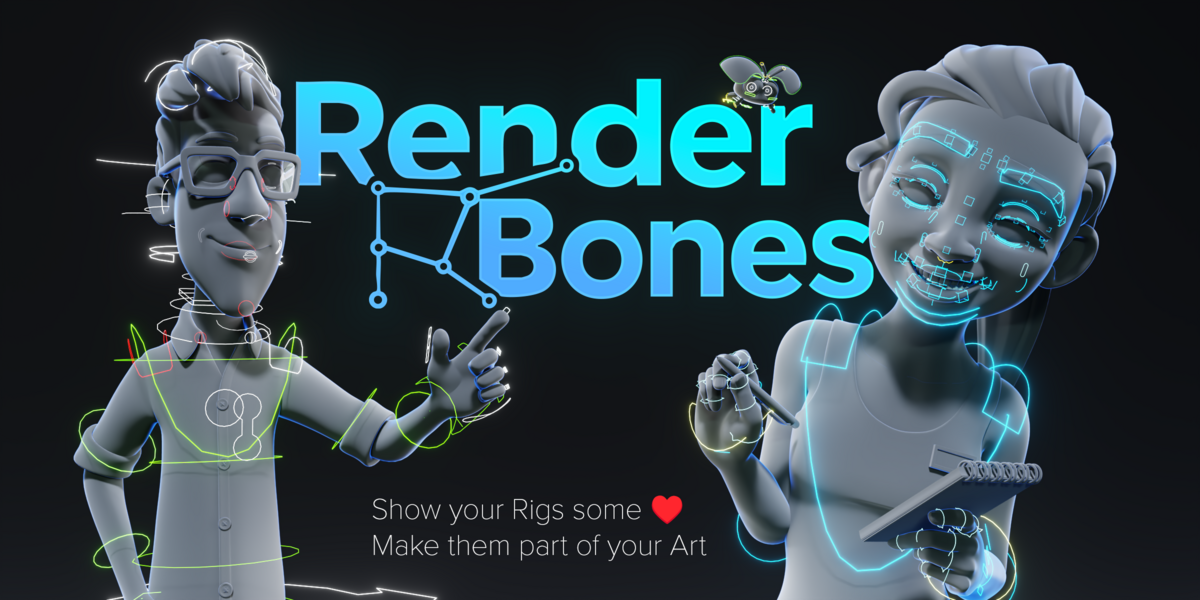
RenderBones is a Blender add-on that turns viewport-only bone shapes into geometry visible in a render. Select an armature and convert its controls into curves that stay attached to the rig as it moves. This is useful for rig breakdowns, showreels, tutorials, and shots where viewers need to see the controls alongside the character.
Convert custom and default bone shapes
RenderBones converts custom widgets made from meshes, curves, surfaces, text, or empties into curve objects. Since version 2.0, it also supports Blender’s default Octahedral, Stick, B-Bone, Envelope, and Wire shapes. In Pose Mode, you can convert only the selected bones when you want to show part of a rig.
The generated curves are grouped in a RenderBones collection, with a sub-collection for each armature. For custom widgets, the add-on traces the shape edge by edge. The resulting curves can be edited after conversion.
Keep the shapes aligned with animation
Each curve is parented to its bone, with the pose matrix applied through the parent inverse. RenderBones carries over the widget’s position, rotation, scale, Custom Shape Transform offsets, and Scale to Bone Length setting. The curves then follow the rig through its animation. Hidden bones and bones in hidden bone collections are skipped.
Adjust color and render appearance
Use the rig’s bone colors, choose one custom color for the whole rig, or let RenderBones resolve Theme Color Sets. The sidebar controls adjust uniform thickness, emission strength, and alpha. Thickness is compensated per bone, and blending and shadows switch automatically when opacity is below full.
The controls are in the 3D View sidebar under the RenderBones tab. Color, thickness, emission, and alpha changes update the converted rig, so you can adjust its appearance without converting it again. RenderBones uses curve geometry and a Principled BSDF, and the developer lists Eevee and Cycles support.
Check compatibility and installation details
Superhive’s Details section lists Blender 4.3 through 4.5 and marks the add-on as Blender Extension compatible. The product description also says the Extension installation path is available from Blender 4.2 onward. Check the current product listing for the release you use. The documentation describes installing RenderBones.py through Blender Preferences and opening the panel from the 3D Viewport sidebar.