Turbo Tools X is a Blender add-on for render setup and compositor work. Its tools cover denoising, animation flicker reduction, publishing, file output nodes, and node caching. The Superhive product listing specifies Blender 5.0 to 5.3 and a GPL license.
Set up renders with Turbo Render
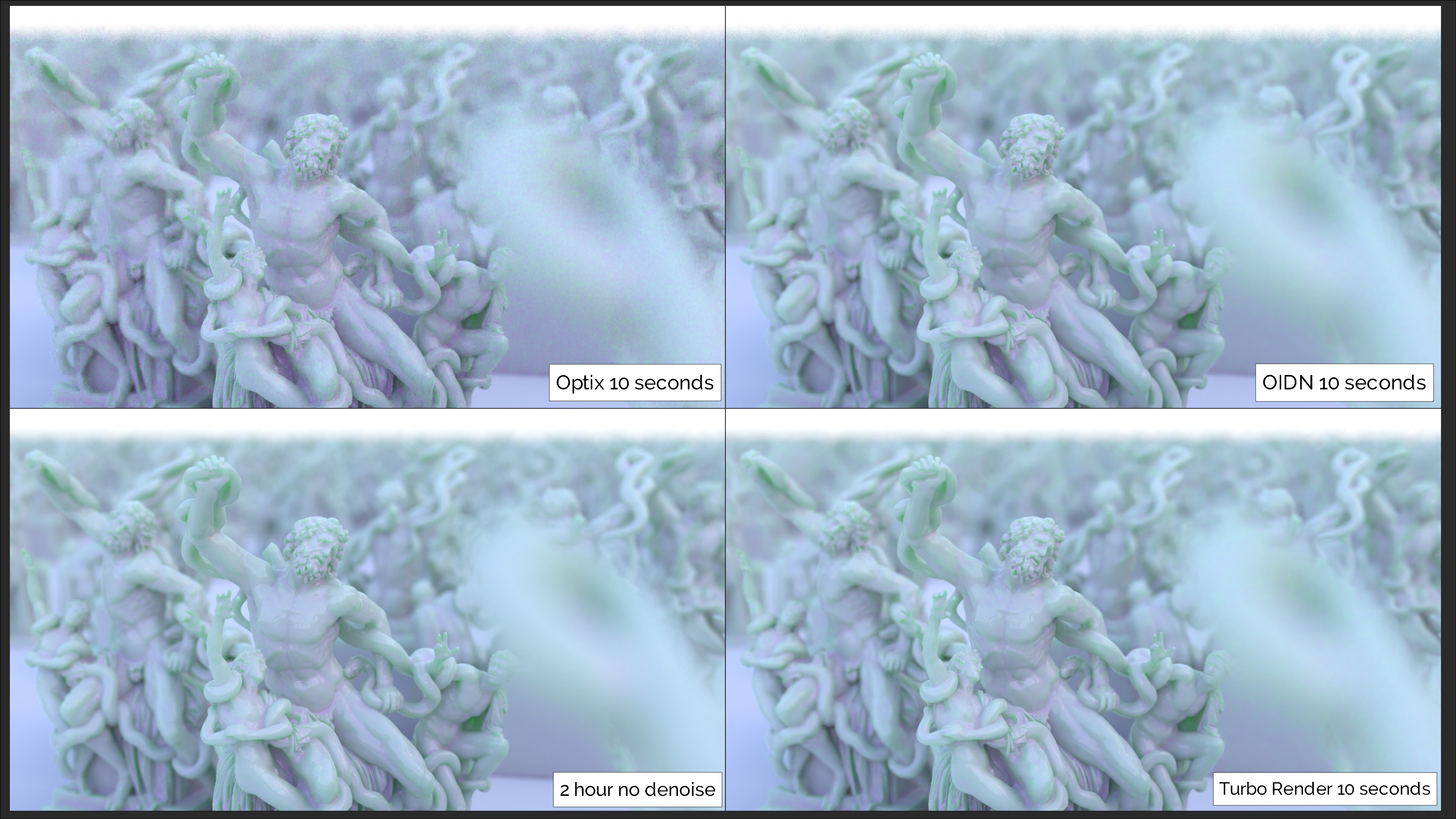
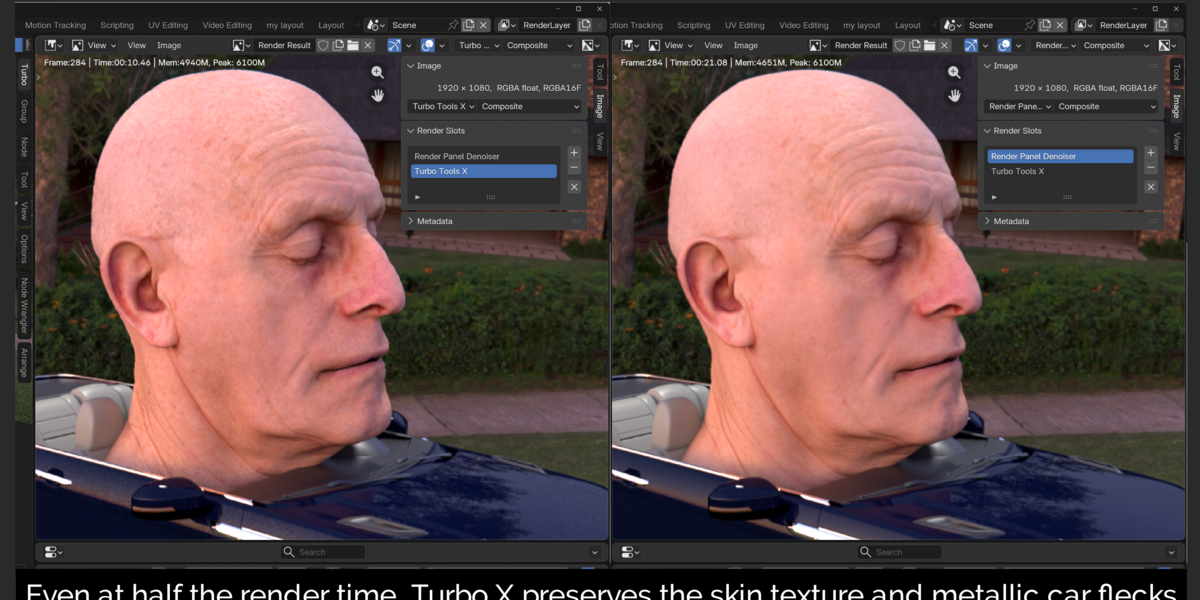
Turbo Render automates complex render setup through artist-friendly options and advanced denoising techniques. The developer says it can produce good results with far fewer samples, retaining details that denoising can otherwise lose. The listing says it generally reduces Cycles render time by 3 to 5 times. It also shows fine skin texture and metallic paint as examples of details the denoising is intended to retain.
Publish new compositions without rendering again
After a render is complete, Publishing lets you output more compositions without rendering the 3D scene again. You can adjust color grading or post-production effects such as glow, lens flares, and chromatic aberration, then choose a file format and output path. The product listing describes publishing an unlimited number of variations for still images or animation. It also says publishing temporarily discards caches and exports the node tree at full quality. For animation, audio can be included by adding an audio strip to the Video Sequence Editor.
Publishing is listed for Cycles, EEVEE, and other render engines that support compositor render layer nodes. That engine support applies to publishing; the Temporal Stabiliser has a separate Cycles-only limitation.
Stabilize flicker in Cycles animations
The Temporal Stabiliser removes flicker from animations rendered with Turbo Tools during publishing. After rendering, you can start stabilization with a button and inspect the result in real time in Blender's image editor. The process is non-destructive, so you can cancel, adjust the stabilizer options, and run it again. The developer says the feature can avoid render times that would otherwise be up to 40 times longer when dealing with flicker.
Work with compositor and file output nodes
Turbo Tools X can resave file output nodes without rendering, for both still images and animations. It can also generate and connect file output nodes with the output destination filled in. To keep a compositor responsive, select a node to replace its output with a cache node and mute everything downstream. The add-on also supports real-time curve editing and automation in the Graph Editor.
Who may find Turbo Tools X useful
The add-on is suited to Blender artists who adjust compositor effects after rendering, need several output versions from one render, or want flicker reduction for Cycles animation. Check the current Superhive listing for compatibility and license details, especially if you use a Blender version newer than the listed 5.0 to 5.3 range.