How the rig works
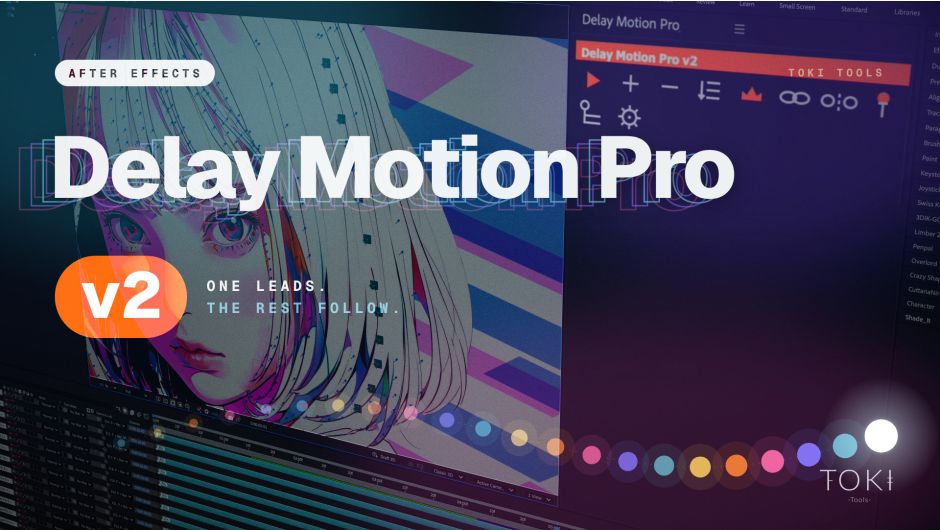
Delay Motion Pro is an After Effects panel for building follow-through rigs. Select a leader and its follower layers, then apply the rig. Animate the leader; each follower repeats the leader's motion after a frame delay. Followers keep their own positions, and you can retime the whole group by changing the leader's animation. Keyframes stay on the leader.
Each group gets a DMP Controller null with controls for Delay, Order, Random Seed, Delay Random, and Ease Out, plus an on/off switch for each followed property: Position, Scale, Rotation, Opacity, Orientation, and Anchor Point. Keep the controller null in the composition; changes in Effect Controls update the group without applying the rig again.
Shape the timing and layer order
Choose a follower order of Bottom to Top, Top to Bottom, Selection, or Random. The Reorder window lets you move layers up or down, choose a new leader, and create a custom order. Random order and Delay Random have separate seeds, so you can change the follower sequence or try different timing variations independently. Ease Out bends the delay curve across the group, letting the motion start quickly and settle more softly.
Build chains and deforming artwork
Chain Parent turns the selection into a parent chain, with the first selected layer at the top. Add delay for follow-through on layered tails, tentacles, or ribbons. Unparent releases the chain. Create Null can parent the selection to a null at the selection center, at the composition center, or create one null per layer.
Puppet Pins to Shapes converts Position, Bend, and Advanced pins into shape-layer handles. Group the handles to drive a mesh with follow-through. DMP PIN controls on the source layer let you relink individual pins.
Fit and setup
Delay Motion Pro suits layered motion graphics such as logo reveals, kinetic type, interface cards, characters, charts, and grids. Add or remove layers from an existing group with Add / Refresh and Delete, or switch the leader with Set Leader. The rebuilt v2 engine keeps rigs working when you add nulls, parent layers, or build chains.
Delay Motion Pro supports After Effects 2023, 2024, 2025, and 2026; it requires After Effects 2023 or later on Windows or macOS. Install the panel in the ScriptUI Panels folder, then restart After Effects to open it from the Window menu. Existing v1 rigs keep working and can be converted to v2. The v2 update is free for existing Delay Motion Pro owners.
Trial and license terms
The trial supports up to three followers per group. Puppet Pins to Shapes, v1-to-v2 conversion, and the Reorder window are disabled in trial mode. The EULA permits one software copy on one computer at a time, plus one archival copy on a medium other than a hard drive for reinstallation only. Each additional user and software copy requires appropriate licensing, and transferring or redistributing the software requires the author's written consent.