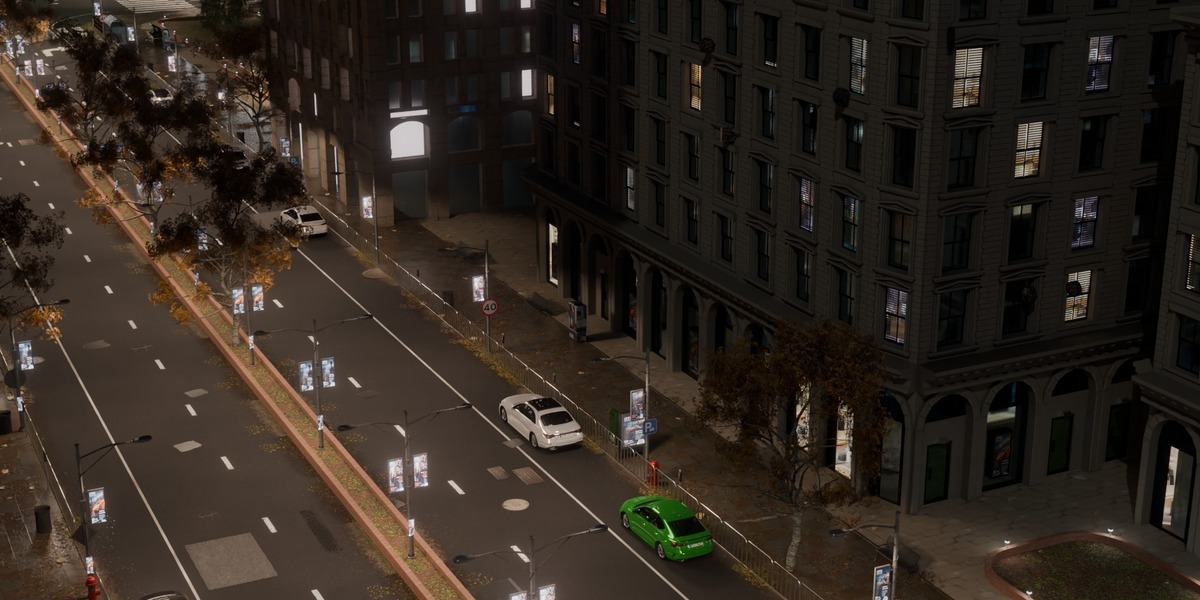
Procedural city generation in Blender
Downtown Generator, created by Mohamed Elsherif, is a Blender add-on for building procedural downtown scenes. Its workflow uses extrusion to create buildings, then loop cuts to divide the layout into streets. Set the city dimensions on the X and Y axes and generate a city base to begin shaping the scene.
From there, adjust block spacing and the overall layout structure. Street controls cover width, sidewalks and road shoulders, helping you set the proportions for your scene. Seed-controlled randomization adds variation, and separate generation lets you work on different parts of the city independently.
Buildings, assets and atmosphere
The add-on supports custom building assets and street props assigned through collections. You can swap those collections to change the city’s appearance, then add props such as billboards and lights. Roof props and other environmental details help fill out the skyline.
Multiple visual themes are available, with blending options for combining styles. Night mode adds built-in lighting and atmosphere for scenes set after dark. Lite Mode provides a lighter generation option for larger scenes; the documentation notes that performance still depends on scene complexity, and the listing recommends a capable computer for large builds.
Installation and first setup
The package listing includes the Blender add-on, current building assets and street props, a demo scene and presets. The installation and getting-started documentation describes this setup:
- Download and extract the ZIP file, then locate the Downtown Addon file.
- In Blender, open Edit > Preferences > Add-ons, choose Install and select the add-on file.
- Open the Downtown Generator panel, enter the city dimensions for X and Y, and click Setup Generator.
- Assign building collections and street props in the interface, including your own assets if you want to customize the scene.
Who might use it
Downtown Generator is aimed at artists building game environments and open-world scenes, cinematic shots with background cities, concept art, or architectural and urban visualizations. Its adjustable layout and asset collections suit projects that need a shaped city plan or modular building workflows. For a quick overview of the available controls and included assets, see the Downtown Generator product listing.
Blender compatibility
The add-on is designed for Blender 5.x. The product listing’s compatibility details specify Blender 5.0–5.2, while its documentation describes the tool as designed for Blender 5.0 and 5.1. Check the current listing for the exact version you use before installing. Basic Blender knowledge is recommended.