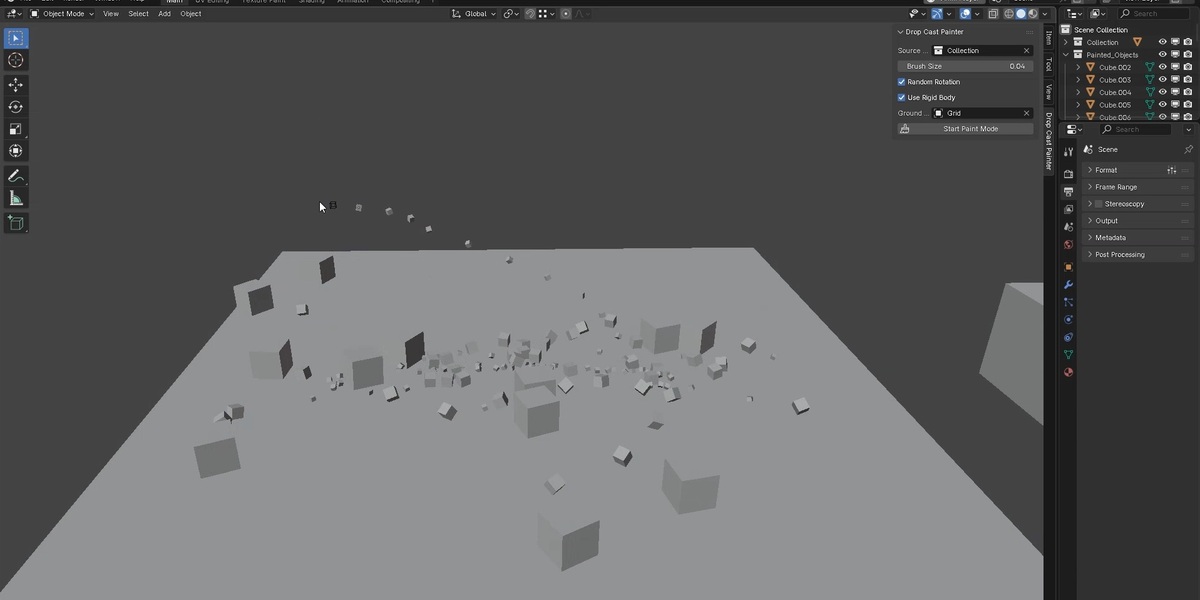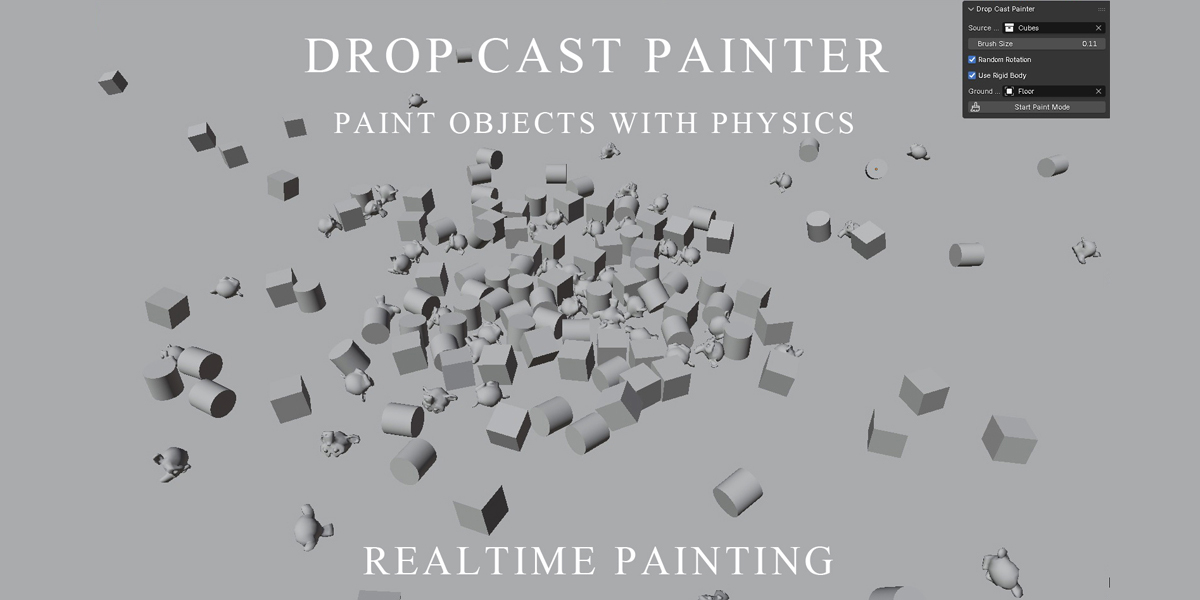
Adrian Kulawik’s Drop Cast Painter is a Blender add-on for placing objects by painting in the 3D View. Select a source collection and a ground mesh, then paint into the scene. The objects fall under rigid body physics and settle through gravity and collisions. This suits piles and scatters where physical contact shapes the arrangement. The published feature list describes brush size and random rotation, but does not specify spacing or density controls, so check the documentation if those matter to your layout.
How to paint objects with Drop Cast Painter
- Choose a source collection containing the objects you want to place.
- Pick a ground object. The listing says any mesh can serve as the ground and is automatically set as a Passive Rigid Body.
- Paint in the 3D View. Objects appear as you paint and react to gravity and collisions.
- Adjust brush size with the mouse wheel. When the arrangement is ready, press Enter to stop the simulation, lock the objects in place, and continue working on the scene.
Scenes it can help build
The creator lists environment work such as scattering rocks, debris, trees, and logs, along with stacking bricks or tiles for architectural details. The same workflow is described for concept art and previz blockouts, plus VFX piles or collapsing setups.
Controls and scene organization
The add-on runs from a UI in the 3D View Sidebar. It applies random rotation automatically and stores painted objects in a dedicated Painted_Objects collection. The product documentation lists the setup steps; the Superhive product page has the current listing details.
Compatibility and license
Compatibility notes in the supplied listings do not agree. Superhive’s details list Blender 4.0 through 5.3, its included add-on note says Blender 4.5+, and its product FAQ answers yes to a question about Blender 5.4. AnyPlugins describes support as Blender 4.0 through 5.0. Confirm the current range on the product page or with Adrian Kulawik before installing for a specific Blender release. Superhive lists the license as GPL.