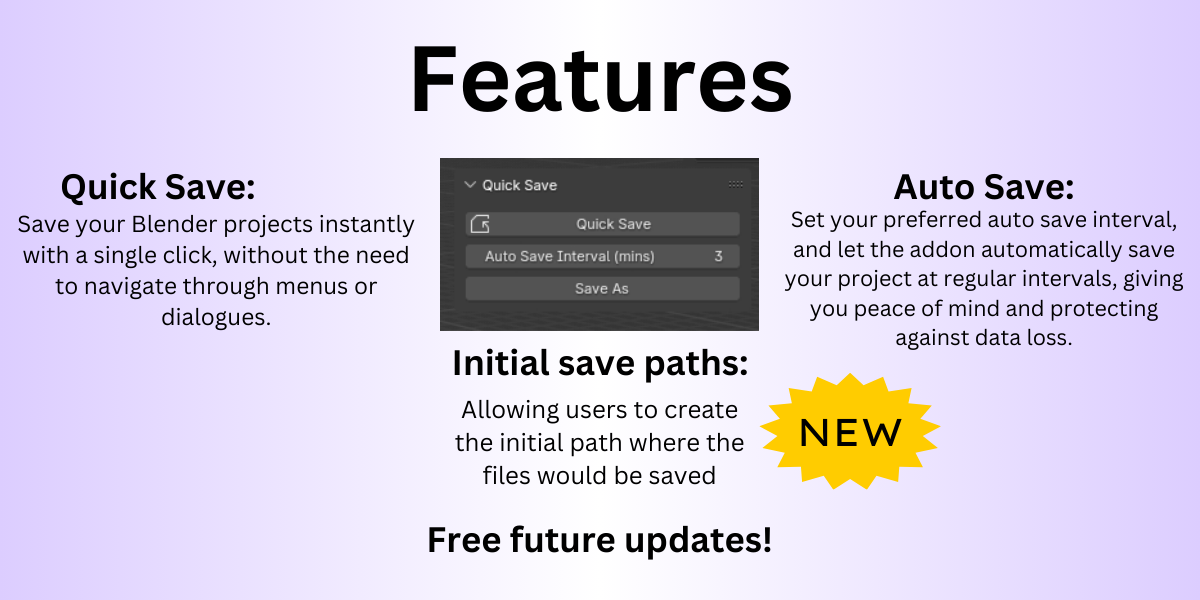
Quick Save by Edyn is a Blender add-on with one-click project saving and interval-based autosave in a dedicated 3D View panel. You can save without navigating menus, then choose how often the add-on saves automatically. The Quick Save listing on Superhive includes the installation steps.
Manual and automatic saving
The quick-save control writes the current project when you click it. For automatic saving, set an interval that suits your workflow. The listing does not specify where autosaves are stored or how many versions are retained, so those recovery details remain unknown.
Compatibility and installation
The listing shows Blender version 4.0 and says the add-on is compatible with Blender 4.0 and later. It is supplied as a Python file. The listed installation steps are to open Edit > Preferences > Add-ons, choose Install, select the file, choose Install again, and then enable the add-on. Its saving controls then appear in a panel in the 3D View.
License and updates
The listing gives the license as GPL. Edyn says future updates will be free for purchasers and that more features are planned.