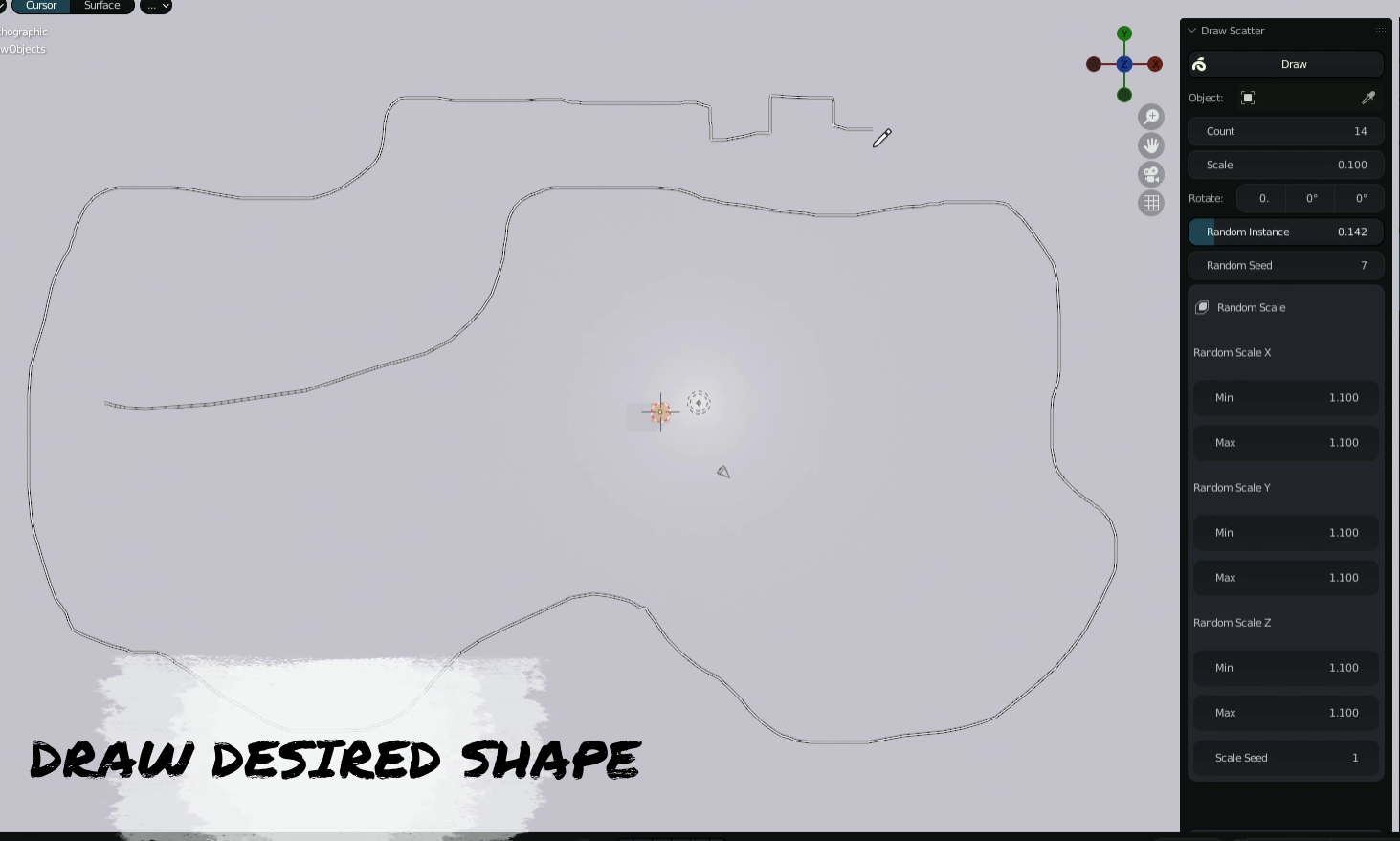
Draw Scatter Addon by EdenWeby 3D is a Blender add-on for scattering a selected object along a curve you draw. Its controls are in Blender’s N-panel, where you can adjust the object count and size. The product listing also describes making abstract curves with objects rotating around them, a use case for motion graphics.
Draw a curve and scatter an object
- Open the add-on in the N-panel and click Draw.
- Select the object you want to scatter onto the curve you drew.
- Adjust Count and Size to suit the scene.
The listing does not specify how spacing, alignment, or variation between objects is handled, so check the result if those details matter to your scene.
Use and limitations
The creator notes that some models may not scatter because of a Blender issue, while others can. The listing does not name affected models or provide a fix, so check your intended object before relying on the add-on for a project.
Superhive lists Blender versions 2.93, 3.0, 3.1, 3.2, 3.3, 3.4, 3.5, 3.6, and 4.0 under the GPL. If you use a later Blender release, check the current product listing for compatibility and product details.