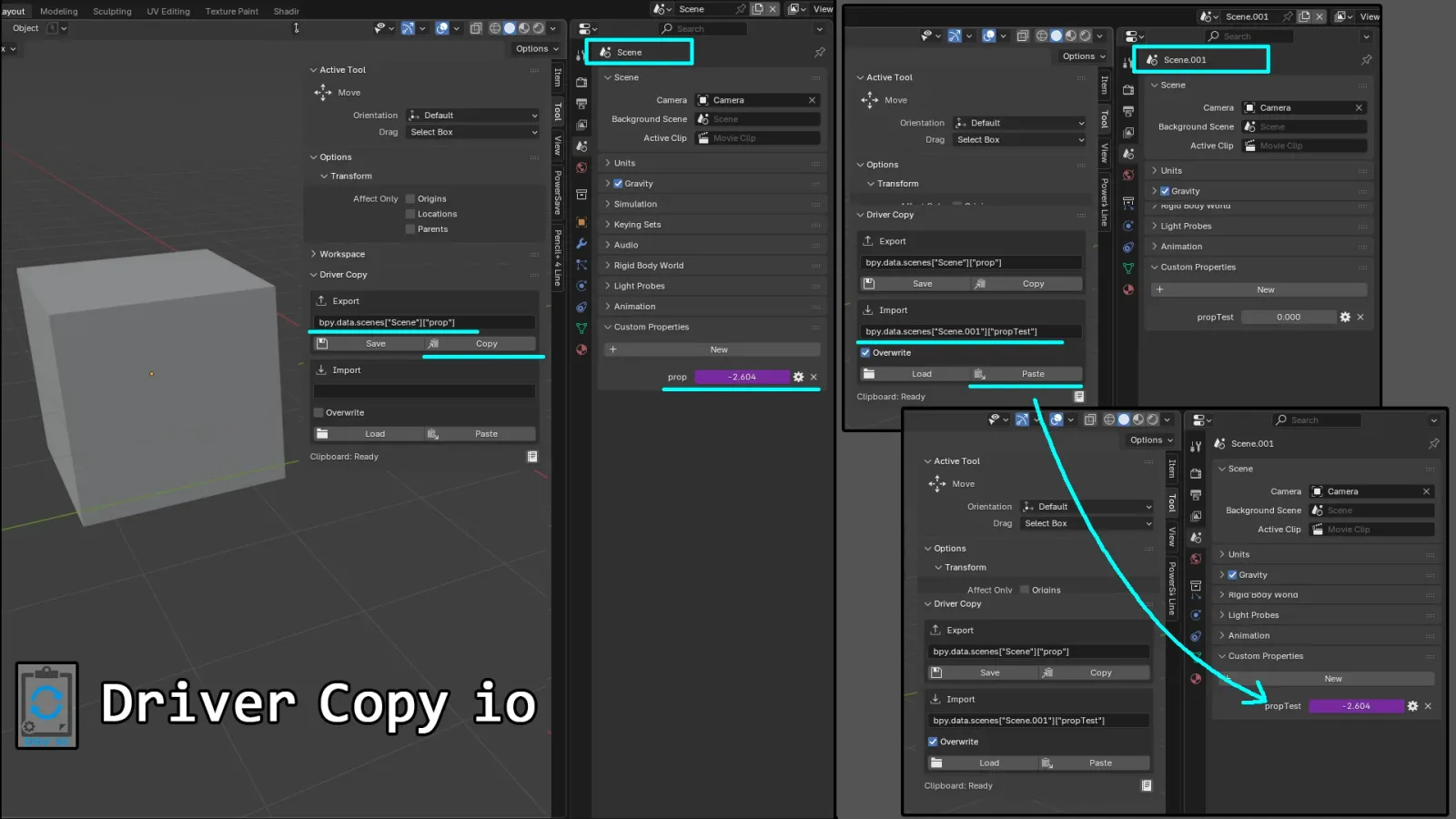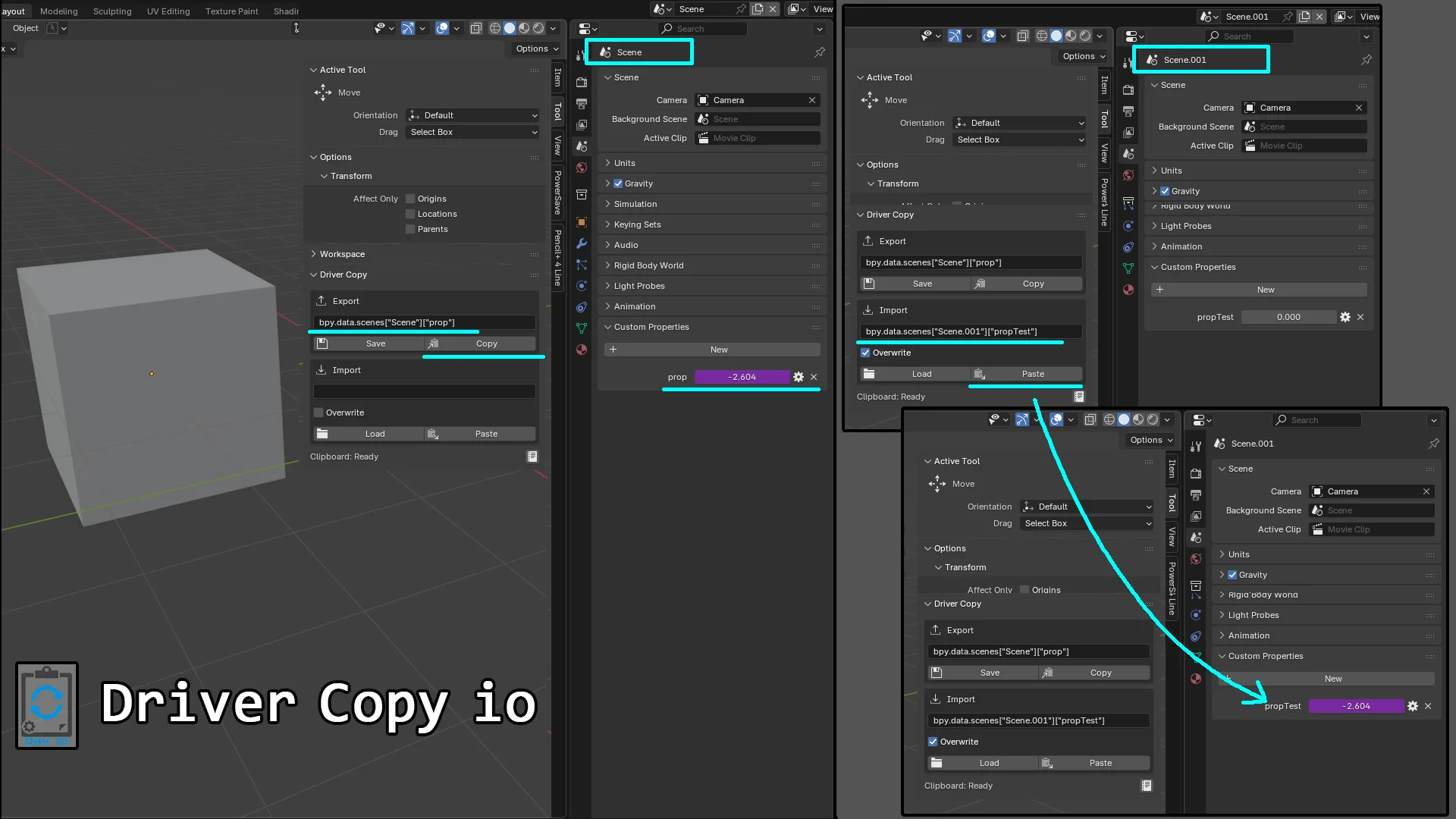
Driver Copy IO is a Blender add-on for copying driver data as JSON or saving it to files for reuse. You can transfer a driver setup between objects or keep it for another Blender project. The Blender Extensions listing describes its JSON export and import, clipboard support, and full-path targeting.
Transfer a driver with a full data path
A full path identifies where the driver data comes from or where it should be applied. For example, bpy.data.objects["Cube"].location[0] refers to the X location of an object named Cube. Replace the object name and property path with the ones used in your scene.
The usage notes on AnyPlugins describe a Driver Copy panel in the 3D View sidebar, opened with the N key. Enter the source path and copy the driver, then enter a destination path and paste it.
Use the clipboard or save a JSON file
Clipboard copy and paste work well for quick transfers within a working session. File export and import let you keep driver data outside the current project, reuse it later, or move it between separate Blender projects. This can also help when you are building a personal library of driver setups.
What the add-on preserves
The Blender Extensions listing says Driver Copy IO preserves driver variables, expressions, and target paths during transfer.
Compatibility and license
The listing shows version 2.1.1, with Blender 4.2.0 as the minimum version, and a GNU GPL-3.0-or-later license. Check the official listing for the current release details. The developer's issue tracker is available for reporting problems.