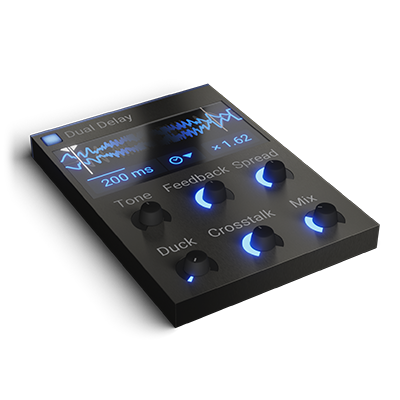
Dual Delay is a Kilohearts effect built around two delay lines that can feed into each other. It suits producers who want to shape layered or stereo echoes from one effect, with control over repeat timing, tone and level.
Shape the two delay lines
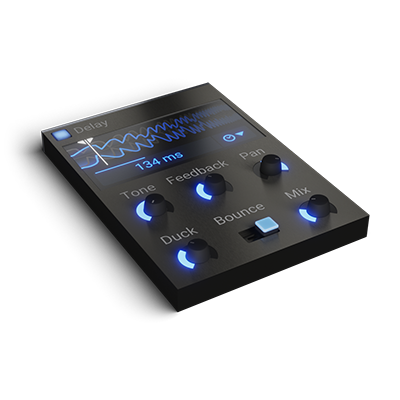
Set the primary Delay Time in milliseconds or, with Sync Mode, in beats. The Multiplier sets when the secondary delayed sound arrives relative to the primary time. Crosstalk controls how much signal bleeds between the lines, while Feedback sends delayed sound back through the effect to create decaying repeats.
Use the Tone control's shelf filter to shape the delayed signal. Spread pans the delay taps between left and right. Duck lowers the delay output while the input is loud, and Mix sets the balance between the processed and dry signal.
Use it in a DAW or a Kilohearts host
Dual Delay can run as a regular plug-in in a DAW or as a Snapin inside Phase Plant, Multipass or Snap Heap. A host is useful when you want to combine it with other Snapins or apply the host's modulation options. Kilohearts lists VST, AAX and AU plug-in formats on the product page.
Price and compatibility
Dual Delay is included in Kilohearts Essentials, which Kilohearts lists as free with an account. Its system requirements list a minimum recommended setup: a DAW supporting VST2, VST3, AAX or Audio Unit and an x86 64-bit processor with SSE3; on macOS, Kilohearts also supports Apple M processors. Kilohearts says CPU use rises with many plugin instances or many Snapins in a patch, and it cannot guarantee flawless operation in every use case, even when a system meets the minimum recommendations. Kilohearts does not support operating-system versions that their manufacturers no longer support. The developer's installers do not require licensing hardware, though versions installed through Slate Digital require an iLok USB dongle or iLok cloud, plus a valid Slate Digital license.