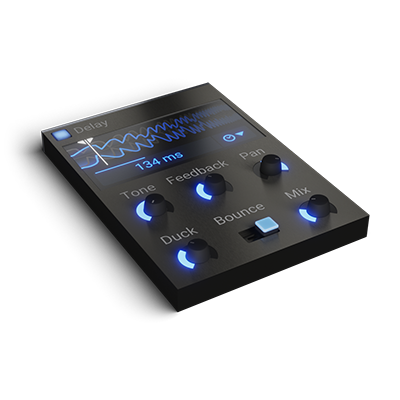
Kilohearts Delay is an echo effect for adding timed repeats to audio. Set the delay time freely in milliseconds or turn on Sync Mode to follow the song tempo. Its controls cover feedback, stereo panning, ping-pong repeats, ducking and the balance between the effect and the original signal.
It suits producers who want repeats that follow a track’s timing or move across the stereo field. The duck control lowers the delay output when the input is loud, which can help keep the source clear while its echoes continue.
Set the timing, repeats and stereo position
With Sync Mode off, choose a delay time in milliseconds. With sync on, set it as a part of the beat. Feedback sends delayed sound back into the effect, creating repeats that decay over time. Mix controls how much of the original, unmodified signal remains alongside the delay.
For stereo movement, Ping-Pong swaps the left and right channels as the sound feeds back. Use Pan to position the delayed signal; together, these controls can make the repeats bounce between speakers. Turn up Duck when you want the delay to sit lower during louder input.
Use it as a plugin or Snapin
You can run Delay as a regular VST, AAX or AU plugin in a DAW. It also loads as a Snapin in Kilohearts hosts such as Phase Plant, Multipass and Snap Heap, where Snapins can be combined and modulated. Those host products are sold separately. Delay is included in Kilohearts Essentials, which Kilohearts lists as free with an account.
Compatibility
Kilohearts lists DAWs that support VST2, VST3, AAX or Audio Unit. Its system requirements specify an x86 64-bit processor with SSE3, with Apple M processor support on macOS. Kilohearts does not support operating system versions that their manufacturers no longer support. Check the system requirements before installing, especially on an older computer or operating system.
For parameter details, see the Kilohearts Delay manual.