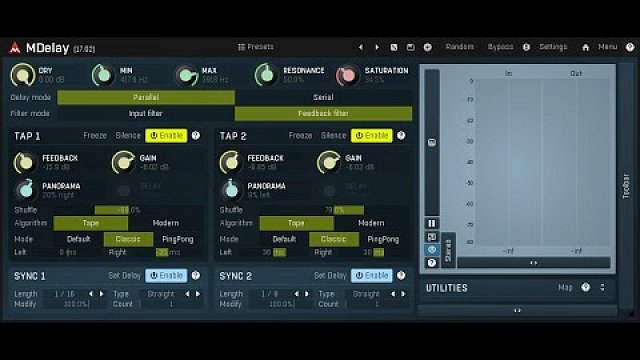
MeldaProduction lists MDelay as a free effect in MFreeFXBundle. It is a dual-tap delay for producers and sound designers who want to shape the timing, stereo position, and feedback character of echoes. Its controls cover straightforward repeats, tempo-based patterns, cascaded taps, and stereo Ping-Pong echoes when the taps use nonzero panorama.
Build a delay pattern
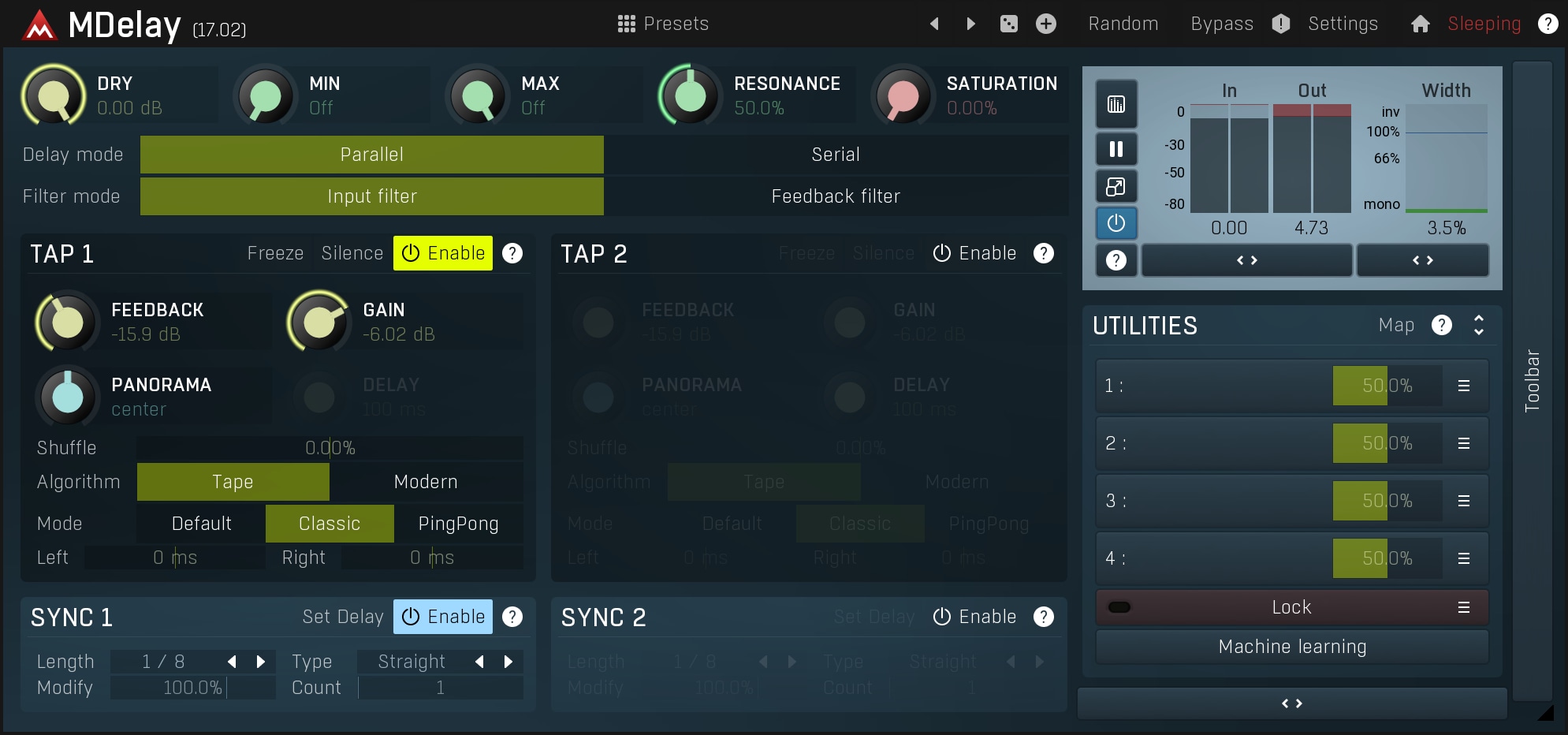
Each of MDelay's two tap panels has controls for Gain, Panorama, Time, and Shuffle. Set different times and positions for the taps, then use Shuffle to add rhythmic variation between them. Serial mode routes the second tap through the output of the first, creating denser echoes when both taps are active.
For note-based timing, synchronize the delay to the host and set the note Length and Type, such as straight notes or triplets. Modify adjusts the synchronized time, while Count sets how many units of that length to use. You can also set a delay time directly in milliseconds; the manual gives a range of 0 to 10,000 ms.
Choose how the echoes sound
The three delay types change how repeats relate to feedback and stereo position. In Default mode, the first echo depends on the feedback setting. Classic mode makes the first echo independent of feedback. Ping-Pong mode switches echoes between the channels in stereo; nonzero panorama gives the typical left-right pattern.
The Tape algorithm changes pitch when delay time changes, like a tape playback speed shift. Modern mode uses digital processing without that pitch change. MDelay also has high-pass and low-pass filtering with resonance. Choose Input filtering to process the signal entering the delay, or Feedback filtering to process each echo in the feedback loop. Saturation is also applied in feedback, so it builds across successive repeats.
Check compatibility and access
MeldaProduction's shared system requirements list Windows 10 or 11, 64-bit, with VST, VST3, or AAX hosts and an Intel or AMD processor with SSE2 support. For macOS, they list version 10.14 or newer, 64-bit, with VST, VST3, AU, or AAX hosts and Intel, AMD, or Apple Silicon CPUs. Linux is not directly supported; MeldaProduction says running its plugins through Wine may be possible, with Microsoft True Type Fonts required in .wine/drive_c/windows/Fonts/ before installation.
The MDelay support page points to MPluginManager for installation and updates, and links to the MDelay manual. See MeldaProduction's system requirements for its host compatibility details.