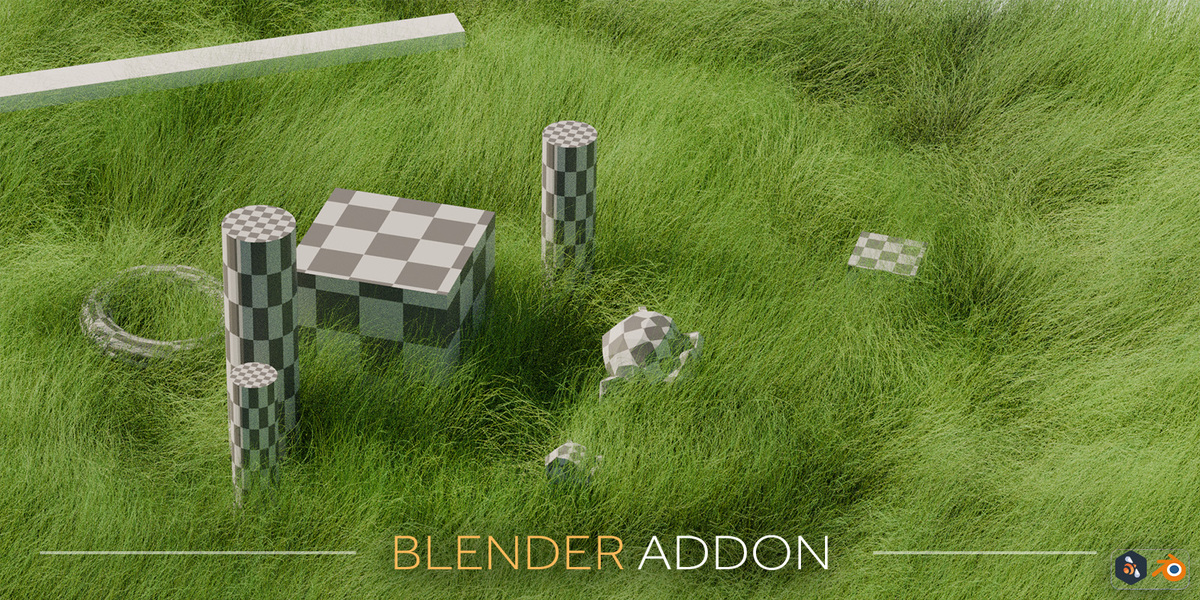
Dynamic Grass is a Blender addon from Blender Procedural for creating interactive grass fields on selected objects. Use Add Dynamic Grass to create a field, then add a collision object and enable Use Dynamics when grass should react to objects or characters in the scene. The developer documentation describes the available controls.
Shape the grass field
Hair Length sets blade length, while Grass Count controls the number of particles and the field’s density. The documentation gives 4 meters and 1,000 particles as examples; these are customizable example values, not stated defaults.
The Type setting changes the blade pattern. The Nothing option selects the default grass, while Wave adds a wavy pattern, Curl creates curled blades, and Braid twists them. Radial spreads grass outward, and Spiral adds a spiral pattern. Child settings can add None, Simple, or Interpolated particles, with controls for Child Percent, Randomness, and Stiffness.
Adjust motion and rendering
When Use Dynamics is enabled, Mass affects how individual blades react to forces, and Brownian Factor adjusts random movement. Add Collision Object marks a selected scene object to interact with the grass. These controls let you set up a field for scenes where objects or characters pass through it.
For appearance, choose Strand blades or flat Strip blades. Render Subdiv sets subdivision, while B-Spline interpolation and B-Spline Steps control curve smoothness. In complex scenes, the documentation suggests reducing particle count or subdivision levels to improve performance.
Compatibility and license
The Superhive product listing names Blender versions 4.0–5.3, Cycles and Eevee, and a GPL license. Check the listing for current compatibility and license details before using the addon in a project.
Who it suits
Dynamic Grass is intended for Blender animations, games, and visualizations that need configurable grass fields. Its particle, motion, blade-shape, and rendering controls let you adjust a field for different scene styles and detail levels.