Epidemic Sound’s Adobe plugin brings its music and sound-effects catalog into Premiere Pro, After Effects, and Audition. It suits editors who want to find and download audio from within an editing app, then add it to a project.
From the catalog to your project
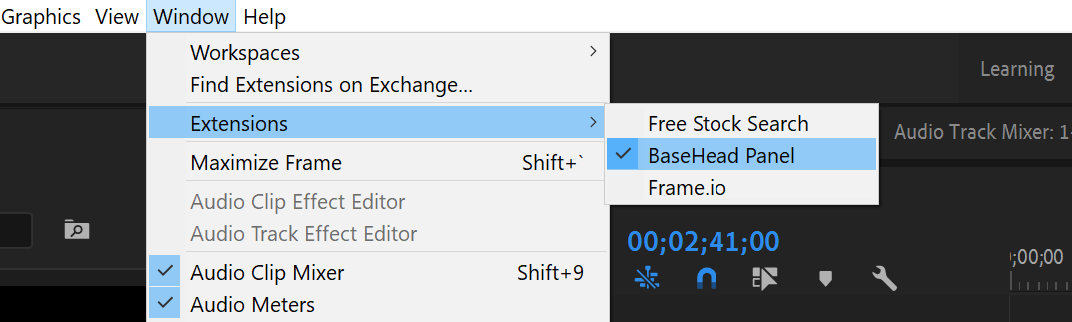
Install the plugin through Adobe Creative Cloud with the host app closed. After installation, open the app and select Window > Extensions > Epidemic Sound. When you download audio, the plugin prompts you to sign in through a browser. An active Epidemic Sound subscription is required for downloads.
You can drag downloaded files from the plugin directly onto the Premiere Pro timeline. In Premiere Pro, After Effects, and Audition, files go to the project bin by default; you can change the download location in the plugin’s Settings.
To view or download a track’s stems, like the track, open its three-dot menu and select Show Stems. Epidemic Sound’s tracks include drums, bass, instrument, and melody stems, which you can view and download separately.
Compatibility and access
The plugin supports Adobe Premiere Pro, After Effects, and Audition version 23.0 or later. Adobe Exchange warns that extensions and plug-ins are not yet supported on new Windows ARM-based devices. Epidemic Sound’s help pages also say the plugin works with beta versions of these apps. Adobe Creative Cloud may ask you to sign in with an Adobe ID to install it. Epidemic Sound currently says MCN users cannot download files through these Adobe plugins.
Check the license against your project
Adobe Exchange lists the plugin as free, while downloading music requires an active Epidemic Sound subscription. The subscription plan determines which projects and publishing accounts are covered. The Creator Plan is for non-commercial creator publishing, allows one linked account for each of YouTube, Facebook, Instagram, TikTok, and Twitch, plus one podcast RSS feed, and does not cover client work. The Pro Plan covers commercial online content and client work, and allows up to three channels per platform. Publishers making over $5 million per year and companies making over $10 million per year are not eligible for Pro and should contact Epidemic Sound about Enterprise. Pro excludes VOD and streaming VOD, pay-per-view, virtual fitness classes, local radio and TV, TV ads, and cinema; Epidemic Sound directs those uses to Enterprise licensing.
Content published while a subscription is active remains permanently cleared for monetization after cancellation. New content using Epidemic Sound music, if published after the subscription ends, will be monetized by Epidemic Sound; the subscription must be reactivated to keep publishing with its music without claims. Check that the plan covers the intended project and publishing destination before release.