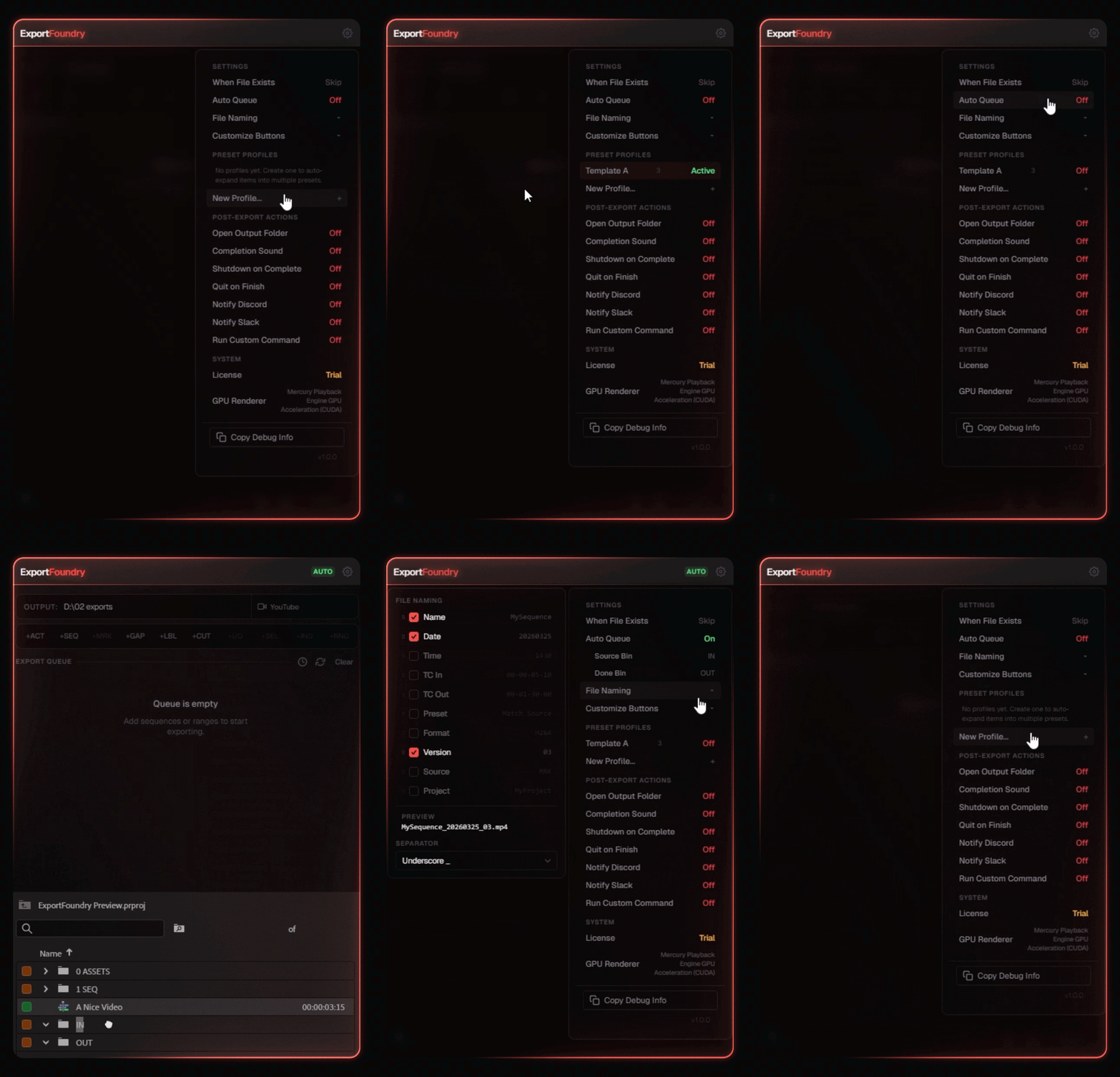
ExportFoundry is a batch export panel for Premiere Pro. It collects sequences, clips, selections and timeline ranges into a queue, then lets you set up multiple output versions from one workflow. It is designed for editors who regularly prepare review files, master exports or short clips from the same project.
Queue sequences, clips and timeline ranges
Queue the active sequence or choose sequences from the project. For a more selective batch, ExportFoundry can use markers, the current In/Out range, custom timeline ranges, individual cuts, consecutive clips grouped by label, or spans between timeline gaps. Selected clips can be queued together as an isolated selection or added as separate export items.
This range of queue sources helps when a project needs several deliverables. For example, you can queue selected clips individually, apply a naming template and choose a preset for each item before starting the batch.
Set up output versions and filenames
ExportFoundry uses Premiere Pro export presets and allows preset or format overrides for individual queue items. Naming templates can draw on tokens such as sequence name, date, source, format, version and timecode. The panel also supports reusable profiles and custom .epr imports. A watched source bin can automatically add new sequences to the queue, and separate queues keep work organized across open projects.
Review the queue and choose what happens afterward
Before exporting, you can reorder items, rename them, adjust output paths, check for offline media or existing output files, and review export history. When a batch finishes, optional actions include opening the output folder, sending a completion notice through Discord or Slack, playing a sound, or running a custom command. You can also configure Premiere Pro to quit or the machine to shut down after completion, which may suit unattended overnight batches.
Trial and listing details
The aescripts listing shows a 10-day full-access trial. It also lists a $39.99 price and a 25% discount at checkout; check the ExportFoundry product page for current price, trial terms, release notes and compatibility details.