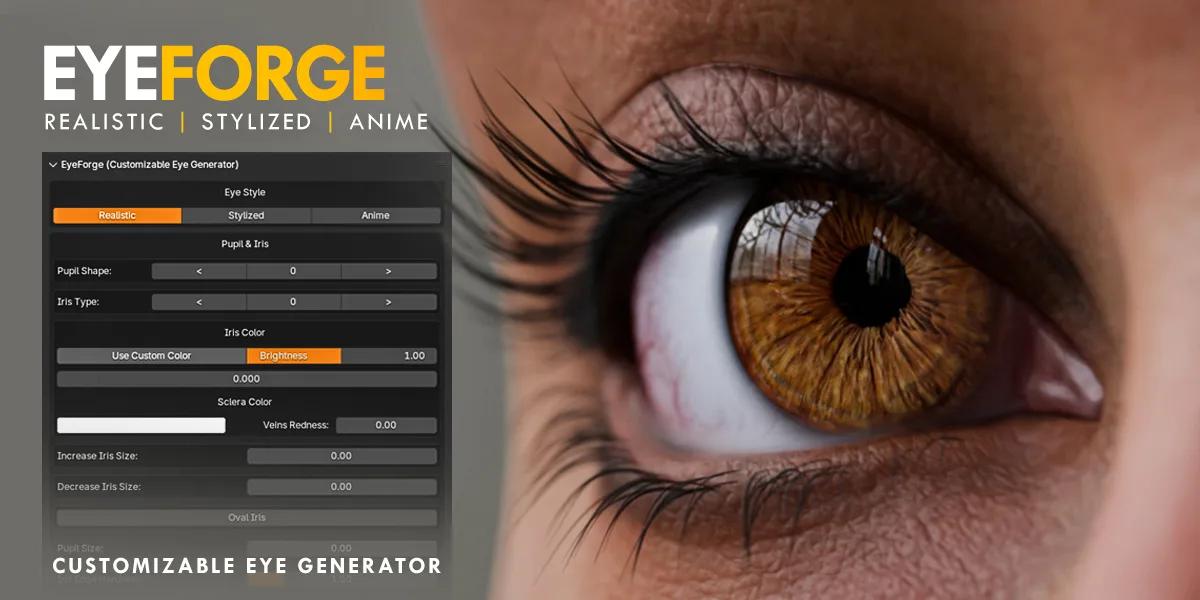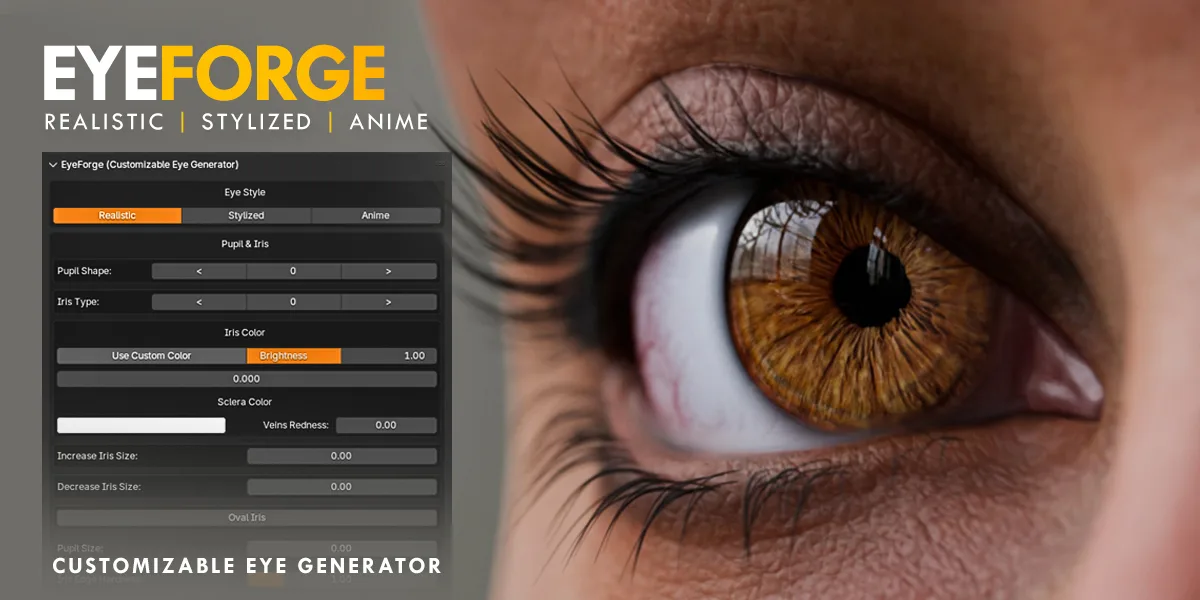
EyeForge by PixelicaCG is a Blender add-on for creating and customizing eyes for human characters, stylized creatures, and anime designs. Its controls are available from Blender's N-panel, with preset irises and adjustments for shape, color, and shading.
Eye styles and customization
EyeForge has Realistic, Stylized, and Anime styles, with 10 iris designs in each style for 30 switchable iris types. The Realistic style uses normal, displacement, and specular maps. Stylized designs suit fantasy and cartoon characters, while Anime presets provide more graphic iris shapes and colors.
Controls adjust iris color and brightness, sclera color, vein intensity, pupil shape and size, iris size, edge hardness, and cornea bulge. Iris color can be set with a slider or custom gradient. An oval-iris control reshapes the iris for an anime look, and the displacement detail can be adjusted.
Shading, presets, and output
Shader options include fake shadows and 10 fake reflections. The shadows and reflections add depth and gloss without extra lights. The lacrimal caruncle and tear line can be imported as separate objects for additional eye detail.
Version 1.80's update notes list Save/Load Preset. The product page's 2.0 announcement describes one-click baking of diffuse, normal, roughness, and other maps, plus export at low, medium, or high polygon levels.
Compatibility and version details
EyeForge supports Cycles and Eevee. For Eevee, enable Ray Tracing in Render Settings and turn on the add-on's "Eevee Ready" option. The Superhive listing shows Blender 4.0 to 5.2 and says Blender 3.6 and earlier are unsupported. Its documentation also describes the Eevee setup.
Superhive's page announces "2.0 is out now," but its update notes end at 1.80, matching the catalog's listed version. The page does not establish which build is currently downloadable. The marketplace lists the license as GPL. Its seller FAQ says Octane is not supported.