Falloff Lens is a Blender add-on that shows proportional editing influence in the 3D Viewport before you move, scale, or rotate geometry. Its overlay helps you judge which parts of a mesh or which object origins fall within the radius, and how strongly they are affected. The documentation says Blender 4.2 or newer, while the Superhive listing specifies Blender 4.2–5.2.
See the affected area in the viewport
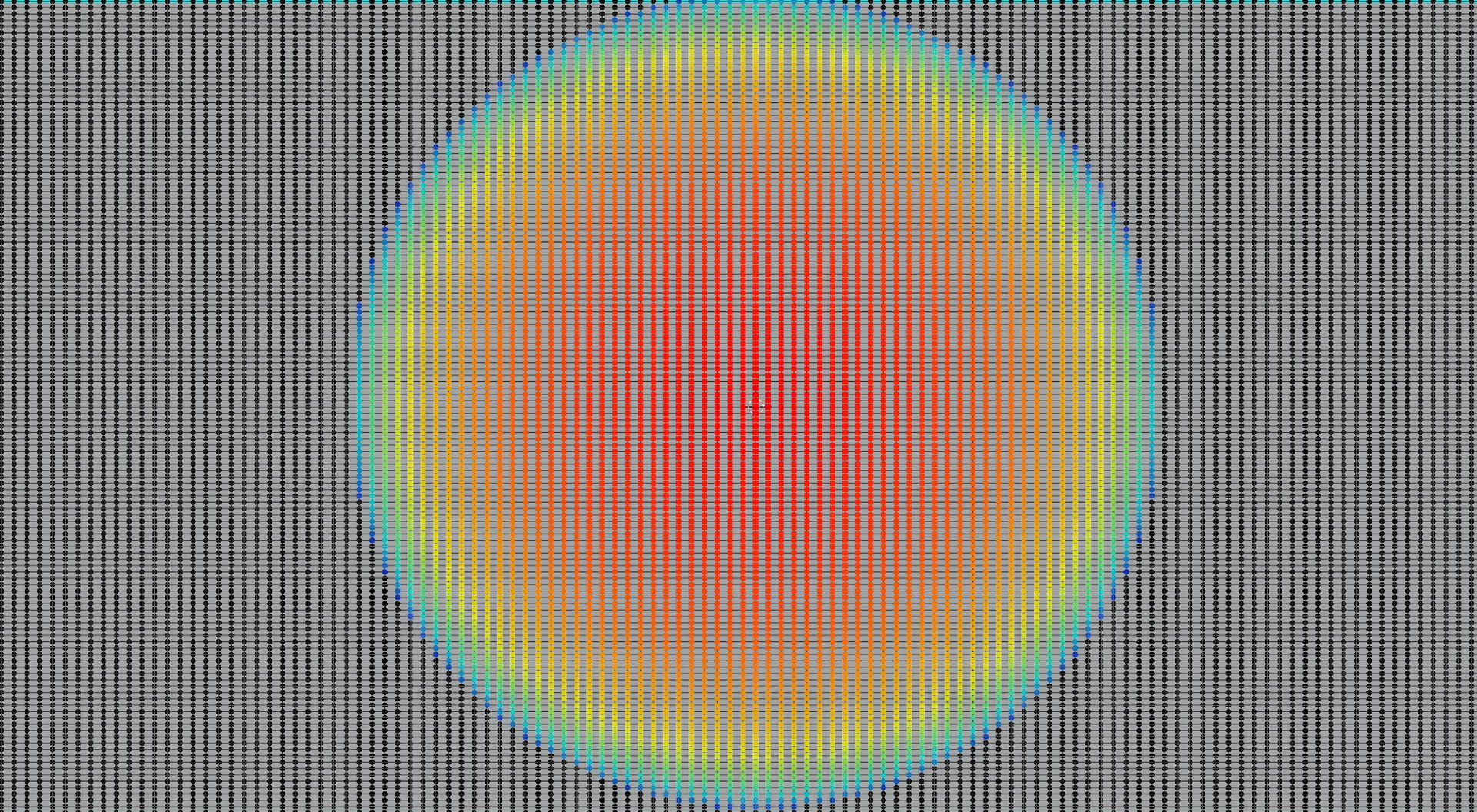
In Mesh Edit Mode, Falloff Lens displays weighted influence across vertices, edges, and faces. A cold-to-hot gradient indicates relative influence, while a visible boundary marks the radius. Optional face tint makes affected surfaces easier to pick out. In Object Mode, the preview covers visible object origins and can draw weighted bounding boxes around affected objects.
Projected proportional editing uses a screen-space approximation, so its preview updates as the view changes. The colors show relative influence rather than exact numerical measurements.
Set up and adjust the radius
- Select geometry in Mesh Edit Mode or objects in Object Mode.
- Enable Blender proportional editing and choose a radius and falloff type.
- Turn on the Falloff Lens overlay from its sidebar panel or the View menu. In Object Mode, also enable Object Mode Overlay in the Falloff Lens panel.
- Check the highlighted area, then transform the selection when the influence looks right.
To change the radius interactively, use View > Adjust Falloff Radius or press Ctrl + Alt + R. Drag horizontally to adjust it; hold Shift for finer control or Ctrl to round the value. This tool changes Blender’s proportional editing radius directly.
Performance controls and limits
For heavier scenes, the add-on provides a refresh interval plus maximum vertex and object limits. If a mesh exceeds the configured vertex limit, Falloff Lens may skip its preview. You can also turn off face tint or object bounds when those overlays are not needed. Falloff curves and projected influence are visual approximations, so use the overlay to judge the affected area, not as an exact measurement tool.
The overlay itself draws a viewport guide and does not modify mesh data, object data, modifiers, or scene geometry.
Blender compatibility
For versions beyond the Superhive listing’s 5.2 range, check the current listing or ask the developer about support. See the Falloff Lens documentation for installation, controls, and troubleshooting, or visit the product listing for current details.