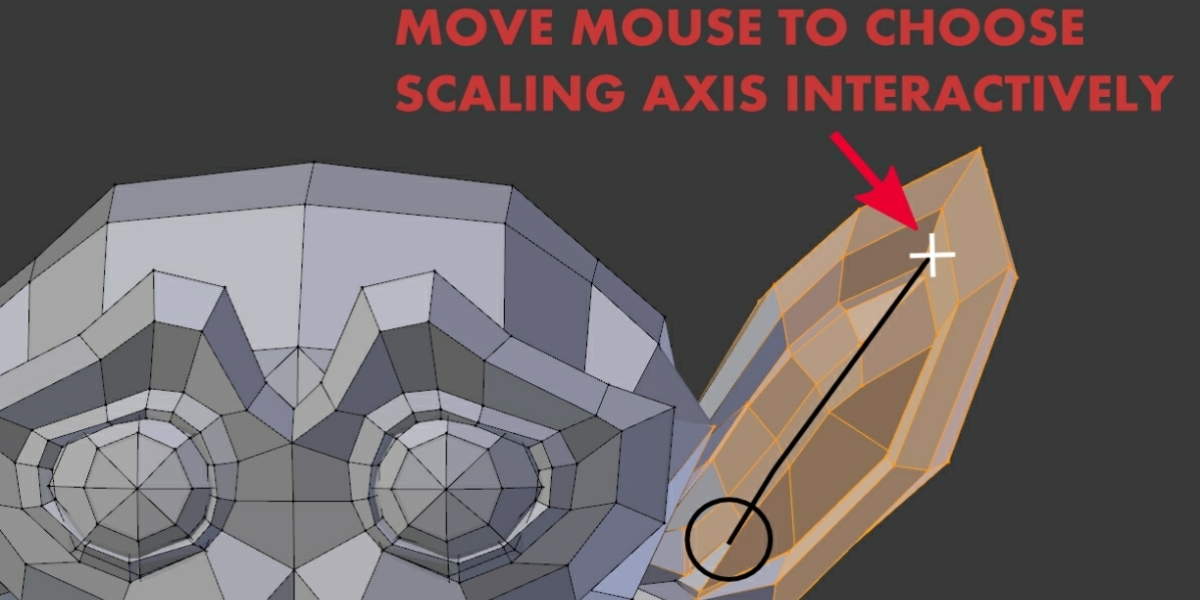
Fastscale is a Blender add-on by paleajed for scaling a mesh feature along a freely chosen axis parallel to the view. It helps when a diagonal feature does not line up with Blender's X, Y, or Z axes in the available orientations. For example, the creator describes lengthening a character's nose when it points diagonally.
How the mouse-drag operation works
- Start Fastscale's scale operation from its button.
- Click the mesh where the scaling should originate.
- Drag in the viewport along the direction you want to scale, then release the mouse button.
The click sets the origin on the mesh, so you do not need to place the 3D cursor there first. The scale direction follows the drag and remains parallel to the view.
When Fastscale is useful
Use Fastscale when a feature needs stretching along a diagonal direction that is awkward to reach with the standard axis and orientation controls. Its one-drag workflow avoids the view, orientation, and pivot changes the creator describes using for this kind of adjustment.
Blender version and license
The catalog entry is for Blender 4.5. The Superhive listing shows Blender Version 2.77 to 5.2 and identifies the license as GPL. Check the listing and its documentation for setup details for your Blender build.