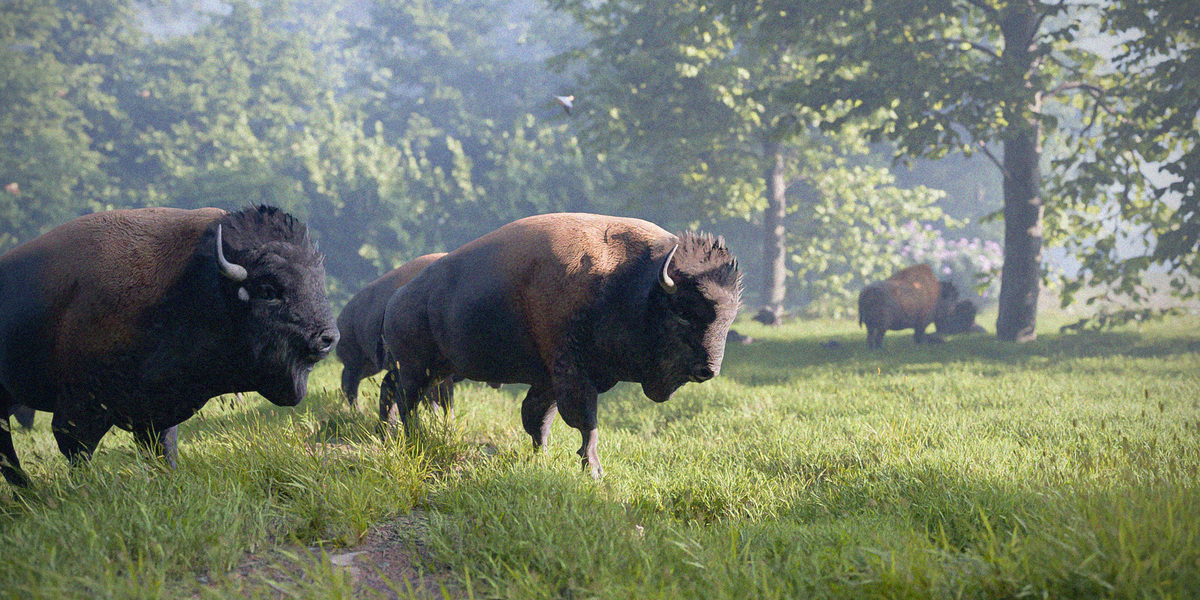
Fauna Master Pro is a Blender add-on for placing and animating birds, insects, land animals and fish in a scene. Its library covers 150+ animal species, and its movement is simulated live as settings change. The workflow does not require baking or caching, which lets artists adjust group behavior while viewing the result.
Guide wildlife with live simulation rules
Simulation controls shape how animals move around one another, targets and the environment. Self-collision helps individuals keep their distance in flocks, swarms, fish schools and herds. Goal seeking guides agents toward a target, while avoidance steers them around obstacles or other agents. Attraction draws them toward a chosen object or location, and the scared rule triggers flight responses when a threat is nearby.
- Shape a route: Curve follow aligns groups to Bezier curves. For bird flocks, draw a flight path in the viewport and the birds follow its shape.
- Change movement modes: Fast Switch changes between crawling, flying and hybrid modes.
- Fill backgrounds: Spawn idle animals and birds for low-motion scenes, or use proxy preview to display large groups as points or other lightweight proxies.
Collision rules account for terrain, walls and custom meshes. The product page notes that self-collision and environment collision can be slightly unstable in certain situations; adjusting settings or using simplified low-poly colliders may help.
Compare the asset packages
The listing separates unique assets from animation variants. Its headline also describes the library as containing 150+ species, so species, unique assets and animation variants are different counts.
| Package | Unique assets | With animation variants |
|---|---|---|
| Lite | 35 | 46 |
| Base | 108 | 153 |
| Full / Pro | 217 | 287 |
The asset packs are substantial downloads. The product page estimates about 2 GB for Lite, 7 GB for Base and 10 GB for Full / Pro. It describes five separate download files and allows the packs to be installed in a custom folder, which can help share one library across Blender versions without keeping duplicate copies.
Know the level of detail and animation limits
The models range from about 10,000 to 80,000 polygons and are intended for medium-distance and distant shots. They do not include particle-based fur, so the library may not suit close-ups that depend on detailed fur.
Geometry Nodes animation states do not switch automatically with speed. For example, an animal will not change from a walking animation to a running animation because it moves faster. Instead, each generator uses three variations of the same animal animation with different start times, reducing the synchronized look across a group. Exporting the Geometry Nodes simulations to other software, including Unreal Engine or Unity, is not supported in the listing.
Check compatibility and licensing before use
The Superhive page has conflicting Blender version information. Its buying note says Fauna Master Pro is fully compatible with Blender 4.4 to 4.5 and says Blender 4.3 works except for the fish waving simulation. The Details field lists Blender 4.4 to 5.3. Confirm support for the specific Blender release before installing.
The same page says the add-on script is licensed under GNU GPL v3. The included 3D assets are described as royalty-free, with rights and responsibilities belonging to their original authors. Check the asset terms with the relevant creators if you plan to use them in a project.
Package contents, compatibility and prices can change. Check the Fauna Master Pro listing on Superhive for current details.