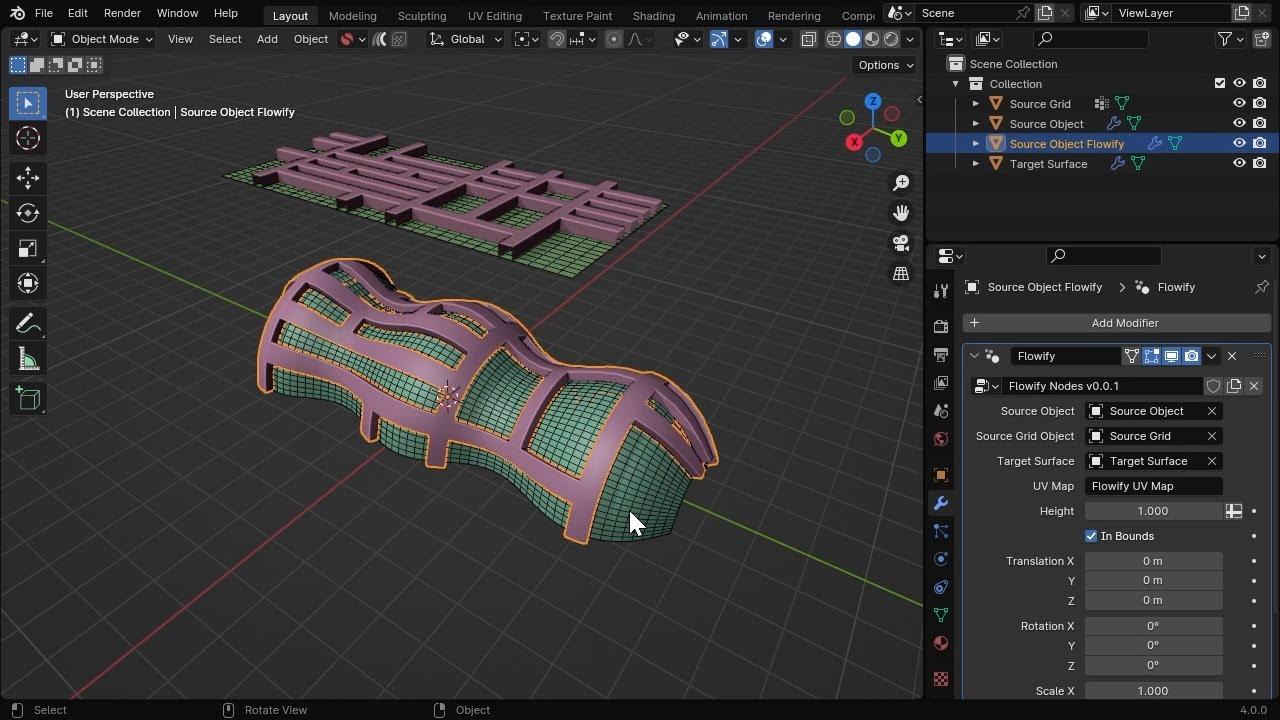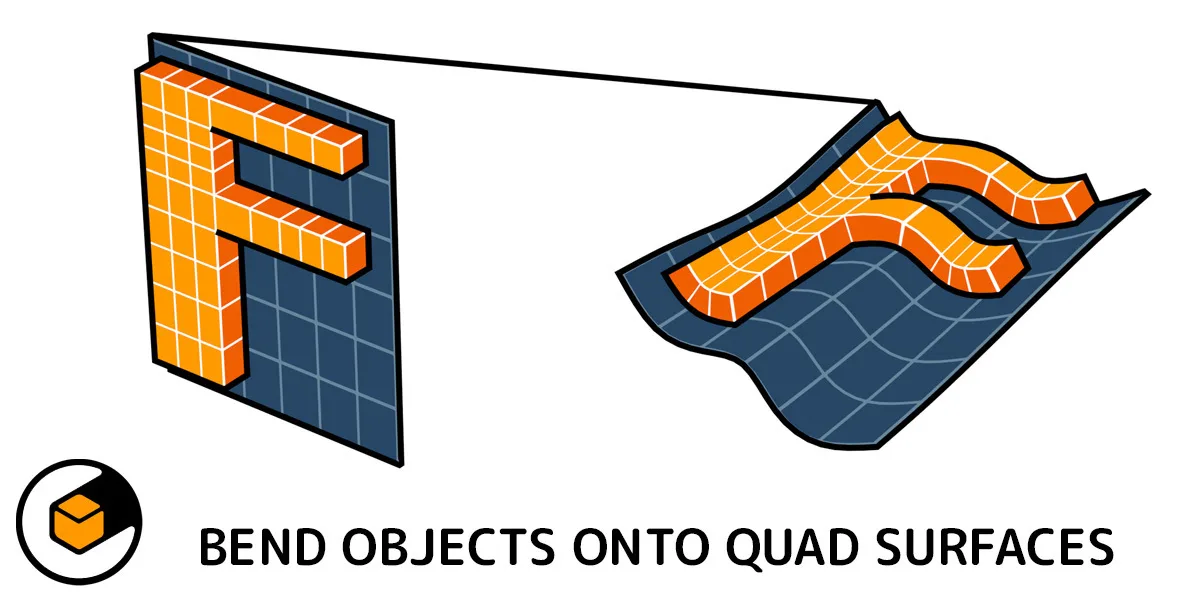
Flowify is a Blender add-on that bends a source object onto a supported target surface. A flat reference grid guides the deformation. Targets can be a surface with evenly spaced four-sided faces and four corners, or an open cylinder. This setup helps modelers wrap details that would be awkward to shape directly.
How the Flowify setup works
The workflow uses three objects:
- Source Object: the geometry to bend.
- Source Grid: a flat reference plane that guides the deformation.
- Target Surface: a supported four-corner surface with evenly spaced four-sided faces, or an open cylinder.
Select the Source Object and run Flowify from Blender’s right-click menu. Choose a matching corner between the Source Grid and Target Surface to generate the result. The step-by-step guide walks through the setup, and the Flowify documentation covers more details.
Editing and mesh requirements
Edits to the Source Object or Target Surface update the result automatically. Flowify copies materials from the source, and you can configure its modifier afterward for additional options. It also works with regular objects, instanced objects, and text when their geometry has deformable topology.
The source mesh needs enough vertices and faces to bend cleanly. A mesh with sparse topology may produce a rough result. The troubleshooting guide has further setup advice. If the source object overlaps the target while you arrange the objects, the product page suggests hiding it temporarily.
Choosing Flowify
Flowify fits tasks that need a detailed object wrapped around one of its supported target shapes. Product reviews mention uses such as adding pockets and belt loops to clothing or details to armor and weapons. The product listing also notes that cylindrical surfaces were added in version 1.1.
The target shape is a real constraint: the product information describes four-corner surfaces with evenly spaced four-sided faces and open cylinders. The maker’s FAQ comparing Flowify, Conform Object, and Mesh Materializer describes Conform Object as a one-click, single-direction projection tool. Flowify takes more setup and uses a reference grid to wrap geometry to its supported target forms.