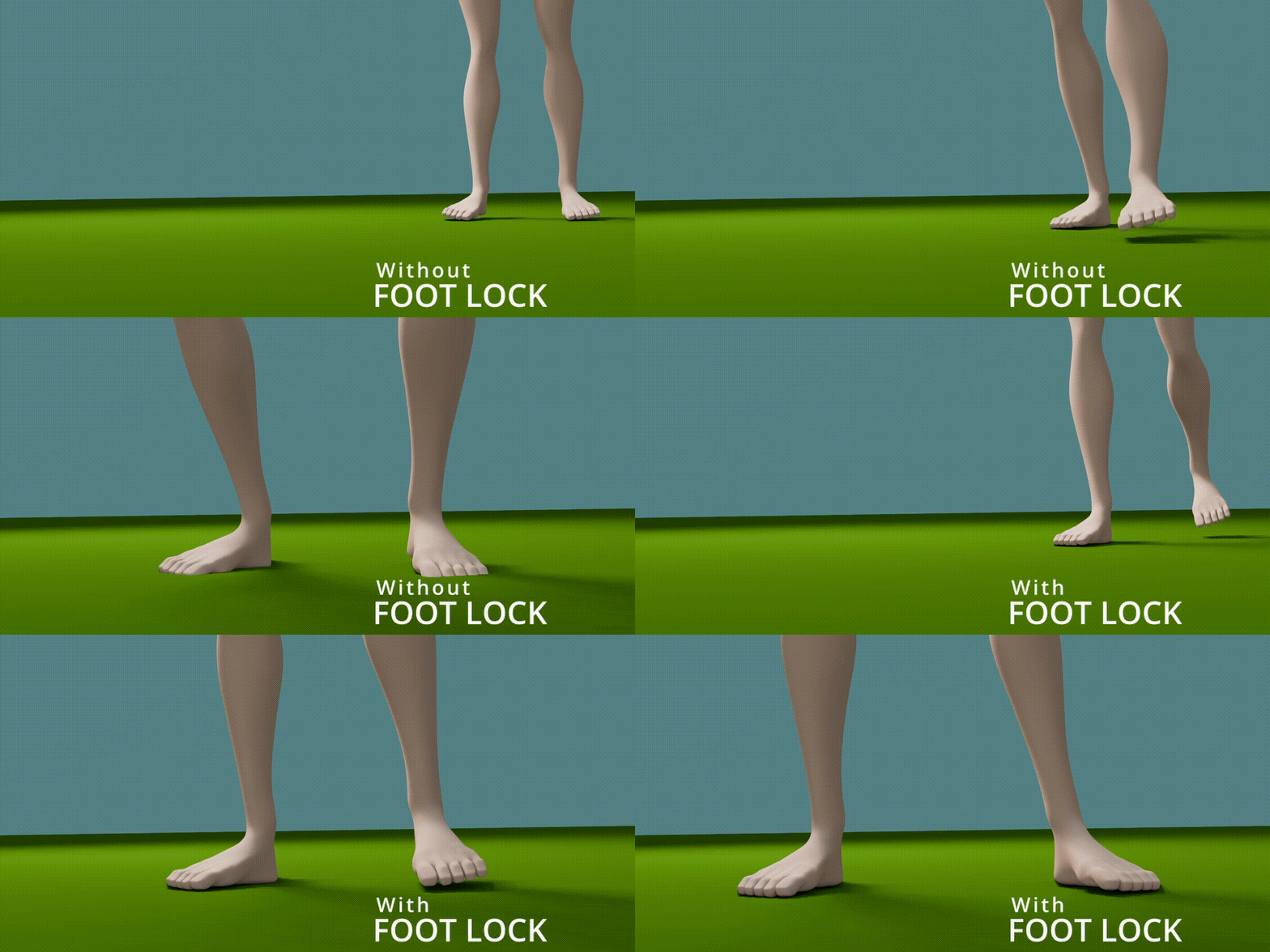
Foot Lock is a Blender add-on for adjusting foot placement in motion-capture animation. It is designed to address foot sliding, a problem the developer describes as common in lower-budget mocap setups. The add-on uses a three-button workflow and creates an editable Non-Linear Animation (NLA) strip for each lock.
Adjust lock duration and foot placement
Foot Lock creates an NLA strip that you can scale in Blender’s Non-Linear Animation workspace to change how long a foot stays locked. An associated empty object lets you adjust the lock’s location and rotation to refine the foot position. Foot Lock’s documentation says to push the mocap action down into an NLA strip before applying a foot lock to avoid accidentally editing its original keyframes. After the animation is complete, Bake Foot Lock converts the controlled movement to keyframes and removes the constraints and empties.
Use it with different rigs and mocap setups
The add-on supports IK rigs, FK rigs, or a combination of both. The product listing names Kinects used with iPiSoft Motion Capture Studio as one example and says Foot Lock can work with other mocap systems too. Its stated focus is foot placement during animation cleanup, with the duration and position adjusted through the NLA strip and its empty object.
Compatibility and license
The Superhive product listing identifies Blender versions 2.8 through 5.2 and lists the license as GPL. Red Belly Media is the developer. Check the listing for the compatibility details that apply to your Blender version before installing.
When Foot Lock may suit your workflow
Foot Lock may be useful when a Blender mocap take has foot sliding and you want to adjust lock duration and foot placement with its NLA strip and empty object. If your cleanup needs extend beyond foot placement, compare those needs with the add-on’s listed features before choosing it.