Mocap Bone Lock is a Blender add-on for holding selected bones in place across a frame range, especially when retargeted motion capture makes feet slide. Use Manual Mode to place a lock yourself or Auto Mode to detect likely contact. It is optimized for IK bones; Manual Mode also works with hands and other pose bones.
Choose a locking method
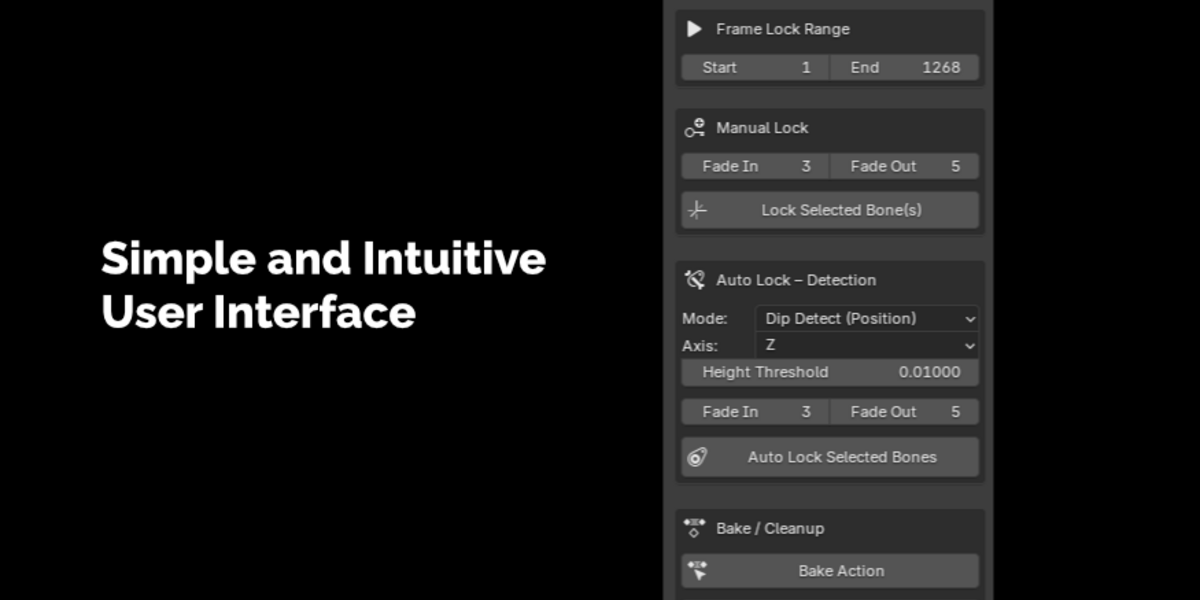
Manual Mode gives you control over placement. In Pose Mode, select the bones, set the frame range and fade in or out, then create the lock. Adjust its position with the generated Empty and preview the result before baking.
Auto Mode scans a selected frame range. Its default Dip Detect uses bone position on the Z axis to find foot contact, which suits flat surfaces. Velocity Detect looks for low movement speed averaged across the Smoothing Frames window; it is experimental and can be used with bones beyond feet. If the detected segments need adjustment, tune the threshold. Both modes share the frame range and fade controls.
Review edits in the NLA workflow
The documented first-use workflow moves the original action to an NLA track and creates a separate action for edits. You can reposition locks and review the motion before baking. Baking commits the motion to keyframes, so check the result first. Update 1.1 says Bake Action keeps original constraints intact, tries to account for their effect on motion, and removes only constraints created by Mocap Bone Lock.
If an automatic pass creates too many or too few segments, adjust the threshold and run it again. The documentation also describes deleting add-on-created constraints on selected bones and removing associated Empties only when no armature or constraint in the scene still references them to reset them before relocking.
Check the Blender version variant
The product listing reports testing on Blender 4.2, 4.5, and 5.0, and separately notes a 1.1.1 variant for Blender 5.x. The catalog lists version 1.1, so check the current product listing for the variant that matches your Blender installation. The documentation covers setup, prerequisites, and the locking workflow.