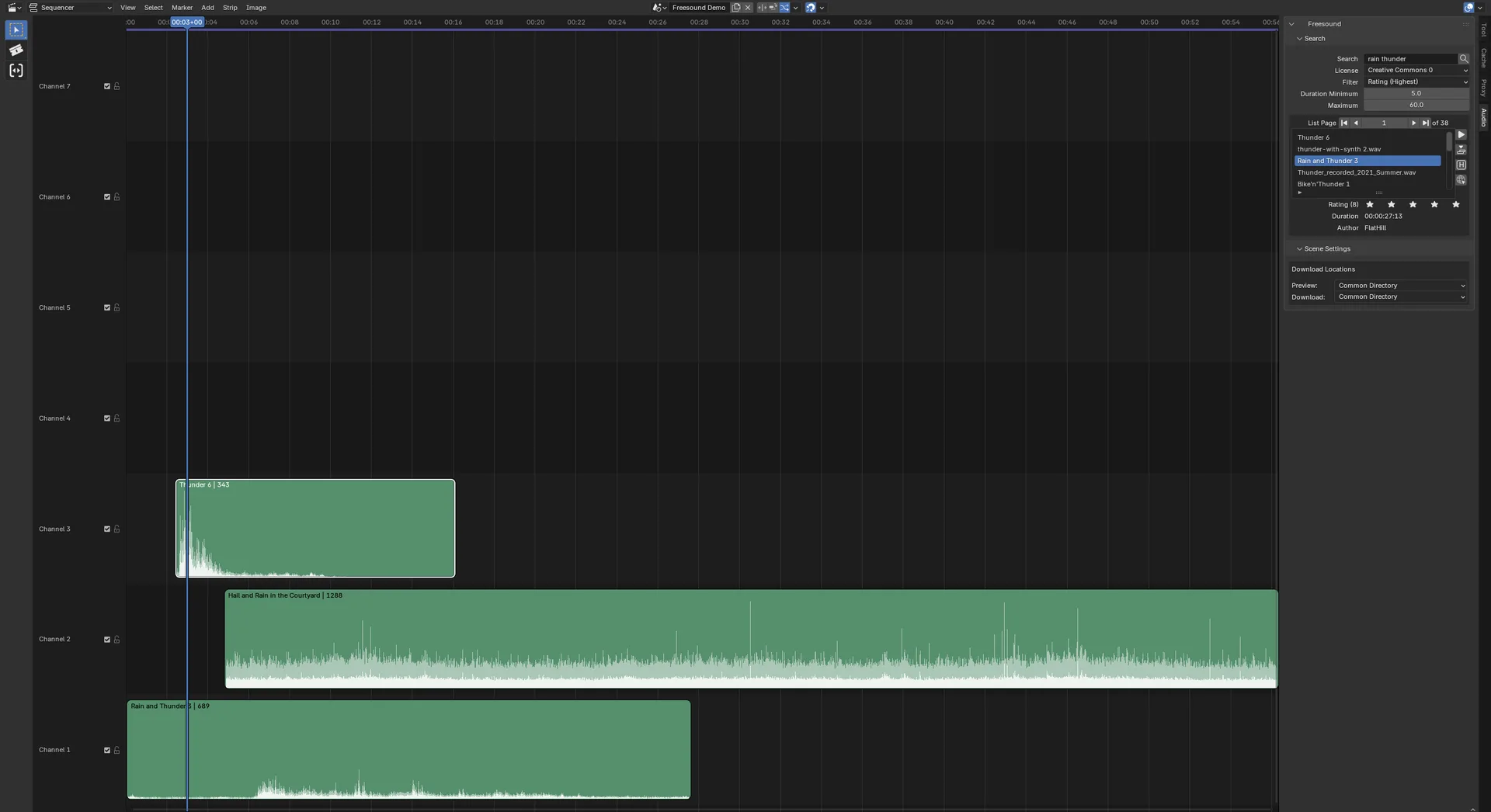
Freesound brings search for sounds from Freesound.org into Blender's Video Sequencer. Browse results, preview a sound, check its details and license, then add it as a strip at the current frame.
Search and preview sounds in the Video Sequencer
Search by text and filter results by license or duration. Sort them by relevance, rating or duration, then browse paged results with each sound's rating, length and author. You can preview sounds in normal or high quality before choosing one. The selected sound is added at the current frame on a new channel above your existing strips.
Downloaded previews can be stored in a shared folder or beside the current .blend file. The add-on can also open a sound's Freesound page, where you can review its details and license.
Set up the add-on
- Create a free Freesound account and get an API key from Freesound's API key page.
- In Blender, open Preferences > Add-ons > Freesound, paste the key, select Validate and save your preferences.
- Enable Allow Online Access in Preferences > System > Network.
- Open the Video Sequencer, press N and choose the Audio tab.
The extension needs online access to search Freesound and download previews. The Blender Extensions listing says it works with Blender 4.2 and newer.
Check each sound's license
Freesound is a collaborative sound database. Its Blender Extensions listing identifies sounds under Creative Commons CC0, CC BY and CC BY-NC licenses. Terms vary by sound, so review the selected track's page and follow its license before using it, especially in work you plan to distribute or use commercially.
Network access and privacy
The extension listing says Freesound connects when you search, change result pages, validate your API key or download a preview. It says the add-on sends nothing else and does not connect while Blender's online access is disabled. Its listed permissions cover network access for searching and downloading previews, and file access to save those previews.
The Blender Extensions listing has the current release details. The source repository provides the add-on code and issue tracker.