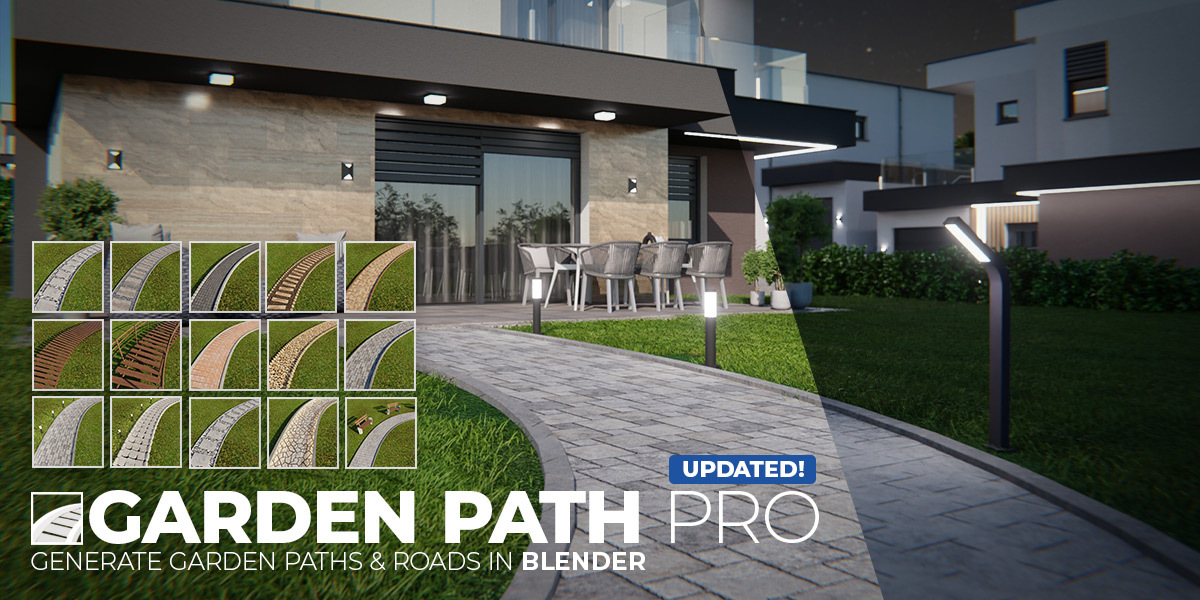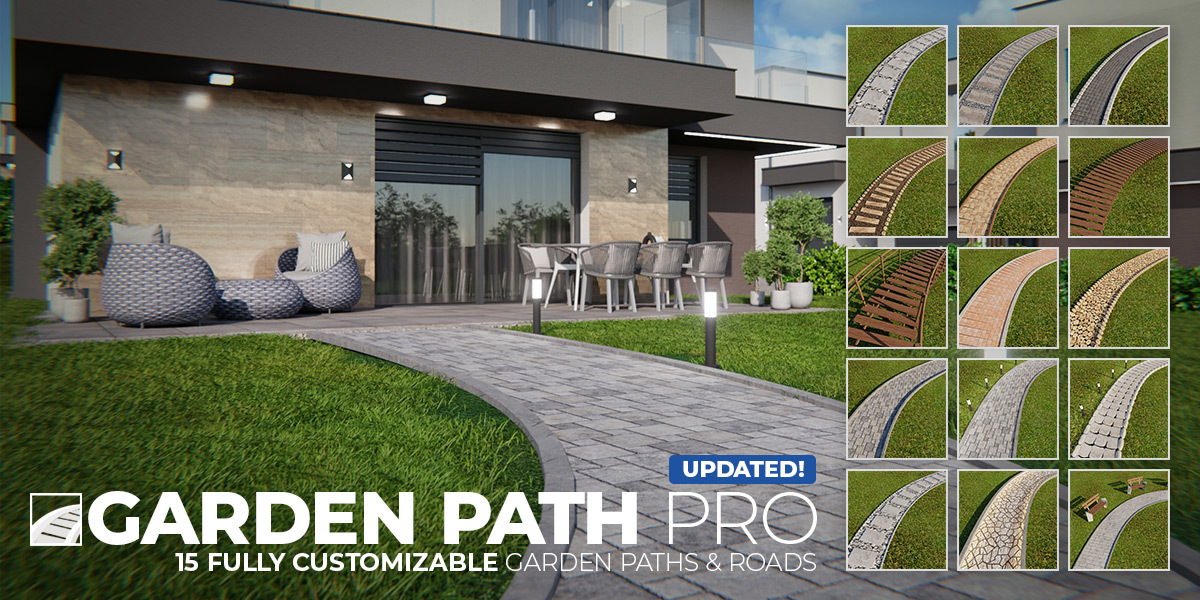
Gardenpath Pro is a Blender add-on by AZZURRO-INTERIORS for drawing garden paths and roads in exterior scenes. It includes 15 path types built at real-world scale. Choose a style, then adjust its parameters in Blender's Modifier Panel to create variations for a scene. The product is aimed at 3D modelers, architects and visual designers working on realistic gardens.
What the path set includes
The updated release added five paths, bringing the set to 15. Most materials can be customized. Some path options include garden lights, and one version places benches along the path. The adjustable designs suit garden and exterior scenes where you need walkways or roads with a consistent scale.
Blender compatibility and render engines
The Superhive listing names Blender 4.2 and 4.3, and the product FAQ says Blender 4.2 and above. The updated release includes an Asset Browser version, with updated Geometry Nodes features available from Blender 4.2. Gardenpath Pro works with Eevee and Cycles; the creator's FAQ notes that the Cycles version has nicer lights.
Adding the assets in Blender
The product documentation gives these steps for the Asset Browser version:
- Extract the downloaded ZIP file into a folder named
GardenPathPRO. - In Blender, open Edit > Preferences > File Paths and add that folder under Asset Libraries. Save the preferences.
- Open an Asset Browser window with Shift+F1. Under All Libraries, select GardenPathPRO to display its assets.
License and current listing
The Superhive product details list a GPL license. Check the current product listing for download availability, license terms and compatibility details.