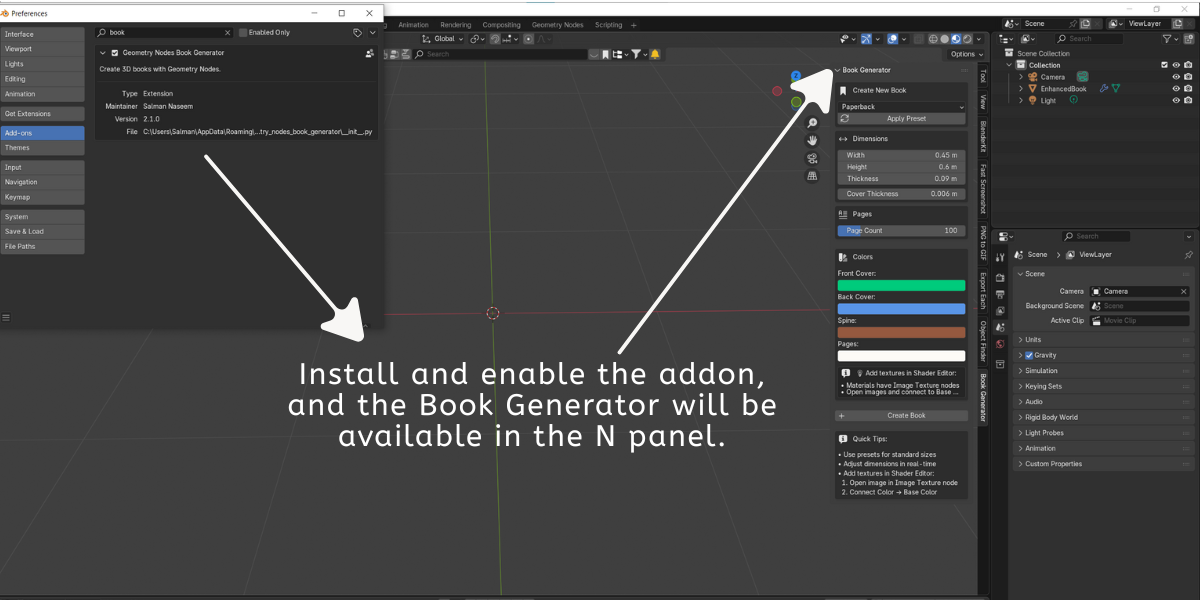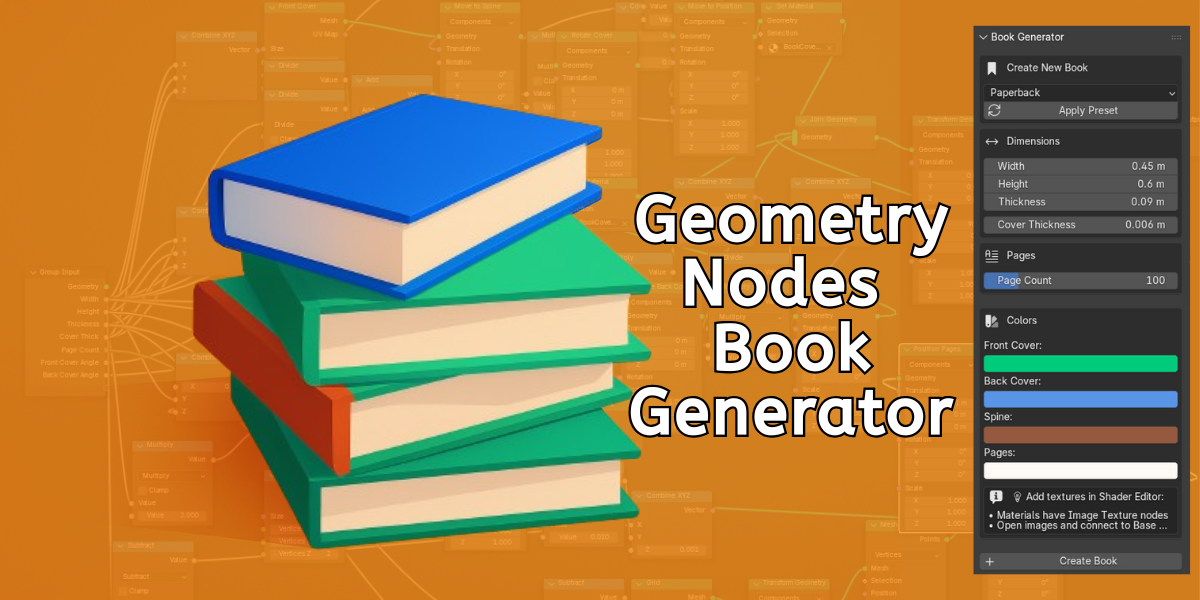
Geometry Nodes Book Generator is a Blender add-on by Salman Naseem that creates 3D books with Geometry Nodes. Create a book, then adjust its dimensions, page count, materials and cover animation through the add-on's controls. The setup stays procedural, so you can keep changing its settings without applying the modifier.
Choose a preset or set custom dimensions
Five presets provide starting sizes for common book formats:
- Pocket Book: 10.5 × 17 cm
- Paperback Novel: 13 × 20 cm
- Hardcover: 15 × 23 cm
- Textbook: 21 × 27 cm
- Coffee Table Book: 30 × 30 cm
You can also set custom dimensions. Controls cover width, height, thickness, cover thickness and page count, which ranges from 10 to 500. Changes appear in the viewport as you work, making it easier to fit a book to a shelf, interior scene or product mockup.
Texture the covers and animate them
The generated book has separate materials for its cover, spine and pages, with Principled BSDF shaders, UVs and image texture nodes. To use cover art, select the book and open Blender's Shader Editor. The documentation describes adding an image to the cover's Image Texture node and connecting its Color output to the Principled BSDF Base Color input.
The add-on also exposes front and back cover angles that can be keyframed to show a book opening or closing without rigging. The documented animation workflow uses manual timeline keyframes; its Quick Animation option is marked as not yet implemented. See the product documentation for the texture and animation steps.
Build book props and shelf scenes
The documented workflow creates a book, then uses the Duplicate Book control to make more. Start with a master book and vary its dimensions or cover textures to create a set for a library shelf. The add-on is intended for archviz and interior design, product mockups, game environments, film and animation props, and book-cover showcases.
Check compatibility before installing
The product listing gives Blender 4.0 to 5.2 as the compatibility range, lists Cycles and Eevee, and identifies the license as GPL. The installation steps say Blender 3.0 or newer. If your Blender version falls outside 4.0 to 5.2, check with the creator before installing.