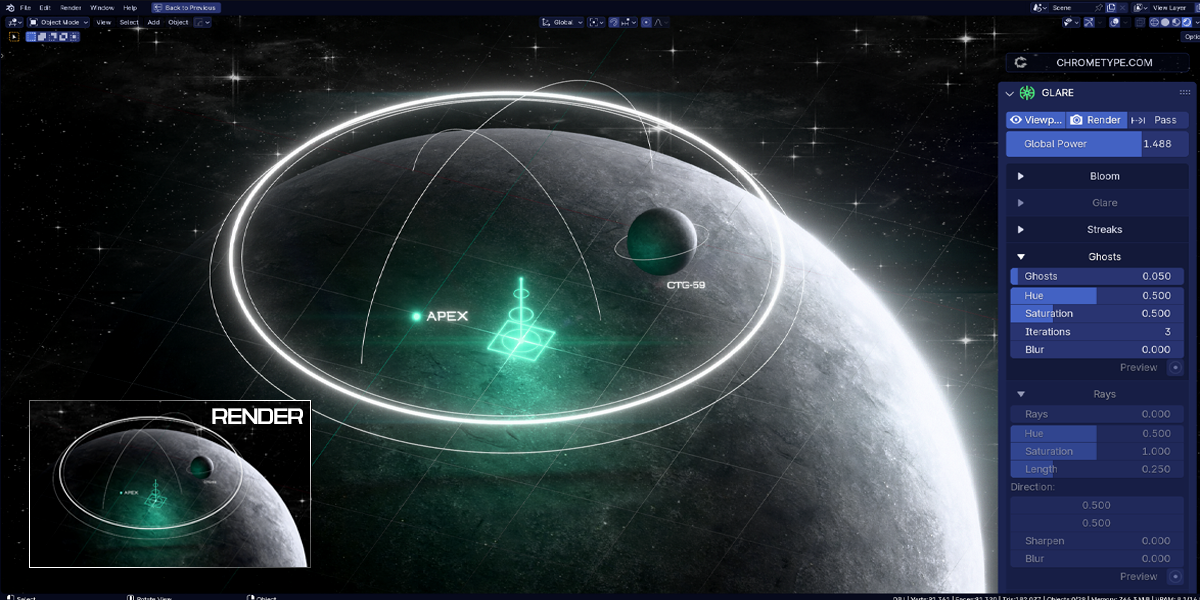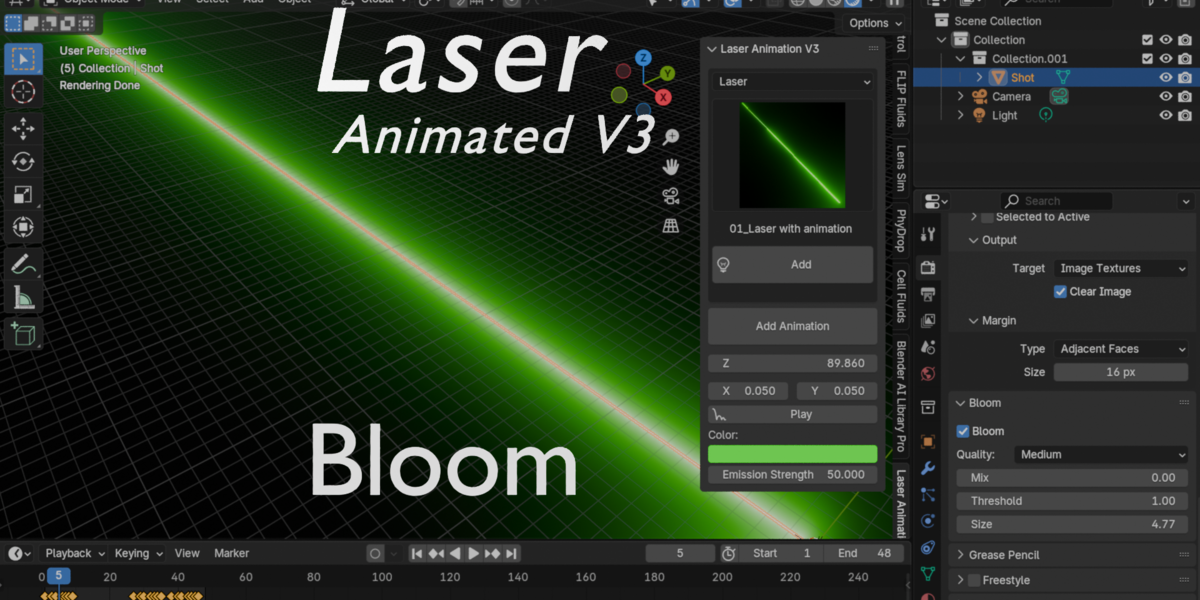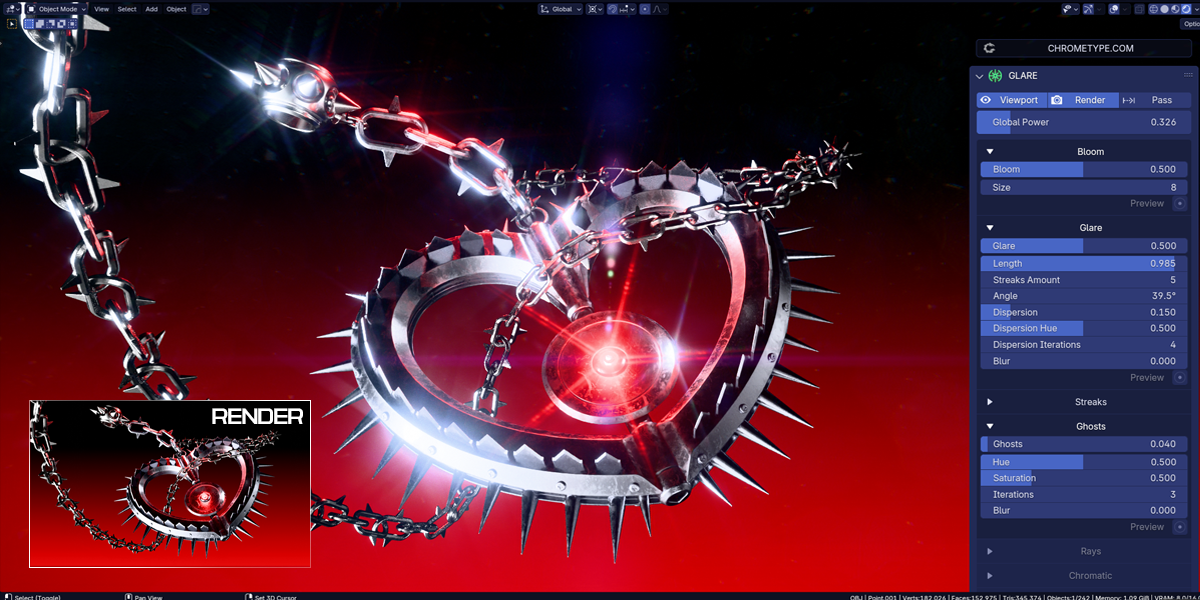
Glare by Chromelabs is a Blender add-on that adds bloom, lens flare and other light effects to Cycles and EEVEE renders. You can preview its effect in the viewport. With one click, Glare adds the effect to the end of your compositing setup, so you can use it without opening the compositor. If you have a modular node workflow, you can place your own nodes before or after it.
Effects and controls
The add-on groups several effects in one interface:
- Bloom creates a soft glow around bright areas. Glare adds star-like artifacts, while Streaks create directional lines from bright areas.
- Reflect overlays copies of bright areas for subtle reflections. Chromatic offsets RGB channels to create colored fringes, and Ghosts adds lens flare-like artifacts radiating from the frame center.
- Rays simulates light shafts scattering through objects. Shimmer adds moving flicker and sparkle, while Fog overlays a moving texture for atmosphere. The product listing recommends using Fog in moderation with minimal camera movement.
Threshold controls how much of the image is affected. Color Controls adjust hue, saturation, temperature, tint and colorization. The add-on also includes Vignette and supports importing custom lens-dirt, bokeh or scratch textures; three textures are included. More than 100 settings include Global Power and separate power controls for individual modules.
A practical starting workflow
Begin with Glare's default values, then set up the scene's lighting and materials. The product guidance notes that lighting and materials have a greater effect on the final look than the glare settings. Once those are in place, adjust Global Power and fine-tune individual modules with their own power controls.
Render passes for post-production
Glare's Render Pass feature can set up a transparent pass for further adjustments or for adding a background in an external application such as After Effects, DaVinci Resolve or Photoshop. Follow the setup steps shown in the add-on; the listing says the pass is ready when no warnings appear. See the Render Pass documentation for the procedure.
Compatibility and access
The Superhive product listing identifies Glare as a Blender Extension for Blender 4.2 through 5.1, with Cycles and EEVEE listed as supported render engines. The AnyPlugins listing marks it free to download and use; Superhive lists the license as GPL. Check the current product page and documentation for updated compatibility and distribution details.