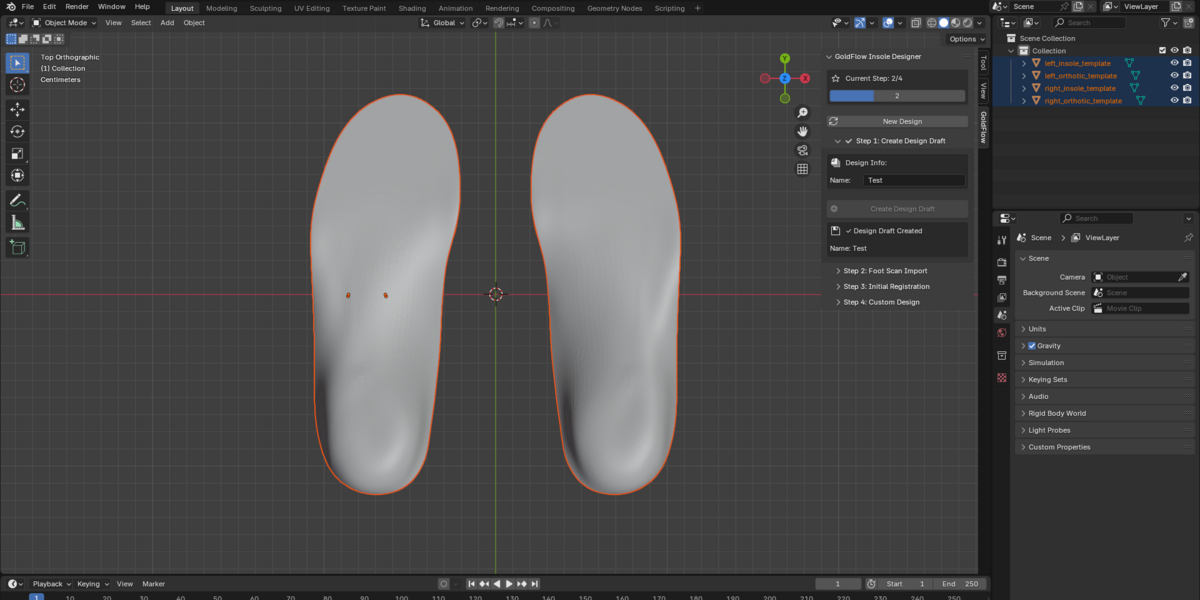
GoldFlow Insole Designer is a Blender add-on for making custom insole models from 3D foot scans. It guides the work from left and right template surfaces through scan registration and shape adjustments to STL export with mesh repair. It requires Blender 4.2 or newer and runs on Windows, macOS and Linux. The developer documentation describes the workflow and controls in detail.
From foot scan to insole model
Create a draft to load the built-in templates for both feet.
Import a foot scan in STL or OBJ format. Scans are positioned near the template. This step is optional; without a scan, the add-on uses its default templates for standard-sized insoles.
Register the scan to the template. Smart Registration measures the scan, matches its length to a shoe size in the Chinese sizing system and aligns it above the insole. You can adjust the size and position manually.
Set the insole shape and thickness, then generate a solid model for export.
The registration step is useful when a project starts with foot-scan geometry. The documentation also describes manual landmark annotation for users who need to align a scan more precisely.
Adjust arch, heel and thickness
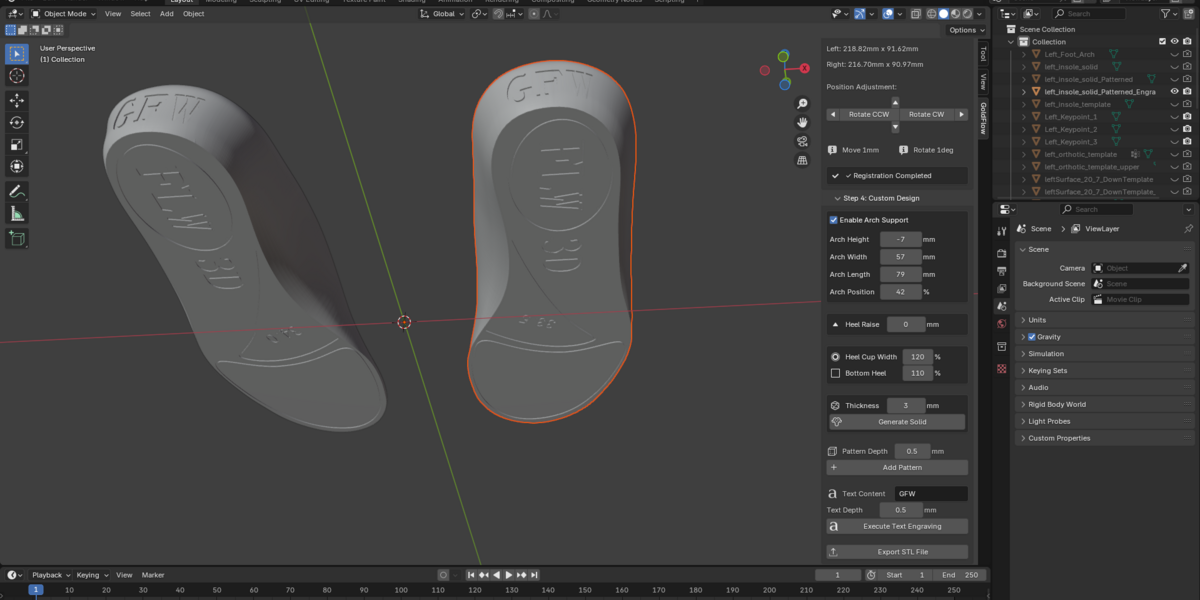
Arch controls adjust height, width, length and position, with a viewport preview. Heel controls cover heel raise, heel cup width and the width of the bottom heel area. The changes are previewed before solid generation, so you can review the surface before applying them to the final model. Left and right feet can have separate design settings.
For solid generation, choose a bottom surface type and set thickness from 0.5 to 10 mm. The listed options are Narrow, Wide, High Arch, Extension and Custom; Extension requires a custom bottom-surface object. The add-on also supports recessed pattern engraving and text engraving of up to three uppercase letters. Its documentation advises consulting a medical professional about an appropriate heel raise when addressing leg-length discrepancy.
Export and check the STL files
GoldFlow Insole Designer exports one or both feet as STL files and includes mesh repair. The developer documentation lists hole filling, normal correction, self-intersection removal and re-triangulation among the repair steps. Before printing, it recommends opening the files in slicing software to check their dimensions, orientation and any visible mesh issues.
For current product details, see the GoldFlow Insole Designer listing.