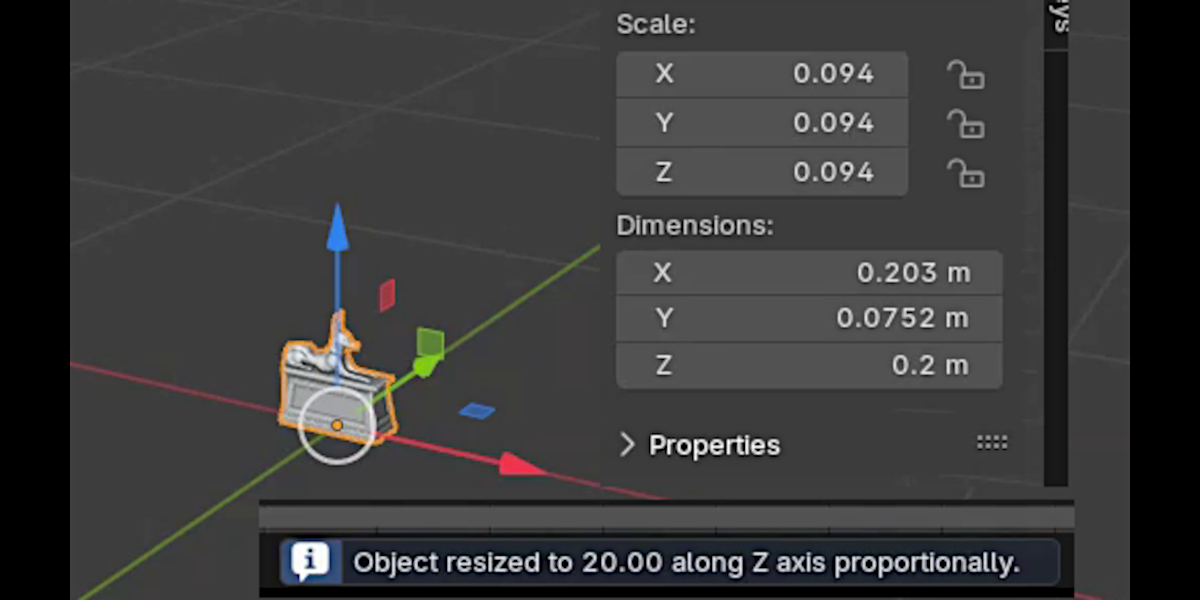
Proportional Resize To Dimension Add-On lets you set an object's exact size along one Blender axis while scaling the other axes proportionally. It is intended for modeling tasks where a specific dimension matters and you want to retain the object's overall proportions, including 3D printing and architectural visualization workflows.
Set a dimension with the F3 search menu
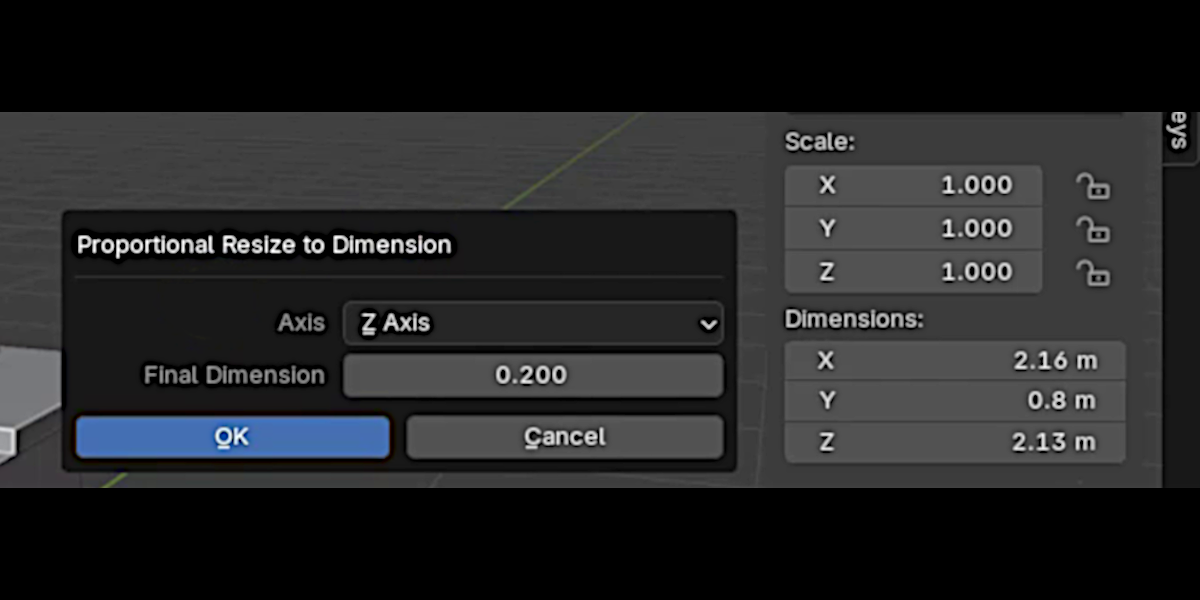
- Open Blender's Search Menu with F3 and type
Resize to Dimension. - Choose the X, Y, or Z axis, then enter the desired final dimension.
- Click Execute to resize the object. The add-on supports undo if you need to correct the change.
The modal interface applies the target dimension in one operation, so you do not need to adjust values afterward.
Version and product details
The Superhive product listing identifies Blender 4.3 and a Royalty Free license. The supplied listing does not state a broader compatibility range, so check it for current version and license details before installing. A video preview shows the add-on.