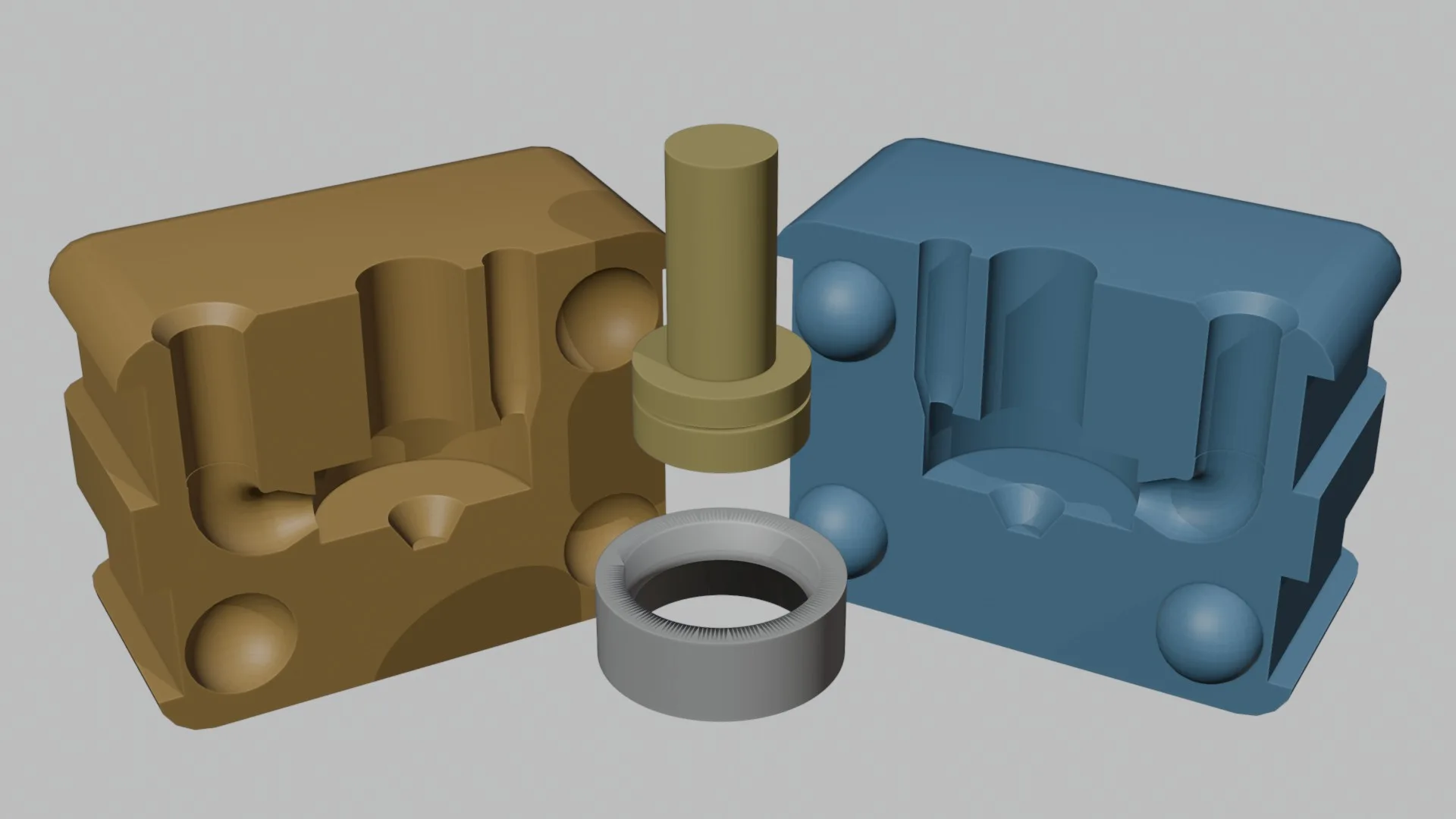
EasyMold turns a Blender mesh into mold pieces you can export for 3D printing. Select an object, choose a mold type, generate the mold, then export the pieces for your slicer. The original object stays unchanged, and the mold goes into its own collection. Blender Extensions lists EasyMold for Blender 5.2.0 and newer.
Choose a mold type
EasyMold includes options for casting the object itself or making a silicone mold around a master:
- Direct Mold (Cast Part): creates a block mold in one, two or four parts. For hollow parts, EasyMold adds a printable core.
- Silicone Mold: Box: creates a box and base for pouring a block silicone mold around a master.
- Silicone Mold: Shell: follows the master’s shape for a thin silicone mold, with flanges, keys and silicone anchors.
- Silicone Mold: 2-Part: creates a frame and parting board for masters without a flat side.
Adjust the mold for casting and printing
The add-on can create split planes or a curved parting surface, registration keys with printing tolerance, and several clamping options. Depending on the design, you can use screws with nut traps, clips or grooves for elastic bands.
For casting, EasyMold can add a pour hole with a funnel or chamfer, or an entry from below with a round elbow. It can also place air vents so they lean away from thin walls. Other tools include mesh repair, blocker walls for through-holes, undercut analysis and support for several objects in one mold.
Shrinkage compensation and a material calculator help with planning. The calculator covers silicone volume, weight, the A + B mix and cost, and the add-on includes material presets. If a piece exceeds the print bed, EasyMold flags it and can split it with holes for alignment pins.
Preview, edit and export
Live Preview draws the mold in the viewport as you change settings without adding it to the scene. When you want to adjust placement, Edit Layout exposes keys, bolts, pour holes and vents as markers that you can add, move, resize or delete.
Export the mold pieces as STL or 3MF for your slicer. EasyMold places each piece on its best flat face. EasyMold requests file permission to export mold pieces; it writes them only when you press Export for Printing and choose a destination folder. Your own presets use Blender’s preset system.
Compatibility and project details
Open EasyMold from the 3D Viewport sidebar: press N and choose the EasyMold tab. The add-on uses millimeters, with one Blender unit equal to one millimeter. The Blender Extensions listing identifies version 1.0.1 and a minimum Blender version of 5.2.0. Its release notes say the built-in presets appear in Blender’s standard preset menu alongside your own presets.
EasyMold is free and open source under the GNU GPL version 3.0 or later. Visit the project repository for its source, documentation and issue reporting.