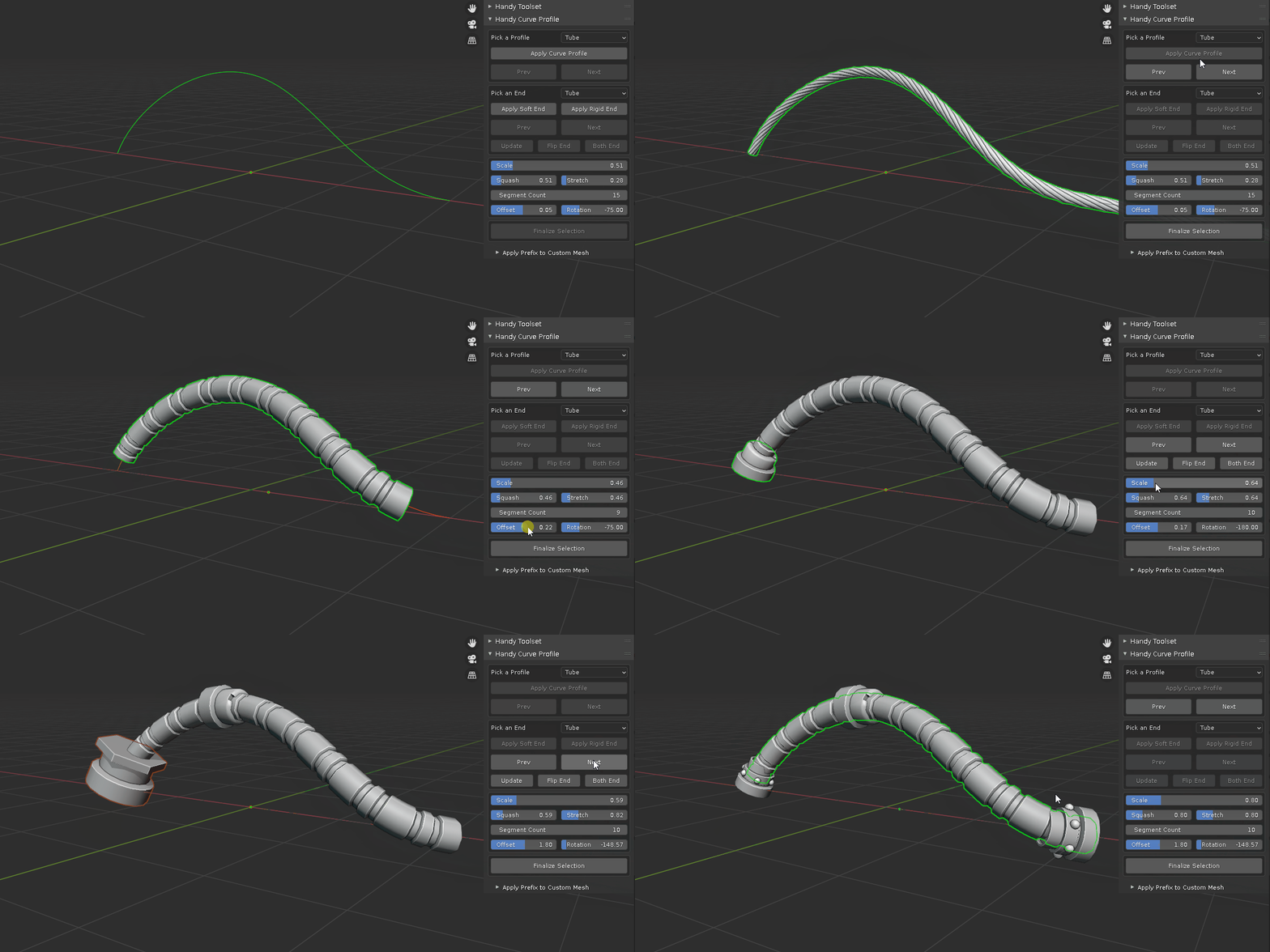
Handy Curve Profile is a Blender add-on for turning curves into detailed mesh forms. It applies a selected profile along a curve or adds a soft or rigid mesh at an endpoint. The product listing says it includes more than 100 preset shapes, with controls for changing the shape and how it follows the curve.
Shape curves with mesh profiles
Choose a profile category, then browse its shapes. The add-on can place a mesh along a curve or add a mesh at one or both ends. Soft ends deform with the curve; rigid ends keep their structure. For profiles, Manual mode lets you set the segment count, while Fit Curve distributes the mesh along the curve. You can also set segment distance and adjust each curve point's radius and tilt.
When you edit the underlying curve, an endpoint mesh may need an update because it uses proxy curves. Use Update after editing the curve to refresh the endpoint mesh, flip end to move it to the opposite end, or Both end to place the same mesh at both ends.
Draw curves on surfaces and reuse geometry
The Draw on surface tool creates a curve on selected mesh objects. Click to add points, use W or S to change the distance from the surface, then press Spacebar or Enter to confirm. Right-click or press Esc to cancel. Handy Curve Profile can also turn selected edges into curves and create bones from curve points, with open or closed loops.
Organize profiles and save custom shapes
To build a custom library, append your own mesh to a Blender file and select that file as the destination. In version 1.4.4 and later, profile categories use separate blend files. The product documentation explains how to name the file and collection to create a category; adding the suffix _end makes it an end-mesh category.
You can set a custom folder in the add-on preferences and use different profile folders for different projects. If you have appended a mesh to the source file, save it elsewhere before updating the add-on.
Version and licensing details
The Superhive listing shows version 1.5, and its update notes say it was reformatted to meet the Blender 4.2 extension platform standard. It lists Blender 2.83–5.3 compatibility and a GPL license. AnyPlugins lists the add-on as free. Check the current product listing for download availability and terms before installing.