Choose a cleanup scope
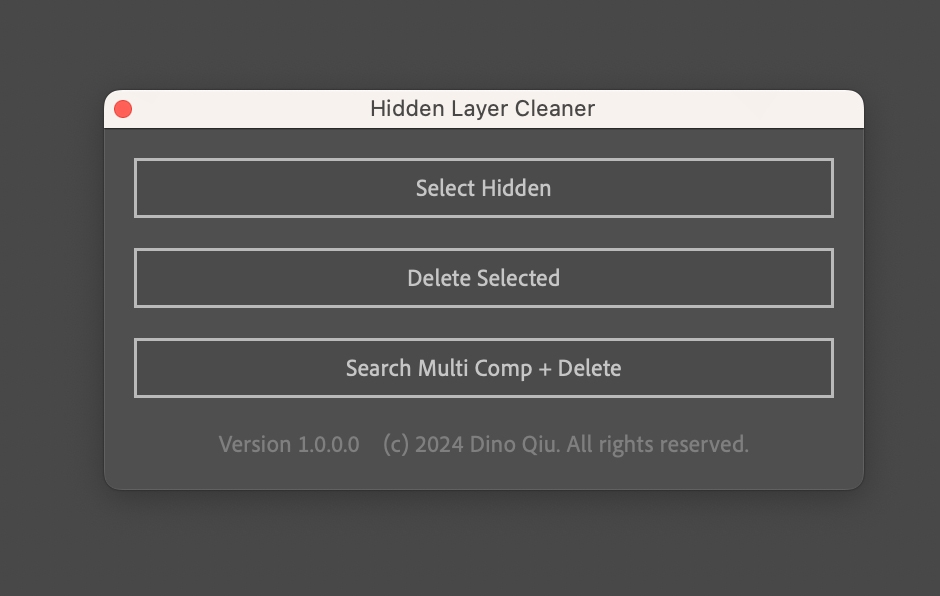
Run Hidden Layer Cleanser on a selected composition to find layers with visibility turned off. For broader cleanup, select a parent folder to batch-process hidden layers in the compositions inside it. The folder option suits projects where several compositions need tidying before archiving or handover.
Review candidates before deletion
The script lets you review the selected layers before deleting them. It skips hidden layers that parent other layers, are used as track mattes, or are referenced by effects such as displacement maps. These exclusions help keep layers that still support a composition. The documented scan targets layers with visibility turned off, so use it for hidden-layer cleanup rather than as a general search for every unused project asset.
Compatibility and licensing
Compatibility is listed for After Effects CS6, CC, CC 2014, CC 2015, CC 2015.3, and releases 2017 through 2026. Individual users can pay any amount under the Name Your Own Price terms. Businesses and teams must pay the suggested amount for a valid license. The EULA permits one copy on one computer at a time; additional users or computers need appropriately licensed copies. It also prohibits redistribution and modification.