LipsyncTool animates character mouth shapes in After Effects using marker-synced keyframe presets and smooth interpolation, without holds or expressions.
Apply viseme presets from timeline markers
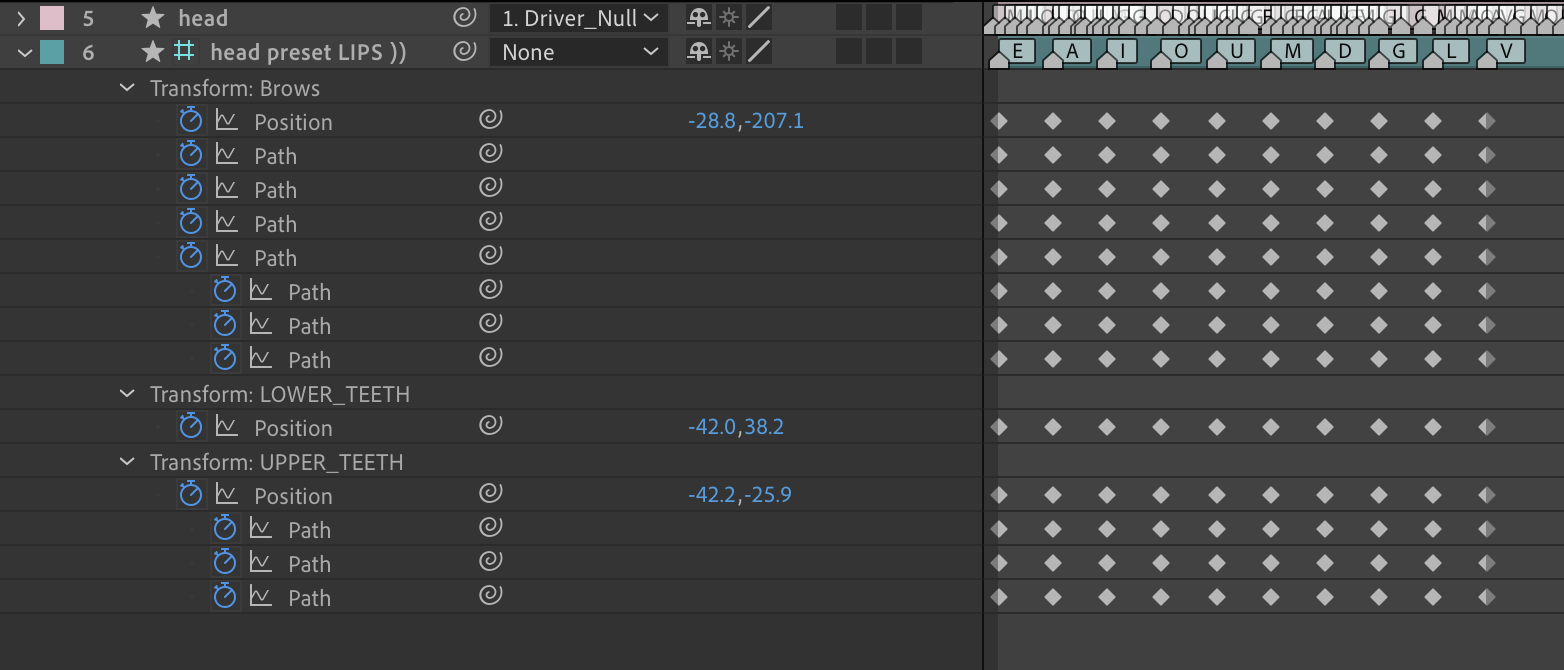
Set up mouth shapes such as A, E, O, and M on a preset layer with markers. The Lipsync tab applies the corresponding viseme keyframes to the main art layer. Timeline markers can trigger keyframe sets for range markers and multi-frame animations.
Reuse and refine character animation
CopyPaster transfers markers or a full animation between characters and compositions, including characters with different rigs. You can clone animations to loop or repeat a phrase, or swap the preset layer to change an expression, such as moving from a happy to a sad set of mouth shapes. MarkerShift provides frame-precise controls for nudging or adjusting markers and keyframes.
Compatibility and licensing
The listing names After Effects CC 2018 and CC 2019, plus versions 2020 through 2026. The product listing states that LipsyncTool requires a Floating License Server and presents a License Type selector. aescripts' License Type FAQ (Nov. 5, 2026) says a Single User License permits installation on up to two computers or user accounts when they are not used at the same time, unless otherwise noted; floating licenses can be installed on computers on the same network, allow one user per license at a time, require a server on that network for activation, and require VPN access for remote use. The product EULA (updated Oct. 21, 2025) grants one copy and requires an appropriate license agreement for additional copies or users. Check the available license option against your planned installation and team use.
LipsyncTool fits character animators who already prepare viseme artwork and want marker-driven keyframe control in After Effects, especially when they need to reuse or adjust mouth animation across characters and compositions.