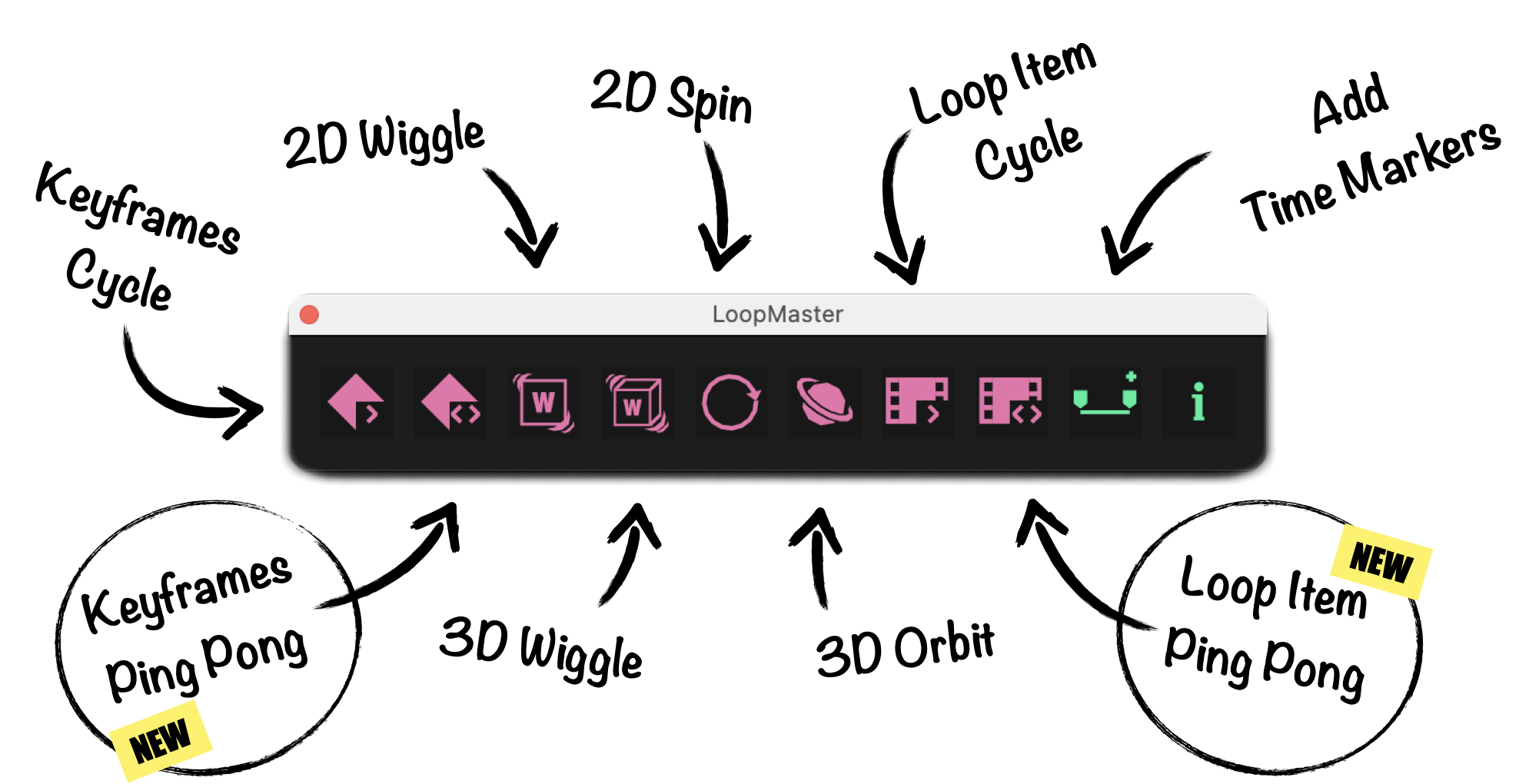
LoopMaster is a dockable After Effects panel for creating repeating animations. Its tools cover Wiggle Loop, 3D Wiggle Loop, 2D Spin, Orbit 3D, Keyframes & Path Loop, and Loop Item. The product page lists GIFs, NFTs, Lottie animations, and social media posts as use cases.
Choose a loop workflow
- Use Wiggle Loop or 3D Wiggle Loop for wiggle animation, and Orbit 3D for orbital motion. Version 1.1 updated 2D Spin so the current layer stays at its original position when applied.
- Keyframes & Path Loop works with keyframes and paths; Loop Item loops a media item.
- Ping-pong is available for Keyframes & Path Loop and Loop Item.
Set the timing reference
LoopMaster effects adapt to the length of a composition, layer, or markers. Choose Composition, Layer, or Markers as the time reference. The panel also has a button for adding markers to use with LoopMaster.
Loop Item can handle media with a trimmed start or end by automatically pre-composing the media. This can help when the visible layer duration differs from the source media duration.
Compatibility and license
The product page lists After Effects 2026, 2025, 2024, 2023, 2022, 2021, 2020, CC 2019, CC 2018, CC 2017, CC 2015.3, and CC 2015. A free trial is listed on the page.
The EULA allows one copy on one computer at a time. The EULA also permits one archival copy on storage other than a hard drive for reinstallation. Use involving additional installed copies or users requires an appropriate licensing agreement for each user and copy. Check the license terms for your intended setup.