ToneBoosters Lowtone is a bass synthesizer for creating playable patches from layered oscillators, noise, filtering and modulation. Its loudness-domain mode adjusts harmonics individually to reduce perceived loudness changes between notes, which can help when one patch needs to cover a wider pitch range.
Synthesis and tone shaping
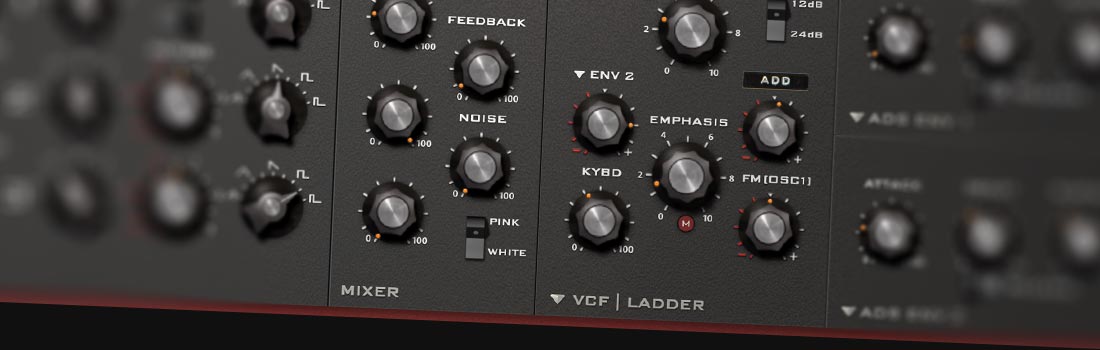
Lowtone has three voltage-controlled oscillators, each with more than 30 waveform algorithms, plus a voltage-controlled noise generator. The oscillators support continuous pulse-width modulation, frequency modulation and hard sync, with up to 12 unison voices per oscillator. Their combined sound passes through a nonlinear filter with 20 types, including dual, triple and quadruple resonance options. Cutoff, resonance and drive controls shape the filter response.
This setup suits bass sound design that calls for more than one oscillator layer: combine different waveforms, add noise, then shape the result with the filter and ADSR envelope. Loudness-domain processing is an optional oscillator mode, so it can be used where note-to-note balance matters.
Modulation and note patterns
Two extended LFOs, an ADSR envelope and a stepped gate editor can modulate oscillator, noise and filter parameters. The LFOs can follow the host timeline or sync to the beat. With key-on reset enabled, an LFO restarts when a note arrives and can use onset delay; cycle count is available only in that mode and when infinite mode is off. The gate editor lets you draw a stepped pattern and trigger it from a note or the host timeline.
The programmable arpeggiator turns incoming MIDI notes into a grid-based sequence. You can change note timing, octave placement from one octave below to two above, and velocity offsets. Patterns can play notes in sequence; to play them together as chords, disable legato mode. Lowtone also includes chorus, reverb, delay and a peak limiter.
Presets and patch creation
A preset browser lets you search and sort factory and user patches by library and category. The randomizer creates a patch with a click and can learn from patches in your user library. The manual says half of its randomized patches are personalized from that library; the other half come from a generic randomizer. You can export selected patches as a ZIP archive or export programs and banks as XML. ToneBoosters describes user patches and libraries as compatible across Windows, macOS and iOS.
Compatibility and license
ToneBoosters lists Lowtone for Windows, macOS and Linux, with VST, VST3, AAX, Audio Unit and standalone formats; DAW requirements vary by platform. Its software installer section lists these DAW requirements:
- Windows 10 or later: a 64-bit DAW with VST, VST3 or AAX support and an Intel or AMD SSE2 processor.
- macOS 10.13 or later: a 64-bit DAW with VST, VST3, AAX or Audio Unit support, on Intel or Apple Silicon.
- Linux: a 64-bit DAW with VST or VST3 support, an Intel or AMD SSE2 processor, and glibc 2.31 or later.
The product page lists a €35 personal, perpetual desktop license for up to four computers. The EULA says desktop licenses are for one user and do not cover mobile platforms; App Store licenses apply to iOS and iPadOS, Google Play licenses to Android, and in-app purchases to the specific app. ToneBoosters also lists an iPhone and iPad version, an Android companion editor, and Lowtone as an in-app purchase in Audio Evolution Mobile Studio. Check the Lowtone manual for setup and instrument controls.