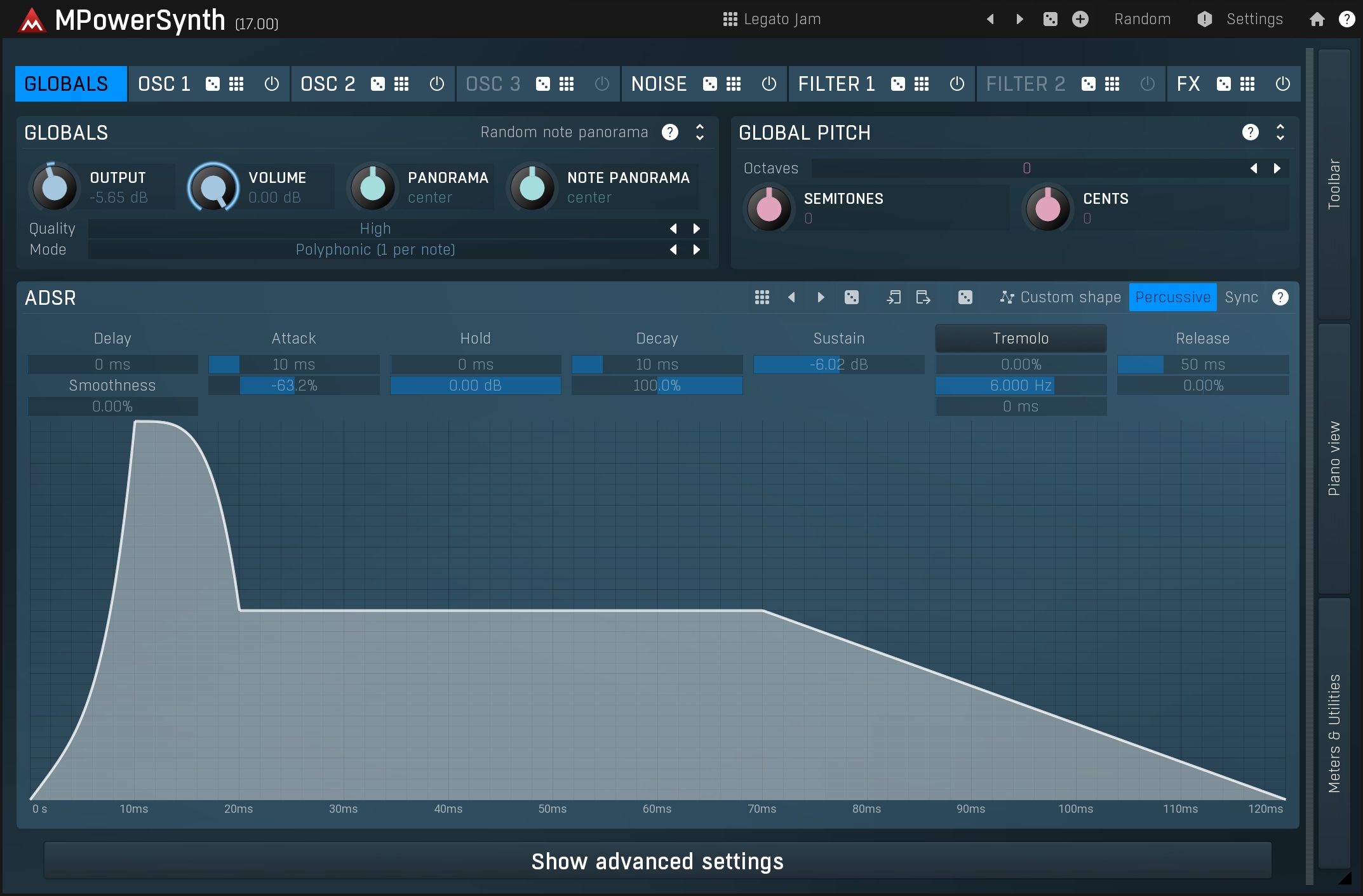
MPowerSynth is a synthesizer with three oscillators and a noise generator in each voice, followed by two filters and a global ADSR envelope; the voices then pass through a shared modular effects section. MeldaProduction’s tutorials cover workflows such as layering, making pads and leads, drum layering, and sound sequencing.
Build sounds from oscillators, filters and modulation
The first oscillator can use up to 10 unison voices for a wider sound. Oscillators two and three can be mixed with the preceding signal or used for processing such as frequency modulation, ring modulation and convolution. You can shape oscillator signals with editable waveforms, a step sequencer or harmonic controls.
Each voice has two filters, with more than 100 types listed by MeldaProduction. The selection ranges from low-pass, high-pass and band-pass filters to formant, comb, diffuser and polymorph designs. Filter envelopes can move frequency and other settings over a note; input drive and output saturation add distortion around the filtering stage.
Eight modulators can work as LFOs, level followers, triggered envelopes, randomizers or pitch detectors, and can respond to a sidechain. The polyphonic arpeggiator can follow chord notes in different patterns, with per-step control of velocity, octave, length and probability. For a quick way to audition a sound, the plug-in also includes a note trigger that does not require a MIDI keyboard.
Arrange effects and automate changing sounds
The modular effects section includes more than 35 processors, such as modulation effects, delays, distortion, dynamics and filters, plus routing tools such as mixers and crossovers. You can arrange processors into signal paths, use feedback, or ask the randomizer to create an effects structure. The effects pipeline runs from top to bottom and left to right, and its outputs are mixed together.
The manual says host automation cannot directly control parameters inside effects loaded in the modular section. Assign a parameter to a multiparameter, then automate that multiparameter. The product also includes automatic gain compensation for comparing settings at similar loudness and a safety limiter that keeps output below 0 dB. CPU use varies with the chosen processing; Melda notes that some filter types and deeper convolution settings are more demanding.
Presets, randomization and licensing
MeldaProduction lists more than 1,500 community-designed presets, each with at least four macro controls assigned to standard MIDI controllers. Randomization can make small changes, produce a more substantial variation, or use the smart mode, which draws on existing presets and lets you lock parameters you want to keep. Melda also provides a free trial through its downloads page.
The developer describes licenses as personal to the user, who can use the license on all of their own computers. Activation uses license files and does not require a dongle or an internet connection. Purchased software receives free updates for life.
Compatibility
MPowerSynth supports 64-bit VST, VST3 and AAX hosts on Windows, and VST, VST3, AU and AAX hosts on macOS. Melda lists Windows 10 or 11 and macOS 10.14 Mojave or newer. Linux is not directly supported; the developer says running the plug-in through Wine may be possible and notes that Microsoft TrueType fonts need to be present in Wine’s Windows fonts directory. Check the current MPowerSynth support page and system requirements for your setup.