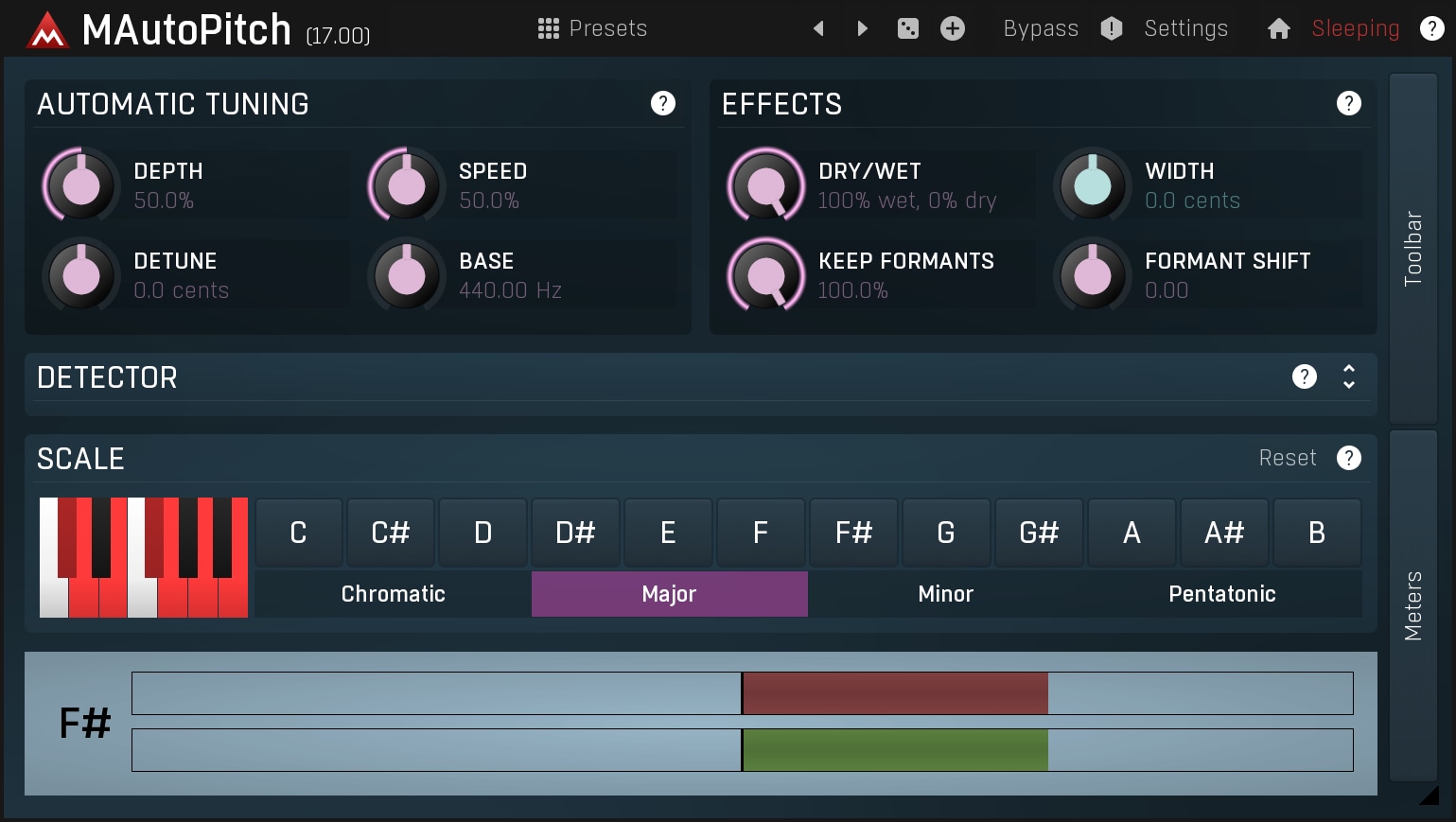
MAutoPitch is MeldaProduction’s automatic pitch correction effect for vocals and other monophonic instruments. It can pull a performance toward selected notes for tuning repair or a more machine-like sound. You can set the target scale, correction depth and speed, then shape timbre with its formant controls or add stereo spread with a pitch difference between channels.
MeldaProduction lists MAutoPitch as a free effect available with the MFreeFXBundle.
Set the tuning target and response
Choose a predefined basic scale or enable notes individually on the on-screen keyboard. The default chromatic scale allows all 12 semitones. Depth controls how closely the output follows the target notes: lower values tolerate more pitch variation, while 100% depth usually sounds machine-like. Speed controls how quickly the pitch changes; faster correction can sound less natural.
The detector has controls for difficult material. Raise Threshold to ignore quiet, noise-like gaps that could confuse pitch detection. Stabilization limits how quickly the detected pitch can make larger changes, which can help with vocal passages containing brief inharmonic sounds. Robust is the default detection mode and considers both spectrum and timing. MeldaProduction suggests trying other modes on instruments such as bells, whose inharmonic partials can confuse detection.
Adjust formants and stereo width
The Keep formants control reduces changes to the sound’s spectral envelope during pitch shifting, which can help retain a more natural vocal tone. Formant shift changes formant information to alter timbre, generally without shifting pitch. Dry/Wet blends the processed and unprocessed signals. Width creates a pitch difference between channels, which can add stereo spread or give a part the impression of a doubled performance.
Compare settings before choosing one
MAutoPitch can store up to eight settings in its A-H slots. Use A/B to switch between two selected settings while listening. The X-Y morph control blends settings A through D, which is useful for auditioning intermediate combinations. Morphing changes the currently selected slot, so select a destination slot first if you want to preserve the originals. It affects parameters that can be automated or modulated.
Check host and operating system support
MeldaProduction lists support for 64-bit VST, VST3 and AAX hosts on Windows 10 or 11. On macOS 10.14 Mojave or newer, it lists 64-bit VST, VST3, AU and AAX support. Windows requires an Intel or AMD processor with SSE2 support; macOS supports Intel, AMD or Apple Silicon CPUs. Linux is not directly supported, though MeldaProduction says the plugins may work through Wine when Microsoft TrueType fonts are present in Wine’s fonts directory. See the MAutoPitch support page for requirements and the quick-start guide for control details.
MeldaProduction says activation uses licence files and requires no dongle or internet connection. Its product feature page says licences are person-specific: the licence holder may use the software on their own computers, but only they may operate it.