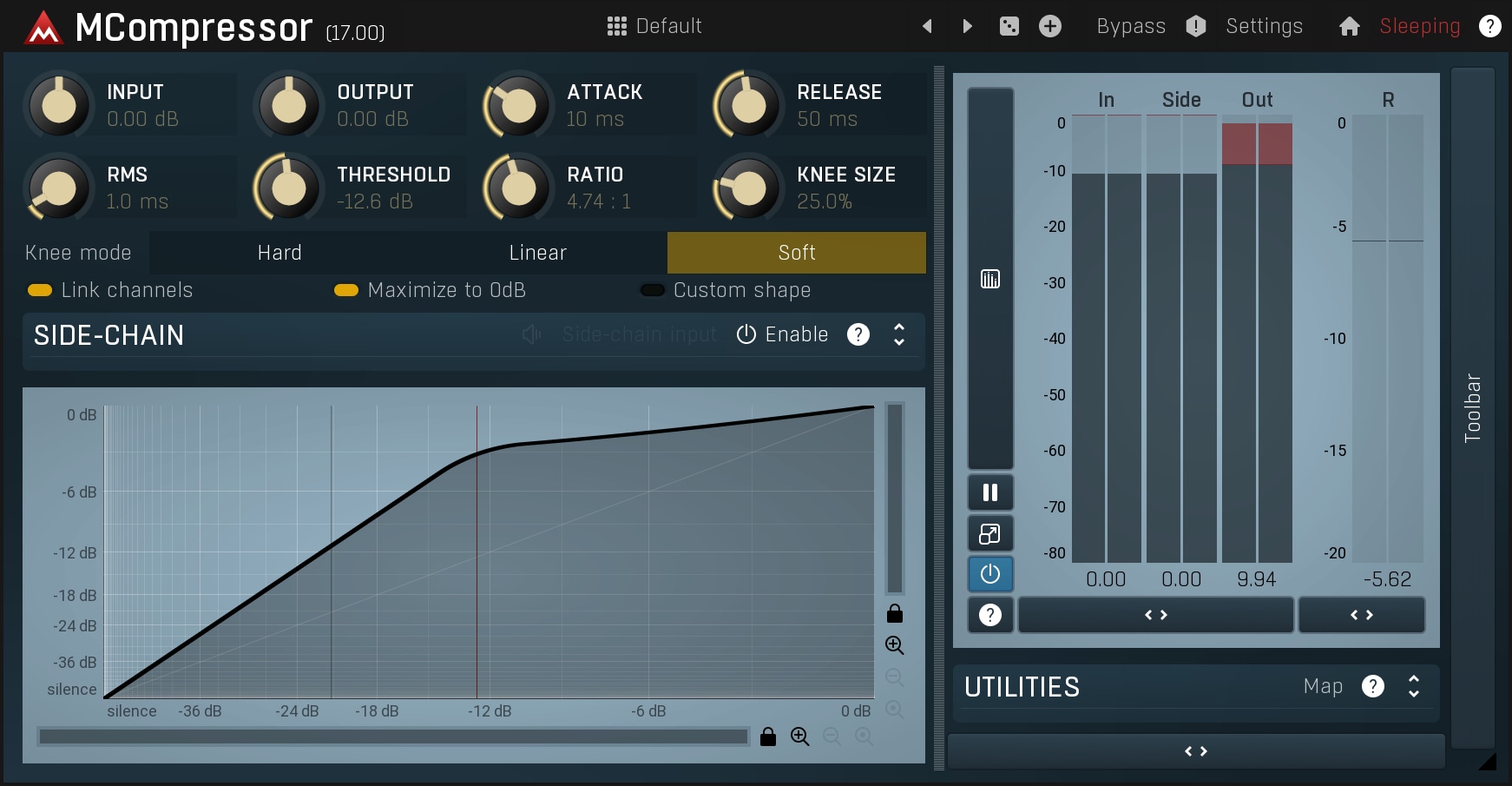
MCompressor is a dynamics processor for controlling levels with compression and shaping how input levels map to output levels. Its controls include threshold, ratio, knee, attack, release, and peak or RMS detection. The editable response curve and two types of side-chain processing make it useful for detailed level shaping as well as routine compression. MeldaProduction lists it as a free effect and directs users to MFreeFXBundle for access.
Shape the compression response
The signal graph maps input level to output level. Enable Custom shape to edit that curve with points, adjustable curves, and smoothing. You can draw a shape, generate one from an analyzed audio level envelope, create one with the step sequencer, or import and export graph points as CSV. This gives you control over compression, gating, and other dynamics responses that a fixed ratio curve cannot describe as directly. The MCompressor manual explains the graph editor and its controls.
For ordinary compression, threshold sets where processing begins and ratio sets how strongly levels above it are reduced. Attack controls how quickly the detector responds to rising level, while release controls how quickly it lets go. A short attack can reduce a drum transient; a longer attack can let more of its initial hit through. The detector's RMS length smooths its level reading and slows its response. The manual suggests peak detection for percussive material and RMS detection for steadier, subtle level control.
Use filtered or external side-chain input
MCompressor has a side-chain filter for changing what the level detector listens to. For de-essing, filter the detector toward the sibilant frequencies, then use the Audition control to hear the filtered detector signal while setting it up. The main audio still passes through the compressor. A similar setup can focus compression on a prominent hi-hat while processing a drum track.
The separate side-chain input uses a secondary plugin input as the detector source while MCompressor processes the main signal. With a host-routed kick signal, for example, the compressor can reduce the level of another track or a mix in time with the kick. This is different from the built-in filter, which shapes the detector signal from the plugin's main input.
Choose a channel mode and processing quality
Channel modes include left and right, mid/side, surround processing for up to eight channels, and ambisonics up to 64 channels at seventh order. The manual says ambisonics requires DAW support and activation in the plugin settings, followed by a host restart. Check your DAW's multichannel support before relying on these modes.
The product feature page lists adjustable upsampling from 1x to 1024x, with minimum-phase and high-quality linear-phase algorithms. The manual explains that oversampling can reduce aliasing in nonlinear processing, but it also uses more CPU and high-quality processing can add latency. It can change the sound, so compare settings in your project rather than assuming the highest rate will help.
Automatic gain compensation can bring output loudness closer to the input while comparing settings. The manual warns that it can cause pumping when both attack and release exceed 100 ms. An optional safety limiter can catch peaks above 0 dB, though it changes the output and uses additional processing.
Compatibility and access
MeldaProduction's support page lists 64-bit VST, VST3, and AAX support on Windows 10 and 11. On macOS 10.14 or newer, it lists 64-bit VST, VST3, AU, and AAX support, with Intel, AMD, and Apple Silicon processors. Linux is not directly supported; MeldaProduction says running the plugins through Wine may be possible if the .wine/drive_c/windows/Fonts/ directory contains Microsoft True Type Fonts. Confirm that your DAW supports a listed format and the channel configuration you need.