Minimalist Pipeline is a Blender add-on for organizing production work around project files. It puts pipeline controls in the 3D Viewport sidebar and is designed for solo artists and small teams. The current Blender Extensions listing and catalog record identify version 2.0.0, with Blender 4.2.0 or later required.
Project information is stored in plain JSON files alongside the .blend files, so the data can be read or scripted without the add-on. The listing says the core setup needs no external database or server, and no SSH, other software, or separate network configuration.
Organize files and versions
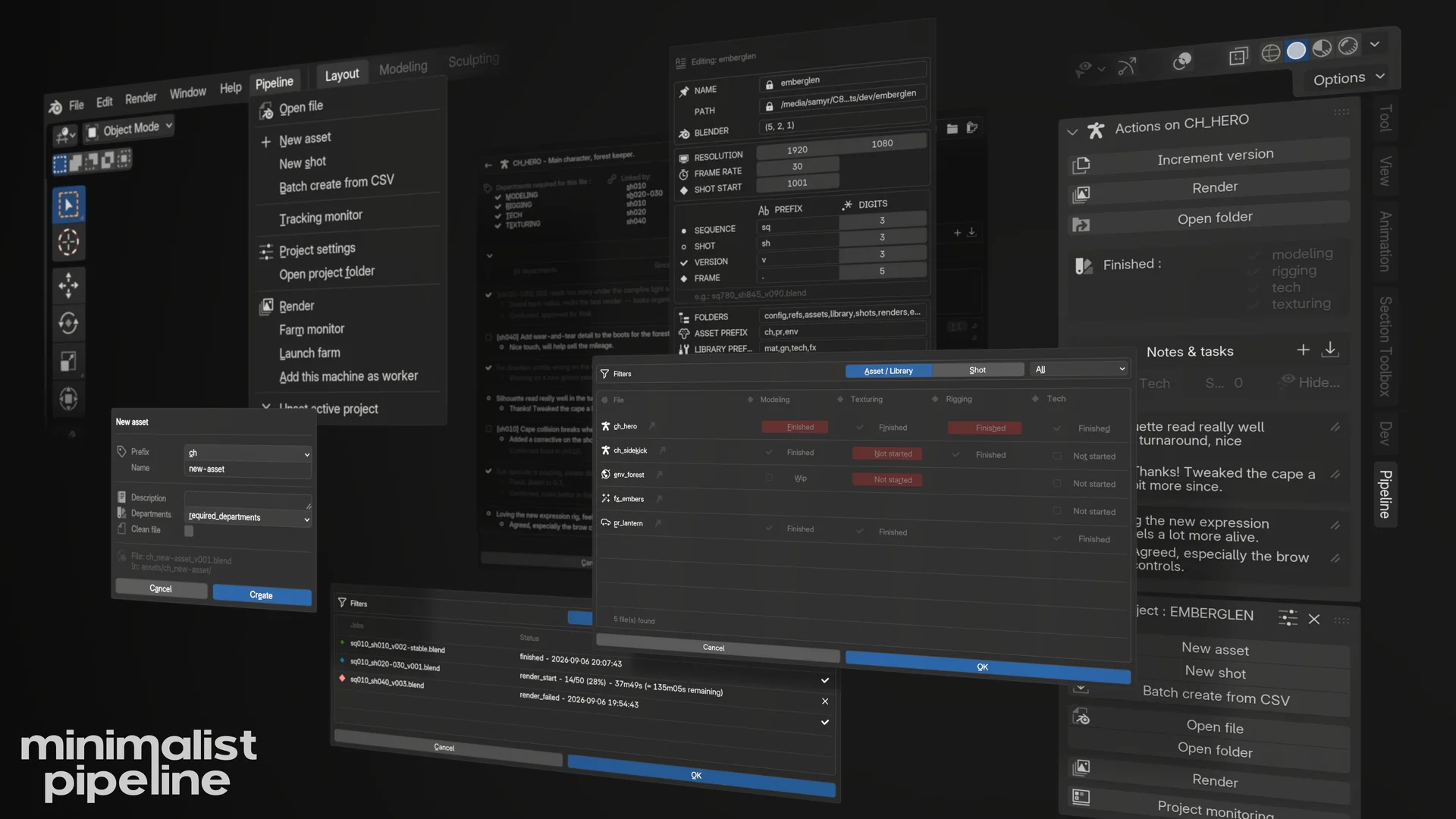
A project configuration controls folder structure and naming. Assets and shots route to the right locations, and CSV batch creation helps set up multiple entries. Work-in-progress saves increment automatically; a “-stable” save publishes deliberately, while a save guard helps prevent accidental overwrites.
In Blender, Ctrl+Alt+S runs the add-on’s increment action. Right-click menus and configurable shortcuts provide other ways to reach pipeline actions.
Track work and review shots
Teams can keep notes, todos, and retakes on individual assets or shots, with validation by department. Version 2.0 adds assignees, workflow stages, schedules, On hold and Cancelled states, and a note for each version describing what changed. It also shows who is working on what in real time and provides automatic read-only protection against overwriting a teammate's work.
The live project page runs from Blender and stays available in a browser on the machine or its local network. It provides shot and asset browsing, department review, retakes tied to frames, notes and replies, todos, and a breakdown with progress, schedule, activity, projections, and .xlsx export. Search is available with Ctrl+K. An offline review can also be sent as a single HTML file; the returned review is imported as one file.
Coordinate render jobs
A monitor and worker machines coordinate render jobs through a shared network drive. The 2.0 farm handles dropped machines, stuck frames, and crashes, and supports chunked renders with priorities. It also includes renders for department review, sequence previews with sound, and rushes sent to editing under fixed names.
The live page can be shared with a phone or tablet through a QR code or a link that lasts from one hour to one week. The listing says remote access works with a VPN. It also lists network permission for serving the page to browsers on the machine and its LAN, file permission for project and farm data, and clipboard permission for copying pipeline log entries.
Plan a 2.0 upgrade
Version 2.0 writes project data differently from 1.x, and its render farm turns away machines that remain on 1.x. Update every machine in a project together. Then run Edit project > Maintenance > Migrate old data once for that project. The migration shows the proposed changes first and backs up each file it touches.